


A python3 package which Can Create Images From url, Html-CSS, Svg and from any readable file and texts with many setup features.
-
Install HtmlWebShot:
$ pip3 install htmlwebshot
-
Install wkhtmltopdf:
- Debian/Ubuntu:
$ apt-get install wkhtmltopdf -y
- MacOs:
$ brew install homebrew/cask/wkhtmltopdf
- Alternative Support
$ wget https://github.com/1Danish-00/HtmlWebShot/raw/main/script.sh | sh - Win / Arch / Others
click here
- Debian/Ubuntu:
from htmlwebshot import WebShot
shot = WebShot()size: (int , int) : tuple : height, width default: full-screenquality: int : between 1 to 100delay: float : delay time in sec to load pageflags: list : know Moreparams: dict : know moreconfig: path setup know more
Using Url
shot.create_pic(url="https://google.com")Using Html File
shot.create_pic(html="myfile.html", output="picture.jpg")Using Html with CSS
via files
shot.create_pic(html="myfile.html", css="background.css", output="picture.jpg")via string
html = """<h1> Hello World </h1>
<p>Write something about the world.</p>"""
css = "body {background: pink;} p {color: red;}"

shot.create_pic(html=html, css=css, output="picture.jpg")
Using Svg Or Any Other Readable File/Text
shot.create_pic(other="violin.svg", output="picture.jpg")text = "What should I write here???"
shot.create_pic(other=text, size=(100,200))You can use with async too
await shot.create_pic_async( # parameters are same for bothfrom htmlwebshot import WebShot
shot = WebShot()
shot.size = (110, 270)
shot.quality = 80 # maximum 100
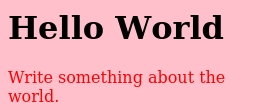
html = """<h1> Hello World </h1>
<p>Write something about the world.</p>"""
css = "body {background: pink;} p {color: red;}"
shot.create_pic(html=html, css=css, output="picture.jpg")Click Here To See Output Image Of Above Code.
from htmlwebshot import WebShot
shot = WebShot()

shot.quality = 100
shot.params = {"--crop-x":300, "--crop-w": 400}

shot.create_pic(html="profile.html", css="profile.css")
Click Here To See Output Image Of Above Code.

Click For More Examples
from htmlwebshot import WebShot
shot = WebShot()

shot.quality = 85
shot.flags = ["--enable-javascript"]

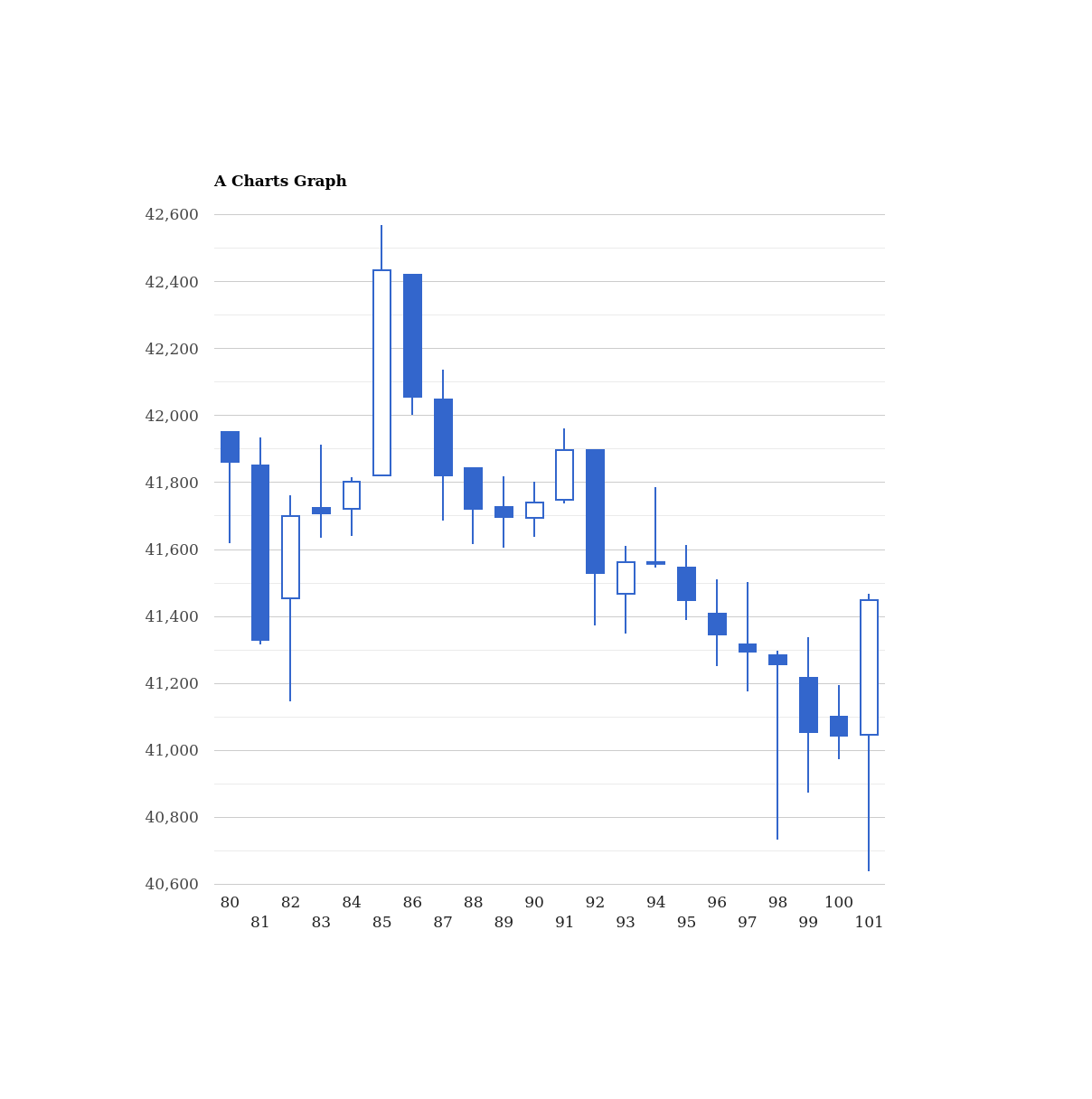
shot.create_pic(html="jsgraph.html")
Click Here To See Output Image Of Above Code.
from htmlwebshot import WebShot
shot = WebShot()

shot.flags = ["--quiet"]
shot.quality = 100

shot.create_pic(other="violin.svg", size=(500,600))
Click Here To See Output Image Of Above Code.

Click Here To Check All Flags:
--quiet: Be less verbose--disable-smart-width: To force size to be accurate--custom-header-propagation: Add HTTP headers specified by flag--custom-headerfor each resource request--no-custom-header-propagation: Don't Add HTTP headers specified by flag--custom-headerfor each resource request--disable-javascript: Don't allow web pages to run javascript--enable-javascript: Allow web pages to run javascript--proxy-hostname-lookup: Use the proxy for resolving hostnames--stop-slow-scripts: Stop slow running javascripts--no-stop-slow-scripts: Don't Stop slow running javascripts
from htmlwebshot import WebShot
shot = WebShot()
shot.flags = ["--quiet", "--enable-javascript", "--no-stop-slow-scripts"]Click Here To Check All Params options:
--bypass-proxy-for:<value>Bypass proxy for host (repeatable)--cookie:<name><value>Set an additional cookie (repeatable), value should be url encoded.--cookie-jar:<path>Read and write cookies from and to the supplied cookie jar file--crop-h:<int>Set height for cropping--crop-w:<int>Set width for cropping--crop-x:<int>Set x coordinate for cropping--crop-y:<int>Set y coordinate for cropping--custom-header:<name><value>Set an additional HTTP header (repeatable)--encoding:<encoding>Set the default text encoding, for input--format:<format>Output file format--minimum-font-size:<int>Minimum font size--password:<password>HTTP Authentication password--post:<name><value>Add an additional post field (repeatable)--post-file:<name> <path>Post an additional file (repeatable)--proxy:<proxy>Use a proxy--run-script:<js>Run this additional javascript after the page is done loading (repeatable)--ssl-crt-path:<path>Path to the ssl client cert public key in OpenSSL PEM format, optionally followed by intermediate ca and trusted certs--ssl-key-password:<password>Password to ssl client cert private key--ssl-key-path:<path>Path to ssl client cert private key in OpenSSL PEM format--user-style-sheet:<path>Specify a user style sheet, to load with every page--username:<username>HTTP Authentication username--window-status:<windowStatus>Wait until window.status is equal to this string before rendering page--zoom:<float>Use this zoom factor
from htmlwebshot import WebShot
shot = WebShot()
shot.params = {
    "--custom-header": "Accept-Encoding gzip",
    "--minimum-font-size": 50,
    "--format": "png",
    "--zoom": 10,
}If you installed pkg directly then no need to configure it, It'll auto configure.
But If u installed externally then you have to setup config path.
from htmlwebshot import WebShot, Config
shot = WebShot(
    quality=80,
    config=Config(
        wkhtmltopdf="C:\Program Files\wkhtmltopdf\\bin\wkhtmltopdf.exe",
        wkhtmltoimage="C:\Program Files\wkhtmltopdf\\bin\wkhtmltoimage.exe",
    ),
)