


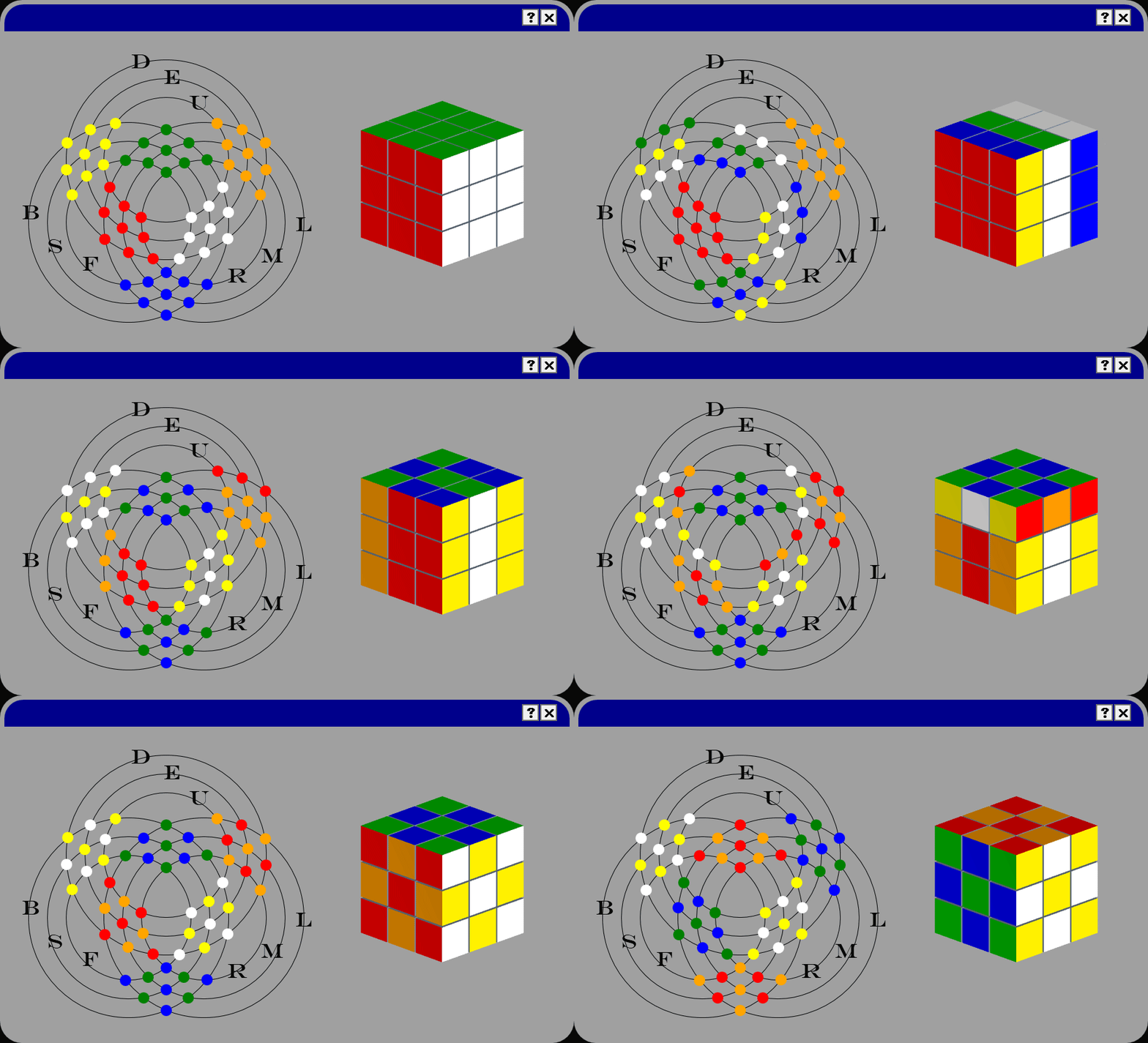
Here is a screen recording that shows my program in action. This should give you an immediate sense for what it does.
Tip
In a hurry? Jump straight to the download links.
This project features 2 different visualizations for the 3x3x3 Rubik's cube:
- The classic 3D Rubik's cube visualization, with animated rotating slices.
- A novel 2D 'projection' of the cube.
- Both visualizations exist as a stand-alone WPF control
- Each visualization is complete with smooth animations of all of the standard Rubik's cube moves: Front, Back, Left, Right, Up, Down, Middle, Equator, Standing, X, Y, and Z
- In the application, both visualizations are shown at the same time, and move in lock-step.
One advantage of this 2D visualization is that all of the faces of the cube are always visible.
54 colored dots replace the 54 colored stickers of the cube, and are clustered into six 3x3 'faces'.
There is a 1-to-1 correspondence between the faces of the 3D Rubik's cube and 2D clusters. This graphic here should make clear how these two visualizations relate.
Black circular lines show how the faces and their stickers are connected and can move. Smooth animation of the dots along the black circular lines shows the transition between states.
After finishing my 2D visualization, everyone I showed it to immediately asked if I had implemented the classic 3D cube visualization as well, so they could better understand what the 2D animation was doing.
The answer was: I had not, but it quickly became clear I was going to need to need to add the other visualization as well.
Not wanting to re-invent the wheel, and knowing animating a 3D visualization was going to be more difficult than animating the 2D visualization I just made, I first searched GitHub and the greater internet for a 3D Rubik's cube visualization that was written in the C# language.
I found only one Rubik's cube control C# that had actually been complete and was functioning. However, it used a 3D perspective drawing of a 2D, 3X3 grid of squares to draw the Rubik's cube, and it had no good answer for how to animate the transition between states when you performed a move. Instead, it showed arrows demonstrating the direction the faces would move, and then immediately jump to the final state the cube was in after performing the move, which is not what I wanted. I felt a smooth animation showing how the pieces got to where they ended up was important to understanding where the pieces had come from. Jumping to the final end state was jarring and make it difficult to understand what had just happened. Thus, I felt it failed in its role as a visualization, in that it did not aid in you visualizing how the pieces of the cube were being oriented and manipulated in space.
Having failed to find a control to visualize the Rubik's cube written in the C# language, I decided to write my own.
As far as I am aware, this is the first and only open-source, C# implementation of a Rubik's cube visualization that smoothly animates the 3D rotations of the Rubik's cube slices.
This is accomplished using a 3x3x3 array of 3D triangulated meshed cube models. Moves are performed by taking 3x3 slices of the cube and performing 3D rotations on them in 3D space, and viewed through an orthographic camera.
There is a 1-to-1 correspondence between the faces of the 3D Rubik's cube visualization and the 2D visualization.
Hopefully the below image will make this clear.
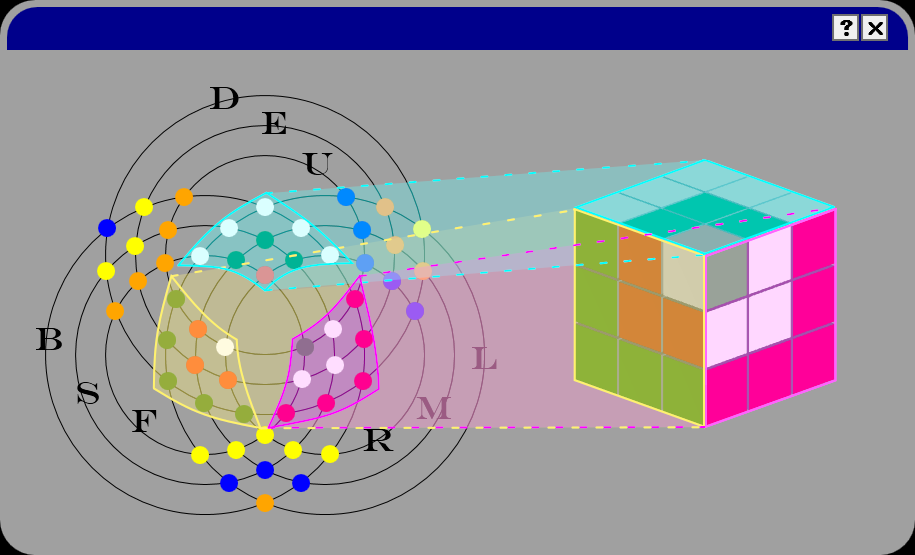
The three 3x3 highlighted clusters in the center correspond to the three faces of the cube that are facing you. The other 3 clusters of 3x3 dots not highlighted correspond to the three hidden faces.
No matter how you orient a Rubik's cube, there will always be at least 3 faces that will be occluded from view at any one time--an annoying consequence of it being a 3D object.
My 2D visualization gets around this problem.
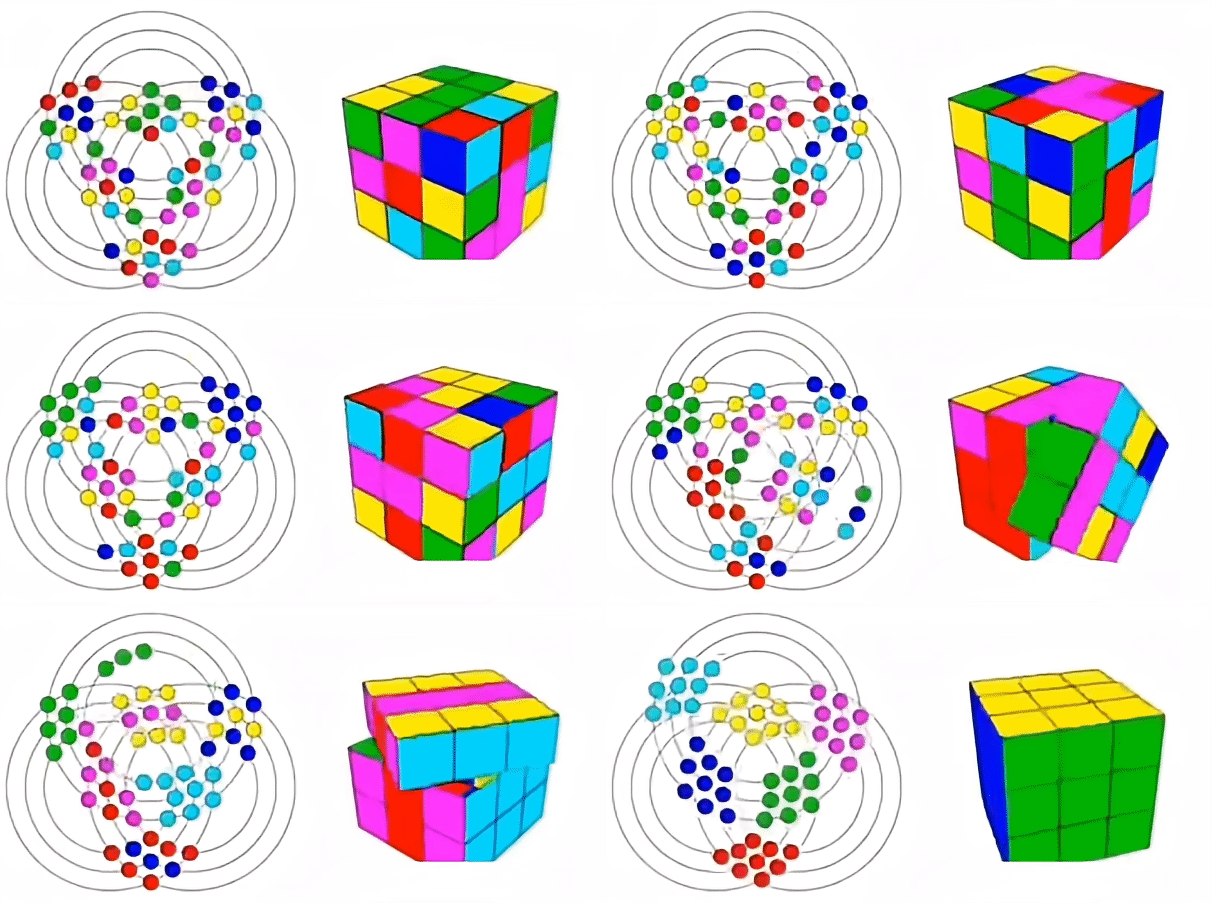
This project was inspired by this animated gif found on this reddit post.
Download the pre-compiled windows binary here.
Download the latest version of the source code here