Our link: https://baodnguyen.github.io/HCI-Project1-Group9/
Class: Human Computer Interaction, CS 5332
Group: 9
Group members:
- Bao Dien Quoc Nguyen
- Hao Van
- Ngan Vuong Thuy Nguyen
- Vung Pham


 (./img/draft2sketch.png)
Some people might take a bath in the morning before going out for their new interesting day. Therefore, we believe that there should be a clock for them to manage time, a brief weather forecast for planning their travels, and an event calendar for arranging activites in upcoming days. Because these items support us to make a dicision for doing somthing, we put them together at the top-left corner of the mirror. If we place them at different positions, people might have some troubles with reading the information. To consider the design in detail, the clock should tell us the date and time, but time may be more important for some people who want to know whether they are late or not, so we make it bigger than the date. About the weather, some useful information is the current temperature and if today is the sunny/windy/rainny day. Users can manage to bring umbrella, put on more cloths and so on with the help of these data. The event calendar give users information about dealines, meetings, or other important activites. They can color these days to rank their activites from crucial events like conferences to memorable ones like birthday parties. The brief information of weather, including sunny/windy/rainny or highest/lowest temperature, is able to help the users to prepare their next days. The tabs below the calendar give users a detail look into each event.
Regarding health tracking, we design an area at the top-right corner for its information such as hours of sleep, weight, steps per day, and heart rate. To keep the design simple, each information is represented as an obvious icon which users can easily guess what it is. When we press one of them, a graph of corresponding data appears on the top region. The graph is big for users easier to read. The users also know which data they are looking at by the light around and size of above icons. These information is synchronized with the data in users' smartphone.
Below the health kit is utility region with some applications. For entertainment purposes while taking bath or brushing teeth, we put some popular applications such as Facebook, Twitter, and Instargram. Users is able to access the their social media pages by a simple touch on these icons. The users can also take a photo of them in front of the mirror or even record a clip. These photoes/clips are synchronized with their phone, so it is more flexible for users. Another function which users is able to use is access Youtube to watch videos online. There is also an email icon, so users can read emails while brushing their teeth. The Chrome button allows users access their favorite webpages. Far below from these buttons, we put other four buttons which we believe that users might use them more frequently. They are Calling, Text Message, Setting, and Maps. This design follows the rule of seven plus/minus two because it makes the region of entertainment look simple for remembering and utilizing. The Calling and Text Message are synchronized with users' smartphone. The Setting button provides some approaches that users can manage their smart mirror. The Maps is a support of traveling plans, so it should be in an opsition which users can recognize easily.
Beside above areas, at the bottom-left corner, there are places for musics player and news feed item. Next to them, at the bottom-middle, users can read some notifications from Message, Facebook or so on. At the top-middle of the mirror, users can see Alex, an AI assistant, if it is working. The region is a blank space if we do not use ALex. At the top-right corner of the mirror, there are some icons of Wifi, Bluetooth, and Smartphone synchronization. They tell the users related information. The main large area in the center is utilized for users looking at them in the mirror, or a place for application such as Youtube. Because users use these applications when they do not want to look at their image, so this area is a multifunctional region.
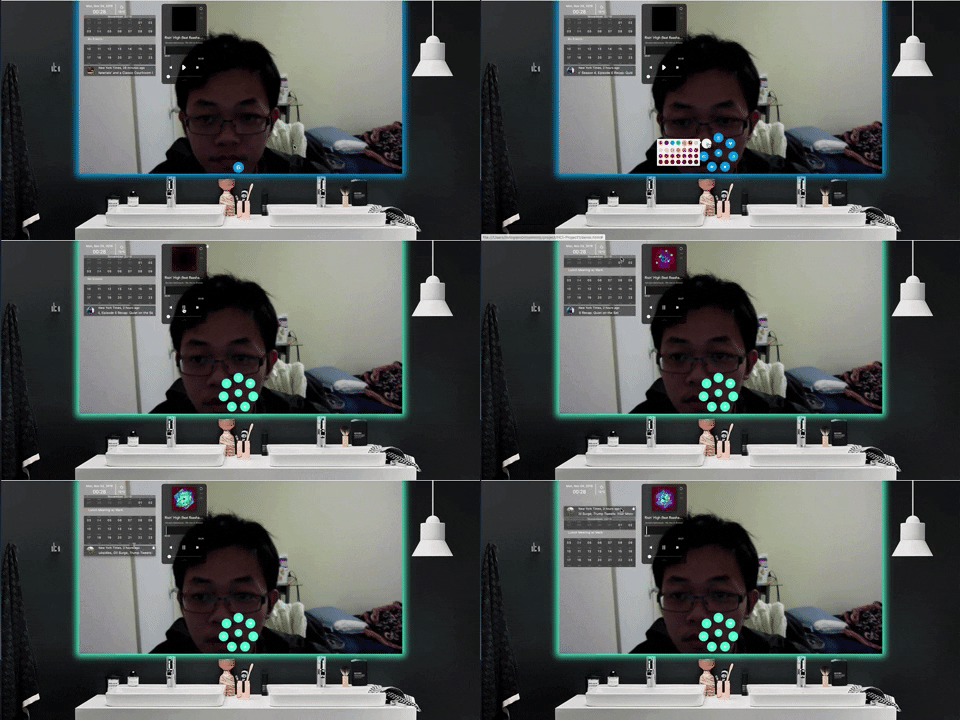
Our mirror has some features:
-
Voice interaction
-
Personal calendar
-
Music player
-
News feed
-
Twitter feed
-
Health information (synchronized with cell phone)
-
Colorful lights
-
Clock
-
Weather information
-
Drag and Drop