A community-maintained fork of LetMeReShade by itsOwen.
All credit goes to the original author for his incredible work.
The goal of this fork is to keep the project alive — updating it to support future versions of ReShade, as well as adding quality-of-life improvements and fixes — since itsOwen has mentioned that he won’t have time to maintain the original project anymore.
Initially based on LetMeReShade v1.8, this fork uses semantic versioning via release-please, continuing from v1.8.0 as its baseline.
Contributions and feedback are very welcome!




🚀 Ultimate Steam Deck Graphics Enhancement Suite - Advanced shader customization with ReShade for next-level visual fidelity

- ReShade - Industry-standard post-processing for DirectX/OpenGL games
- ⚡ One-click installation and management
- 🎯 Automatic game detection and configuration
- 🔧 Manual DLL patching capabilities
- 🌐 Global preset management with custom shader support
- 🎮 In-game overlay accessible via HOME key
- ⚙️ Steam Deck-optimized configurations
- 🖥️ Supports AUTO HDR for OLED Screens
- 🎪 Full support for Heroic Games (Epic Games, GOG, Amazon Games)
| Requirement | Description |
|---|---|
| 🔌 Decky Loader | Must be installed on your Steam Deck |
| 🌐 Internet Connection | Required for initial setup and shader downloads |
| 💾 Storage Space | 500MB+ recommended for shader libraries |
| 🖥️ Compatible OS | SteamOS or compatible variants (Bazzite/ChimeraOS) |
-
📥 Download Latest Release
# Navigate to releases and download the latest version -
📁 Extract and Install
# Extract files to: homebrew/plugins/<LetMeReShade-folder> -
🔄 System Restart
# Restart Steam Deck to complete installation
⚠️ Important Note: ReShade conflicts with FGMOD due to shared DLL files. Uninstall or unpatch one before enabling the other.
-
🔍 Access Plugin Interface
- Open Quick Access Menu → Navigate to LetMeReShade
-
🎛️ In-Game Access
- Launch game → Press HOME key for overlay
| Action | Method |
|---|---|
| Enable Effects | Plugin interface toggle |
| Adjust Settings | In-game overlay (HOME key) |
| Load Presets | Global preset manager |
| Custom Shaders | Drop files in designated folders |
💡 Use Case: When automatic patching doesn't work out of the box
Step-by-Step Process:
-
🔌 Plugin Installation
# Install latest LetMeReShade version -
🗑️ Clean Installation
# Uninstall Stardew Valley completely -
⚙️ Compatibility Configuration
Game Properties → Compatibility → Force Compatibility → Proton Experimental -
📥 Windows Version Install
# Reinstall game (Windows version will download) -
🎨 Manual Patch Application
LetMeReShade → Manual Patching → Select Game → Select DLL (OpenGL) → Apply Patch -
🎪 Additional Enhancements
# Download Fadedew preset → Place in Stardew Valley folder
📚 Comprehensive Guide: LetMeReShade Complete Wiki Guide
| Issue | Solution |
|---|---|
| 🚫 Overlay Not Appearing | • Verify DLL override selection • Check Vulkan launch settings • Confirm HOME key mapping • Validate engine compatibility |
| 💥 Game Crashes on Launch | • Try alternative DLL override • Check shader compatibility • Verify game support |
| 🐌 Performance Issues | • Disable intensive shaders • Update plugin version • Verify shader repositories |
# Check log files
~/.local/share/Steam/logs/

# Verify installation
homebrew/plugins/LetMeReShade/

# Reset configuration
rm ~/.config/vkBasalt/vkBasalt.conf
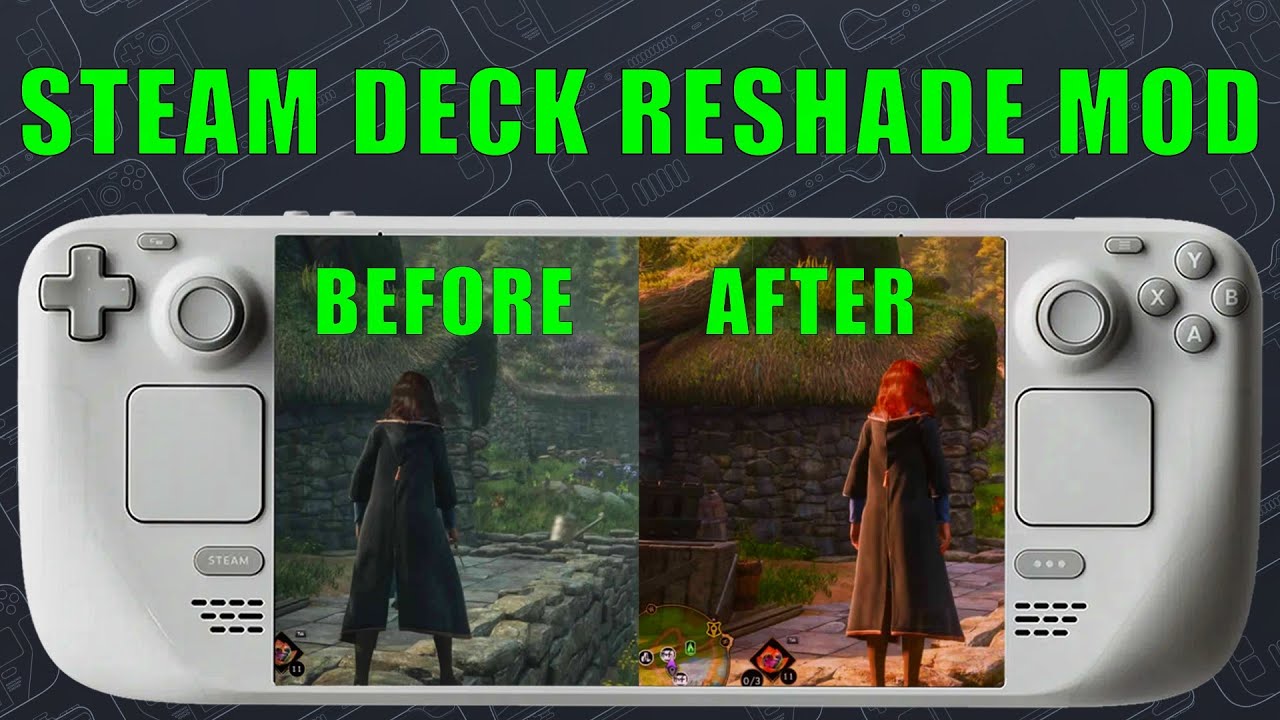
Click to watch the comprehensive setup and usage tutorial
We welcome community contributions! Here's how you can help:
- Use GitHub Issues with detailed reproduction steps
- Include system specifications and error logs
- Propose new functionality via GitHub Discussions
- Provide use cases and implementation suggestions
- Fork the repository and create feature branches
- Follow existing code style and documentation standards
- Share custom presets with the community
- Include screenshots and compatibility notes
For developers who want to test local changes easily, follow these steps:
-
🔨 Build the Plugin
pnpm run dev-build
-
📁 Locate the Build
The script creates a versioned zip file in the
builds/directory:builds/LetMeReShade_v1.8.0-dev.1.zipThe dev counter automatically increments if a build with the same version already exists.
-
📲 Install on Steam Deck
- Extract the zip file contents
- Copy the
LetMeReShadefolder to:~/homebrew/plugins/ - Enable Developer Mode in Decky Loader settings
- Install the plugin from the zip file
The plugin provides seamless updates for:
| Component | Update Method |
|---|---|
| 🎨 ReShade | Automatic version checking |
| 📚 Shader Repositories | Background synchronization |
| 🔌 Plugin Core | Integrated update system |
This project is licensed under the BSD-3-Clause License.
Copyright (c) 2024 LetMeReShade Contributors
All rights reserved.
See the LICENSE file for complete terms and conditions.
- ZigmA - Project inspiration and extensive testing support
- xXJSONDeruloXx - Foundation framework from Decky Framegen plugin
- kevinlekiller - reshade-steam-proton repository integration
- DadSchoorse - VkBasalt repository and Vulkan expertise
- Gizzburt - Special thanks to my buddy Gizz for helping me add AutoHDR support and also for his Detailed Guide
Special thanks to the Steam Deck homebrew community for continuous feedback and testing.
-
📖 Documentation First
- Review this README thoroughly
- Check the Wiki Guide
-
🔍 Search Existing Issues
- Browse GitHub Issues
- Check closed issues for solutions
-
🆕 Report New Issues
- Provide detailed system information
- Include reproduction steps
- Attach relevant log files
- GitHub Discussions - Feature requests and general discussion
- GitHub Issues - Bug reports and technical support
🎮 Made with ❤️ for the Steam Deck Community 🎮
Enhancing your gaming experience, one shader at a time