AS a web developer, I WANT to be able to share and view other users' coding experiences SO THAT I can improve my coding skills and interact with the community.
This application will allow web developers to create an account on this social media platform to upload coding tips, user experiences and share projects for other users to see. Each user will have their own account with information that they provide which is stored into the database. This can be updated or deleted later on.
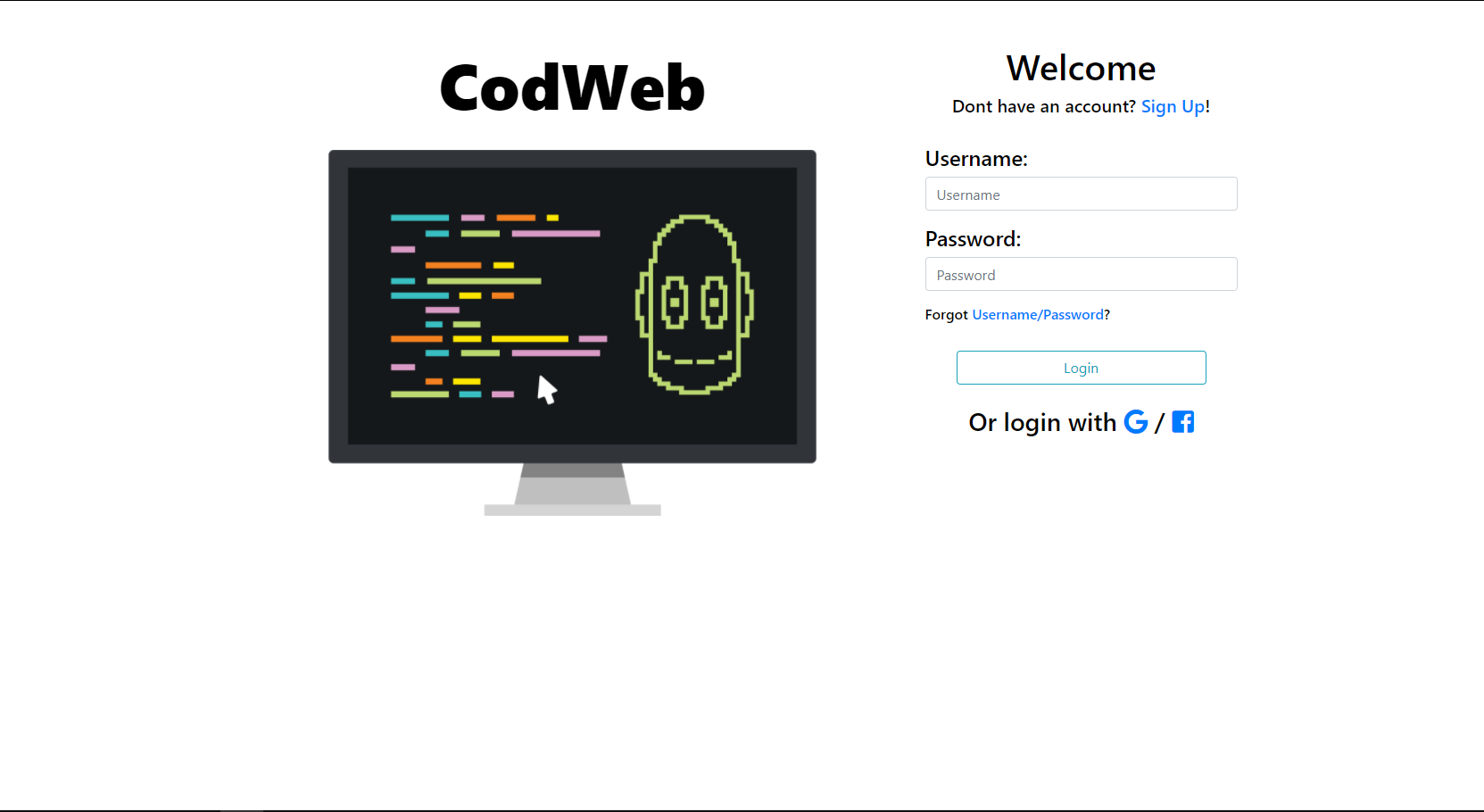
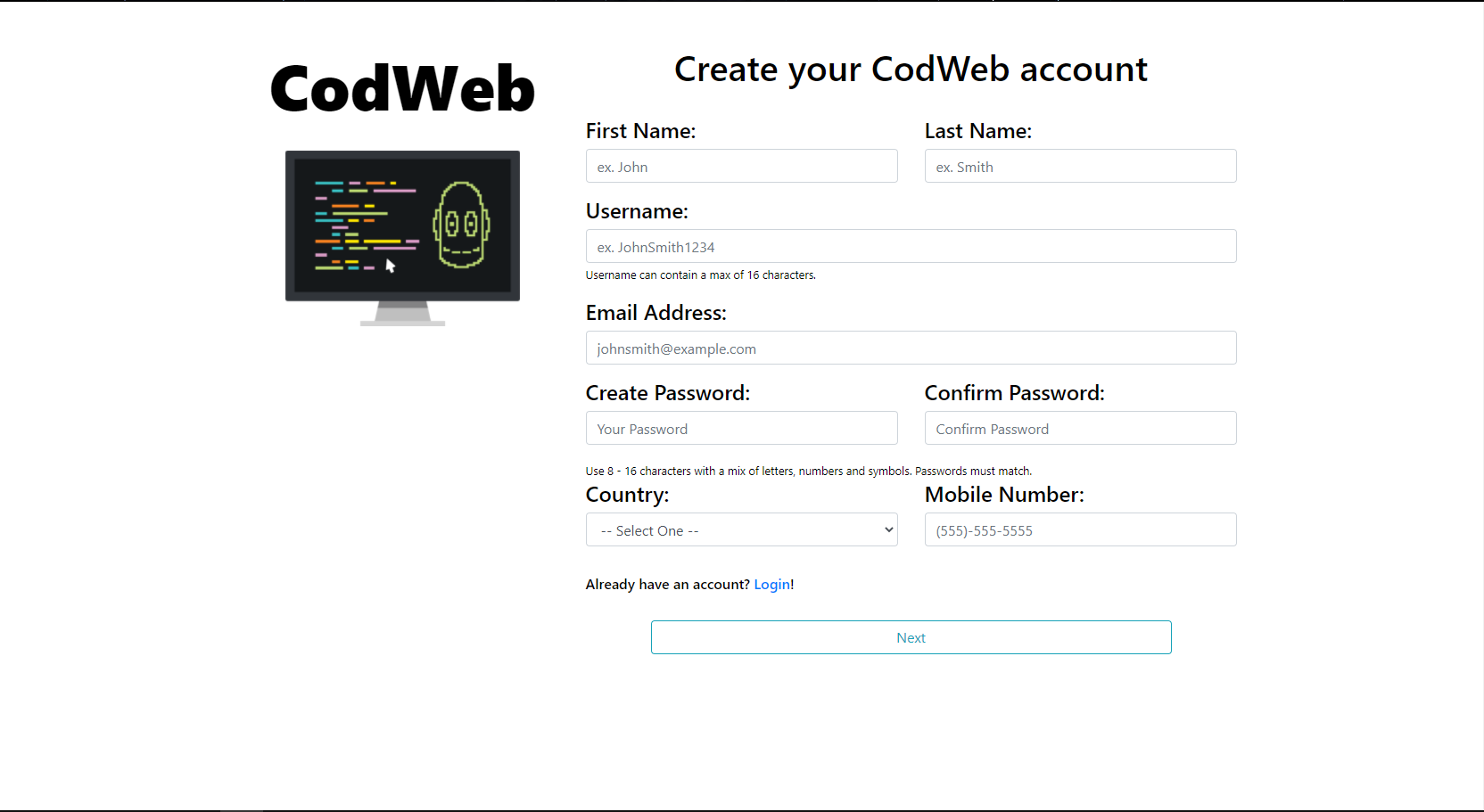
By clicking the live application link, the user is directed to the login page to sign in with their account credentials which is required to use the application. If they dont have an account, they can create one by going to the sign up page and inputting their information. That data is then validated and stored into the database, now the user has an account to use the application.
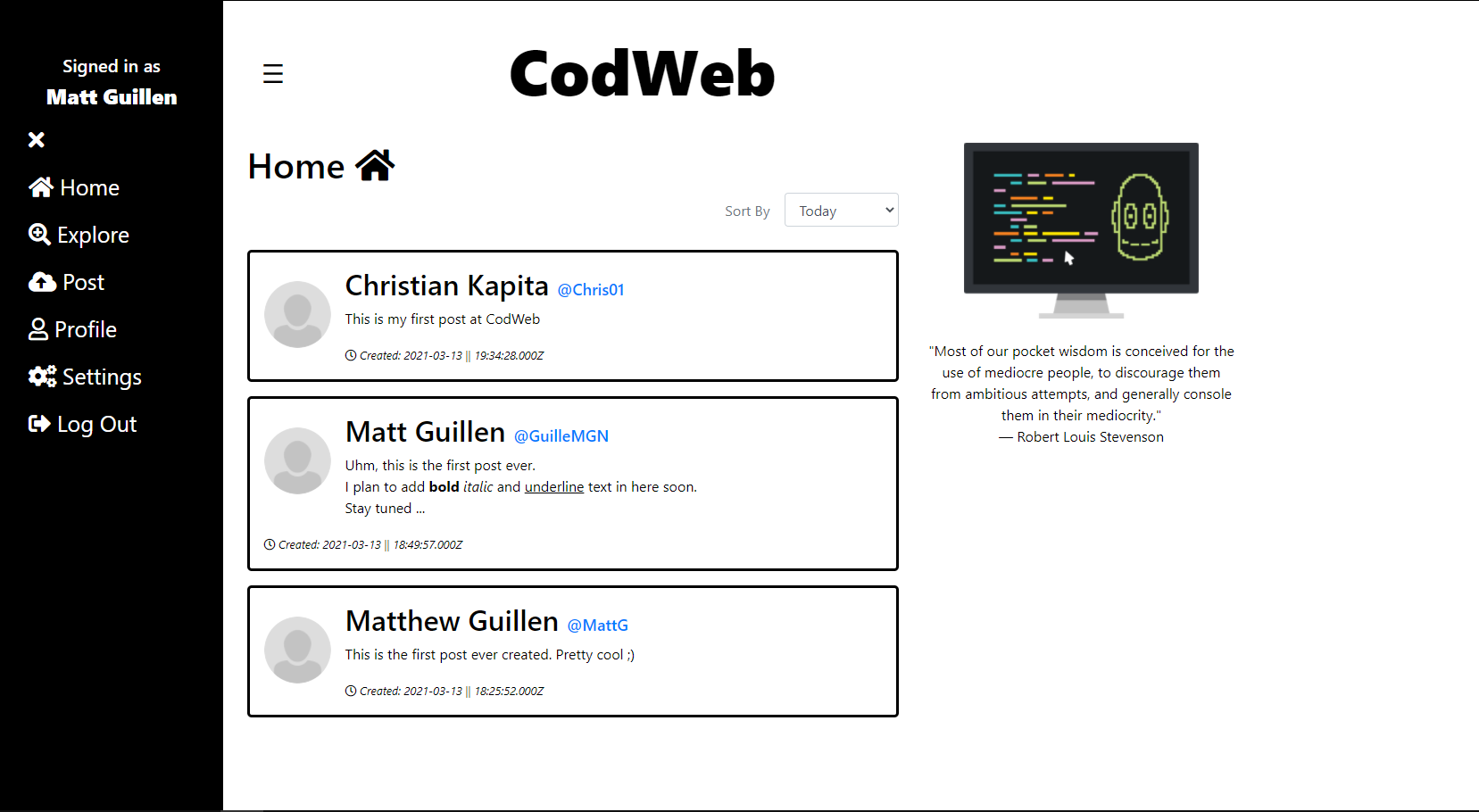
After logging in, the user is directed to the dashbard where every user's posts are displayed. Each post block contains the user's profile picture, first and last name, username, post content, and time stamp of when the post was created.
On the sides of the webpage is the side navigation bar, and the CodWeb logo with an inspirational quote from famous people displayed beneath it. On the side navigation menu, the user can select where they want to go on the webpage, which displays a different handlebar based on user selection. From the home page, they can access the Explore, Post, Profile, Settings, and Sign Out of the application.
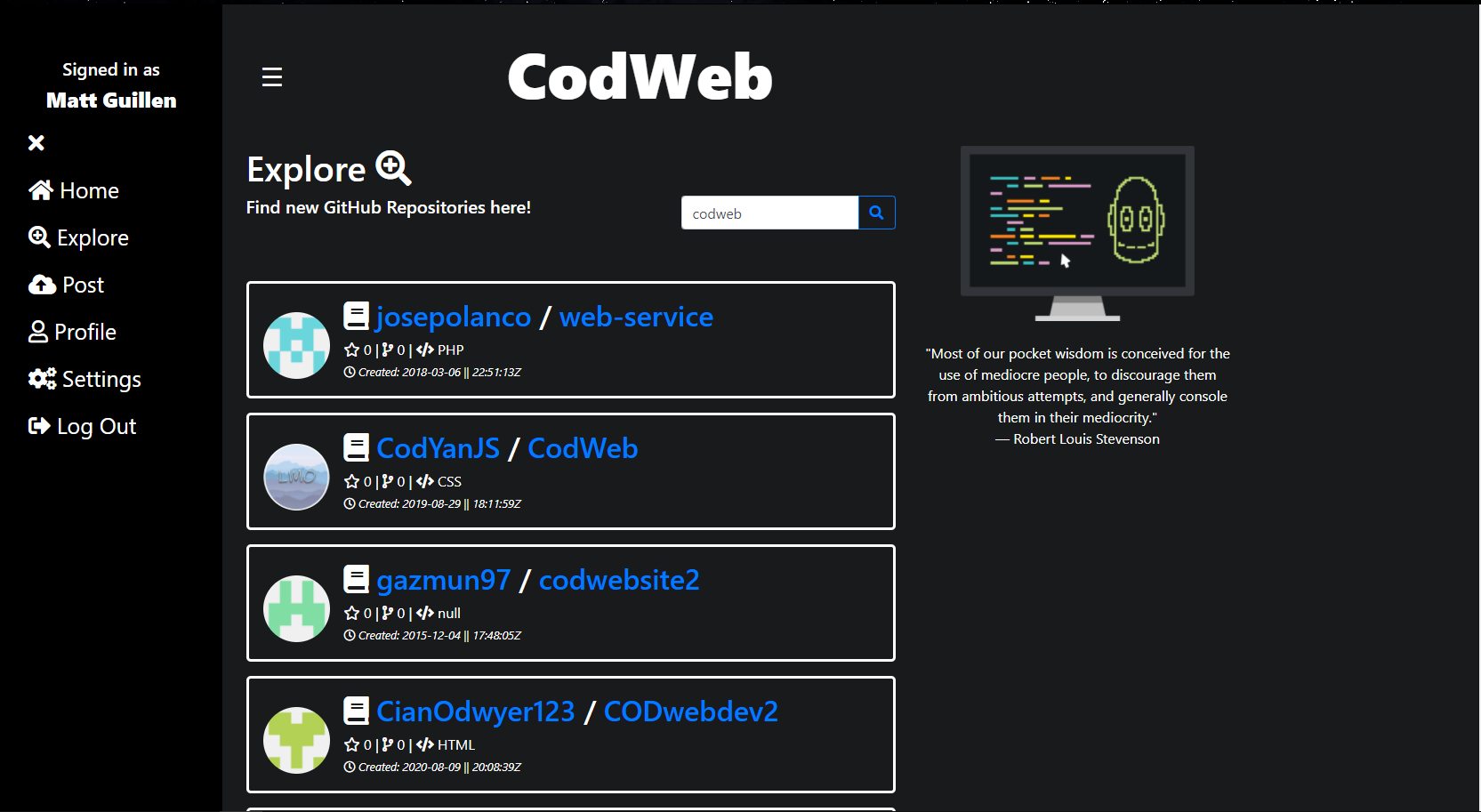
In the Explore tab, the user can search any keyword that will output up to 25 different GitHub repositories that the user can access either the repository or the GitHub user by clicking on each block. If no repositories are found, a feedback message appears letting the user know the API returned no results.
In the Post tab, the user can input text into a content editable div for a maximum of up to 400 characters to then post it onto the website. This text area has the option to bold, italic, underline, clear, and spellcheck the text contents. When they submit the post, they are directed back to the dashboard page with a feedback message that lets the user know it has been successfully posted, and it is appended to the top of the page until a new post is submitted.
In the Profile tab, the user can see their own information that they had stored in the database when they signed up, which includes first and last name, username, profile picture, description, country, phone number and email address. They can also see all the posts they've done beneath the user's information. In this section the user also has the option to edit their profile where they can change the information about themselves and save the changes. These changes are then validated and updated into the database.
In the Settings tab, the user has the option to change themes, switching from the default light mode into dark mode. The user selection is stored into local storage, so that upon page refresh, their preferences remain. In this section the user also has the option to change their password by inputting their old password, making a new one and confirming it again. This information is then validated and updated into the database. The final option in this section is to delete the account. The user has to input their current password to confirm that they want all their content to be deleted from the database. Upon submit, they are redirected back to the login page and their database information are erased from the application.
This application uses the Node Package Manager technologies. The dependencies are:
- bcryptjs
- cookie
- cookie-parser
- cors
- express
- express-handlebars
- handlebars
- jsonwebtoken
- mysql2
- nodemon
- parser
- sequelize
- eslint
Link to Live Application
Link to GitHub Repository
Link to Presentation
 Matthew Guillen
 Christian Kapita
Matthew's email: matthewguillen777@gmail.com
Christian's email: kapitachristian2003@gmail.com