Resources for DevOps & Cloud Bootcamp delivered by IronHack
هنا راح ارفق حلول وشروحات المواضيع المقدمة في معسكر العمليات البرمجية (DevOps) و الحوسبة السحابية (Cloud) للفائدة وكمرجع لي وللطلاب في المستقبل.
الحلول فقط سكرين شوت للمطلوبات من كل لاب اللي سلمتها بنفسي. ممكن بعضها ما كنت اتبع القايد حق اللاب نفسه لكن كلها راح تطابق الـLearning Objectives اللي مكتوبة لكل لاب.
أفضل طريقة عشان تستفيد إنك تحل بنفسك قدر المستطاع, ولما تخلص او تعلق في شي تشوف الحل اللي انا كاتبه. طبعاً كل لاب بالعادة بيكون فيه اكثر من طريقة حل واحدة.
لأي سؤال بكون موجود فالدسكورد: bigshoes
او الايميل: ahjfr@icloud.com
ملاحظة: مو كل الايام فيها لاب\شرح
- شروحات يوتوب
- اسبوع ١ - يوم ٣
- اسبوع ١ - يوم ٤
- اسبوع ١ - يوم ٥
- اسبوع ٢ - يوم ١
- اسبوع ٢ - يوم ٢
- اسبوع ٢ - يوم ٤
- اسبوع ٢ - يوم ٥
- اسبوع ٣ - يوم ١
- اسبوع ٣ - يوم ٥
- اسبوع ٤ - يوم ٢
- اسبوع ٥ - يوم ٥
- اسبوع ٦ - يوم ١
- اسبوع ٦ - يوم ٢
- اسبوع ٦ - يوم ٣
- اسبوع ٦ - يوم ٤
- اسبوع ٦ - يوم ٥
- اسبوع ٧ - يوم ١
- اسبوع ٧ - يوم ٢
- اسبوع ٧ - يوم ٣
- حلول اللابات
- حل اسبوع ١ - يوم ٣
- حل اسبوع ١ - يوم ٤
- حل اسبوع ١ - يوم ٥
- حل اسبوع ٢ - يوم ١
- حل اسبوع ٢ - يوم ٢
- حل اسبوع ٢ - يوم ٣
- حل اسبوع ٢ - يوم ٤
- حل اسبوع ٢ - يوم ٥
- حل اسبوع ٣ - يوم ١
- حل اسبوع ٣ - يوم ٢
- حل اسبوع ٣ - يوم ٣
- حل اسبوع ٣ - يوم ٤
- حل اسبوع ٣ - يوم ٥
- حل اسبوع ٤ - يوم ١
- حل اسبوع ٤ - يوم ٢
- حل اسبوع ٤ - يوم ٣
- حل اسبوع ٤ - يوم ٤
- حل اسبوع ٤ - يوم ٥
- حل اسبوع ٥ - يوم ١
- حل اسبوع ٥ - يوم ٢
- حل اسبوع ٥ - يوم ٣
- حل اسبوع ٥ - يوم ٤
- حل اسبوع ٥ - يوم ٥
- حل اسبوع ٧ - يوم ١
- حل اسبوع ٧ - يوم ٢
- حل اسبوع ٧ - يوم ٣
- حل اسبوع ٧ - يوم ٤
- حل اسبوع ٧ - يوم ٥
- حل اسبوع ٨ - يوم ١
- حل اسبوع ٨ - يوم ٢
- حل اسبوع ٨ - يوم ٣
الموضوع: Git & GitHub
الشرح: devops week1 day3 git and github
الموضوع: Linux commands, Azure VMs
الشرح: devops week1 day4 linux + azure
الموضوع: process vs service vs program, helpful bash stuff, alias
الشرح: devops week1 day5 process vs service vs program, helpful bash stuff, alias
الموضوع: bash scripting and accepting command arguments as input
الشرح: devops week 2 day 1 bash scripting
الموضوع: fixing lab 2 step 6's workflow
الشرح: devops week2 day2 lab 2 step 6 workflow fix
الموضوع: Three-tier web app assignment, part 1 (frontend)
الشرح: devops week2 day4 assignment explanation + frontend VM setup (PART 1)
ملاحظة: فيه كوماند ناقص في الدقيقة ٢٨:٣٠ نحتاج نسويه قبل الكوبي: npm run build
الفيديو فقط عشان نشوف البروسس كامل ولا المفترض إنك تبدأ فيه التاسك, المفترض انك تبدأ فيه بنفسك وتحاول توصل للمطلوب للاساينمنت ولو حسيت إنك ضعت تقدر تشوف الفيديو عشان الأفكار عشان تستفيد بقدر المستطاع من المعسكر وتجرب تنهي المهام هذي لأن اغلبها راح تصادفها في وظيفتك كـDevOps Engineer
الموضوع: Three-tier web app assignment, part 2 (backend VM + database, connecting with frontend)
الشرح: devops week2 day5 (cont. day 4) database & backend VM setup (PART 2)
الموضوع: Three-tier web app assignment, part 3 (application gateway, securing access to VMs, connecting it all)
الشرح: devops week2 day5 (cont. day4) application gateway & securing the vnet (PART 3)
الموضوع: Enabling path-based routing by having a single listener on port 80 that routes to front/backend
زبدة المقطع: تغييرات بسيطة عشان ما نحتاج نحدد البورت لما نطلب شي من الباك إند (جداً مهم للمشروع القادم في اسبوع 3) , الطلب للباك اند:
| قبل التعديل | بعد التعديل |
|---|---|
128.42.93.2:3001/api/ |
128.42.93.2/api/ |
الشرح: devops week2 day5 EXTRA WORK FOR ASSIGNMENT
الموضوع: Container vs VM, docker tags, port expose syntax (80:3000 ???) docker push (and why you get errors), and learning how to read a Dockerfile
الشرح: devops week3 day1 docker basics, Dockerfile analysis, why container vs. vm, docker build & tags
الموضوع: Error logs, Application Gateway, App Service vs Container Apps, Linking a resource to a subnet, good vs bad errors
الشرح: devops week3 day4-5 project1 help, app gateway configurations, app service, reading logs
الموضوع: GitHub Actions basics, writing workflows from scratch, understanding a workflow file, using actions with input (using with:)
الشرح: devops week4 day2 GitHub Actions and their (fun) uses
الموضوع: PART 1: Reporting errors, reading them, deploying NSG, Subnet, Vnet, and DB
الشرح: devops week5 day5 PART 1: EXTRA assignment - building infrastructure with Terraform using modules
الموضوع: PART 2: Deploying App Services for Frontend and Backend, using the better Dockerfile ;-)
الشرح: devops week5 day5 PART 2: EXTRA assignment - building infrastructure with Terraform using modules
الموضوع: PART 3: We will write the workflow part and end up automating the building and pushing of containers for frontend and backend using commit hashes as history
الشرح: devops week5 day5 PART 3: EXTRA assignment - building infrastructure with Terraform using modules
الموضوع: PART 4: We will use remote state, fix errors, cause errors, and get frustrated but end up winning!
الشرح: devops week5 day5 PART 4: EXTRA assignment - building infrastructure with Terraform using modules
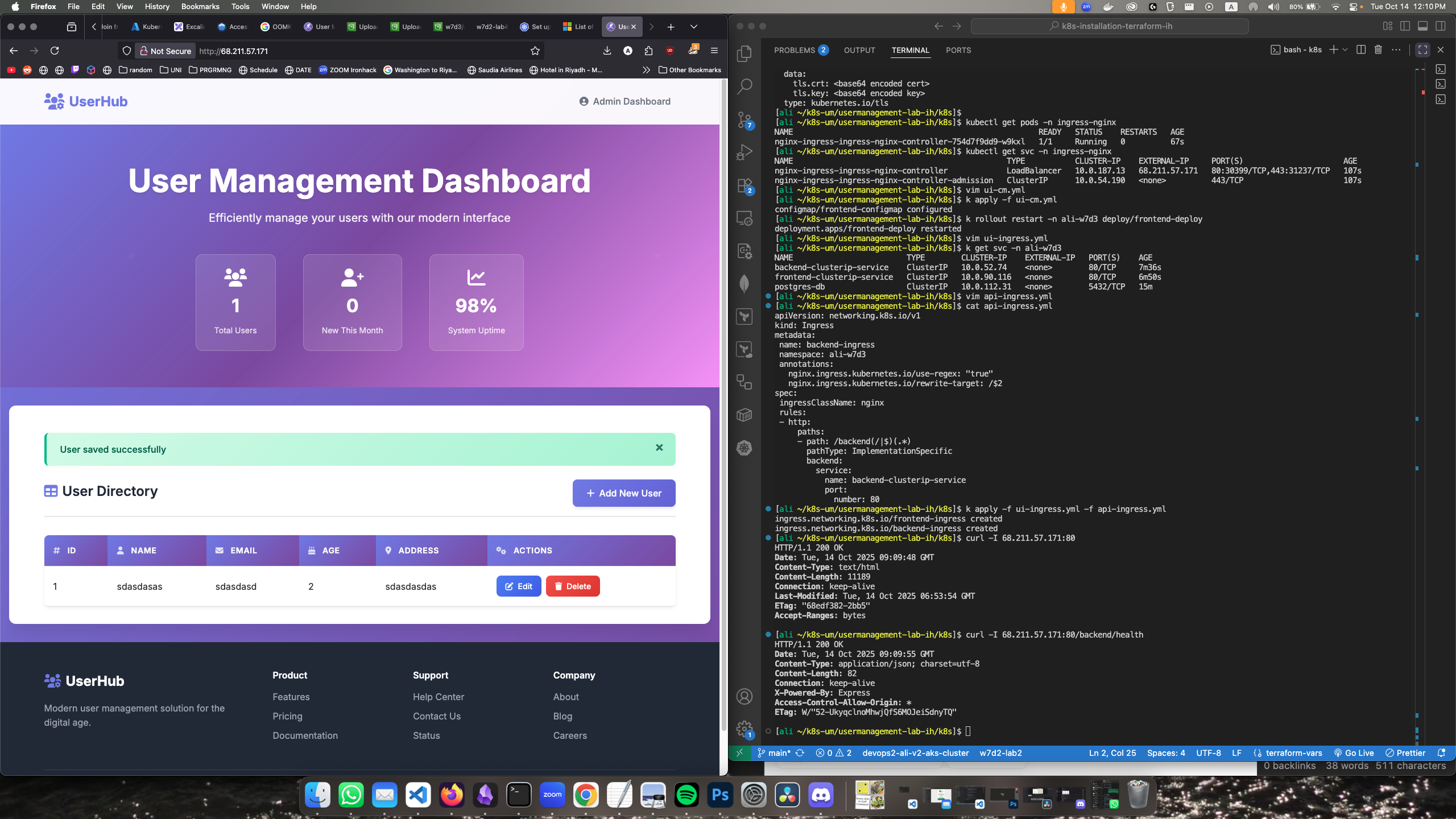
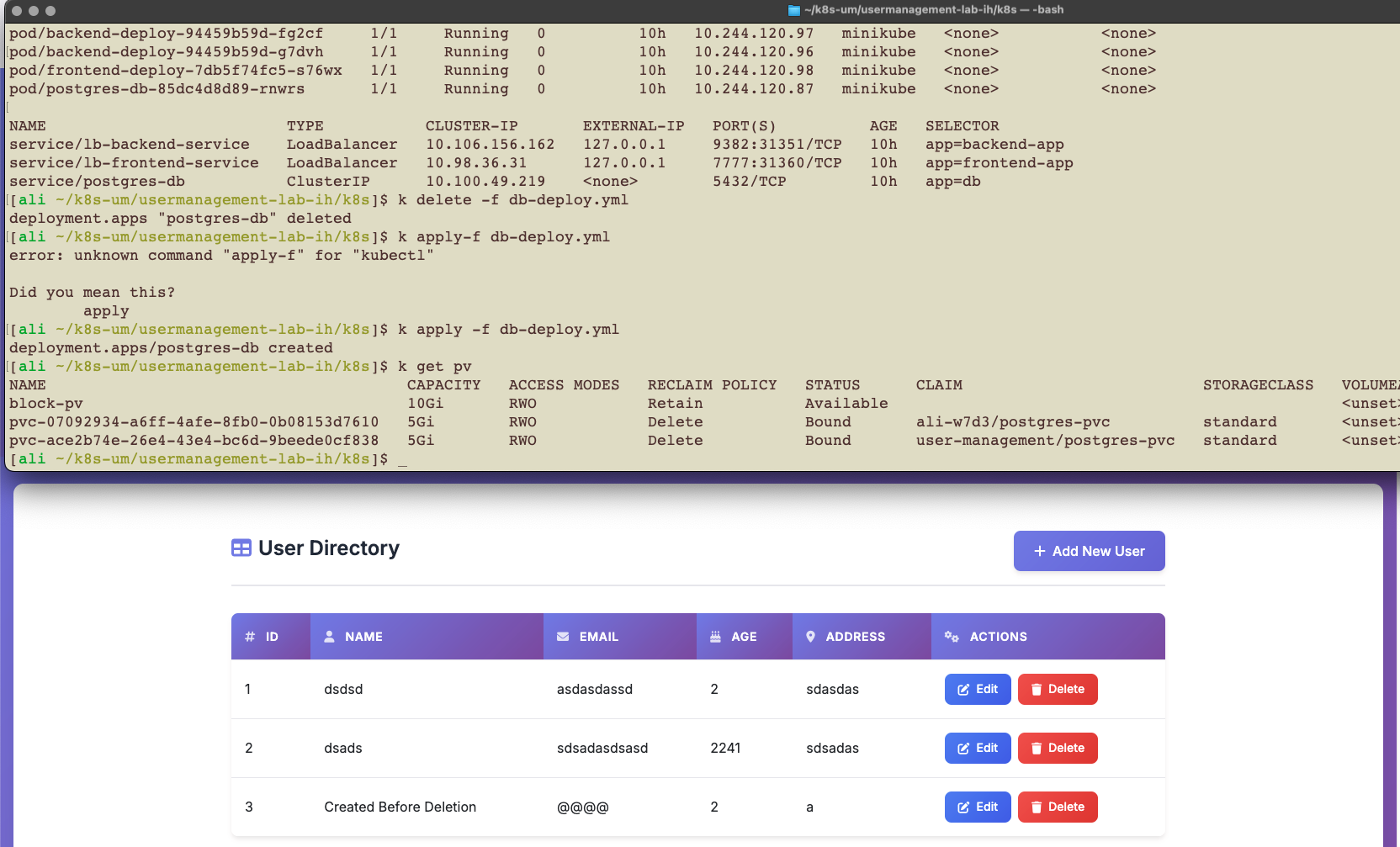
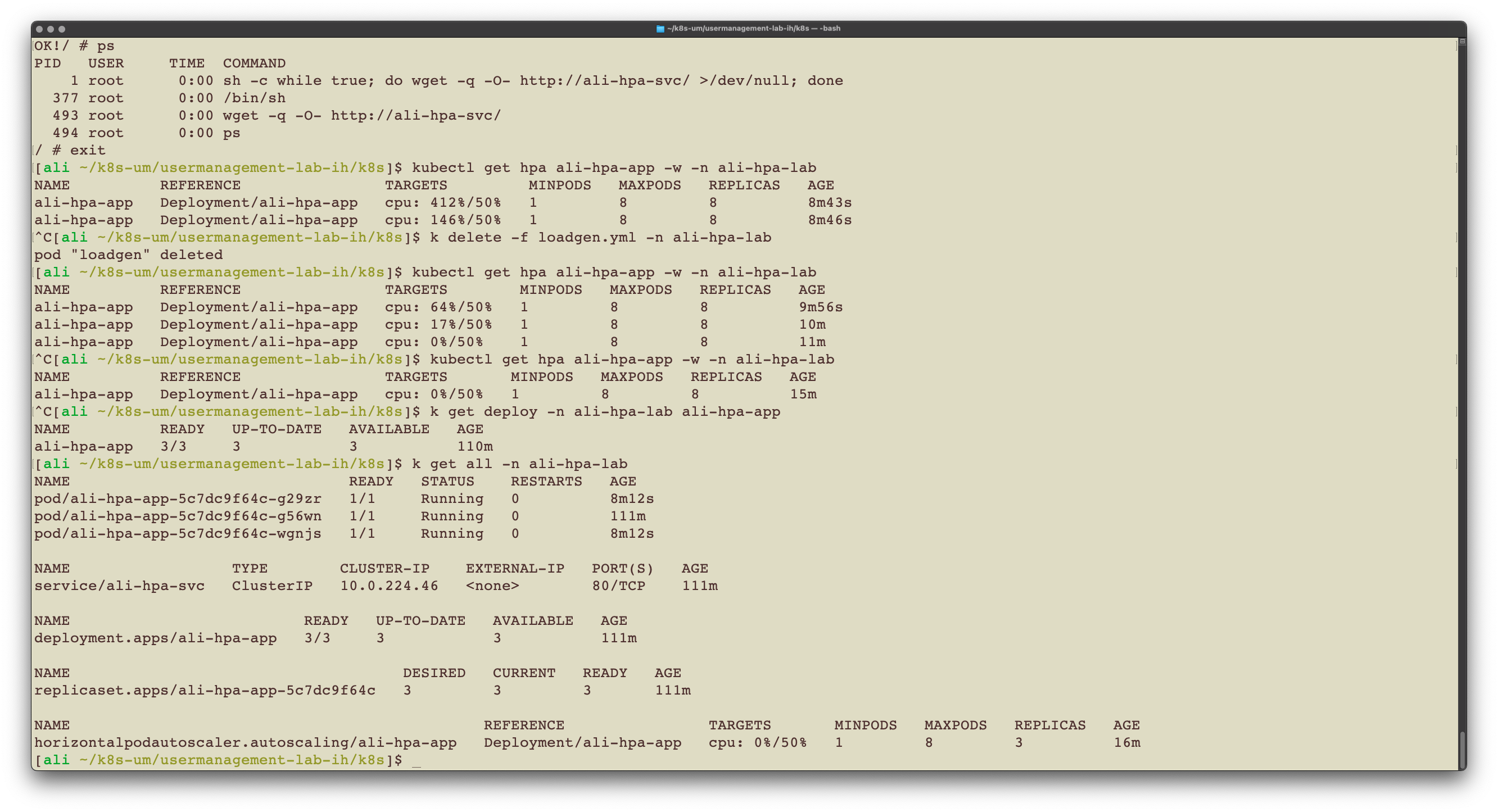
الموضوع: Kubernetes basics, visualizing the lab assignment and solving it
الشرح: devops week7 day2 KUBERNETES: some basics & lab #2
No labs
Group work on Miro
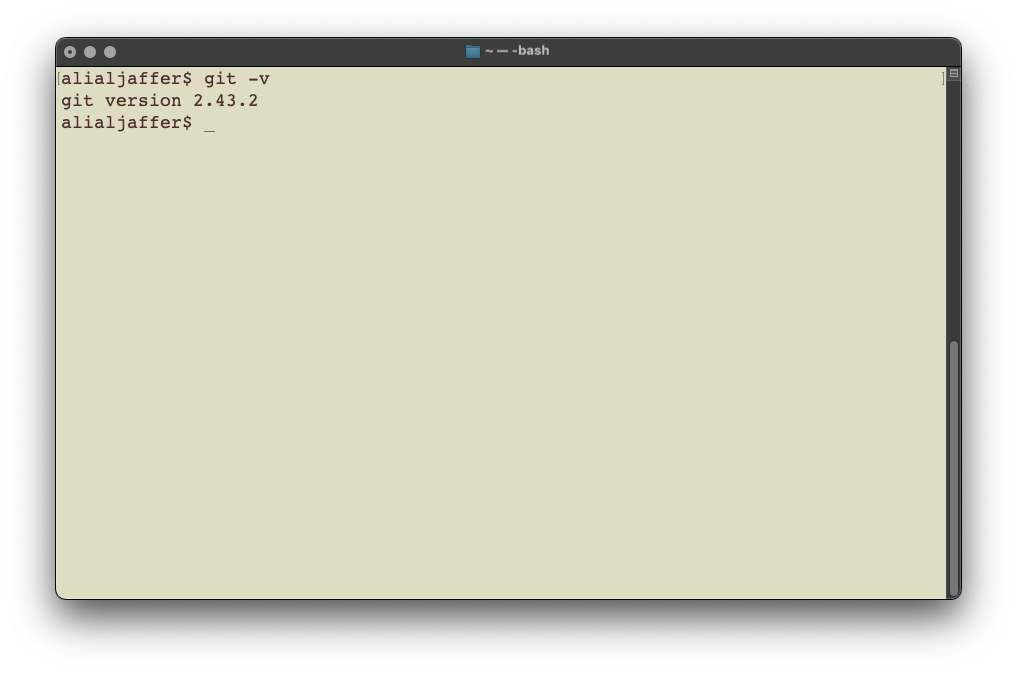
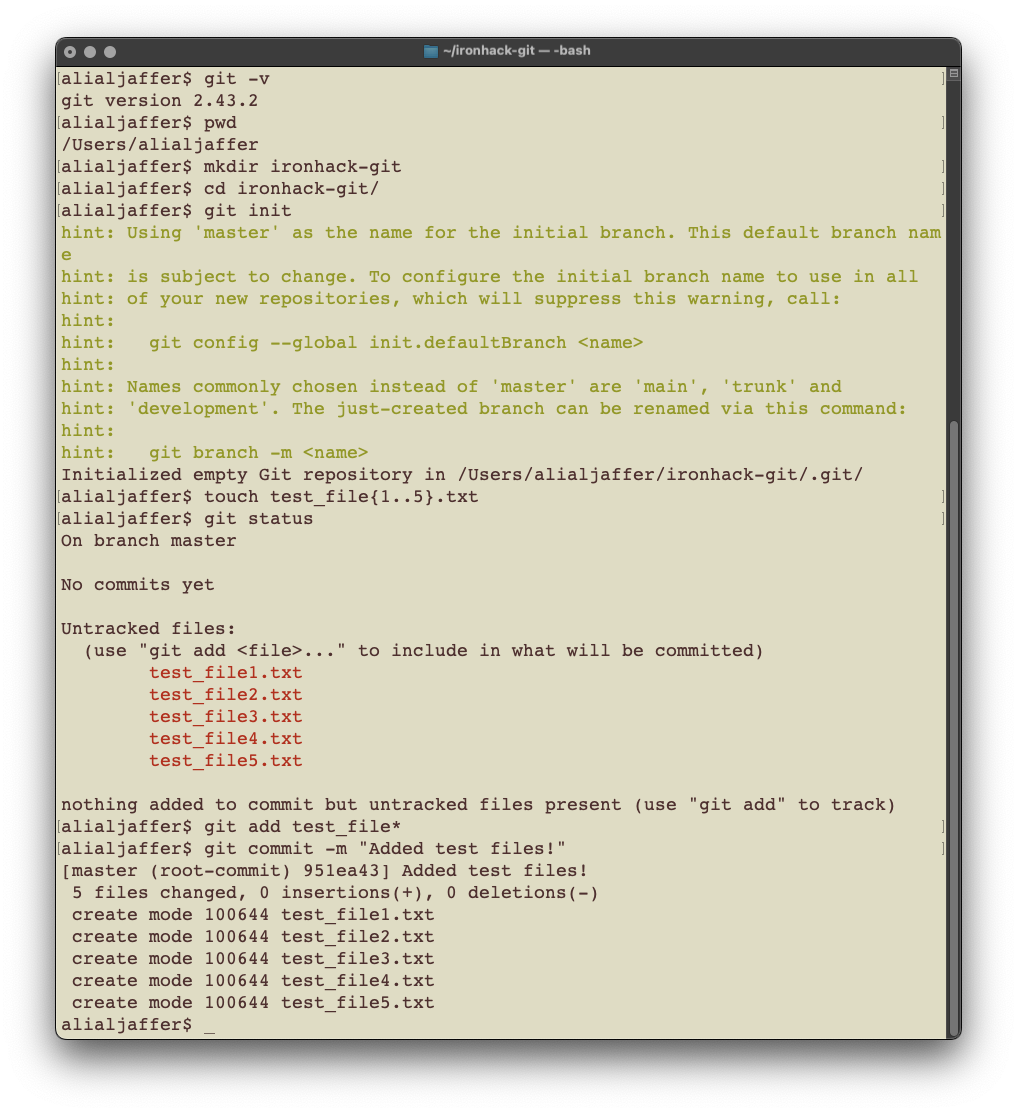
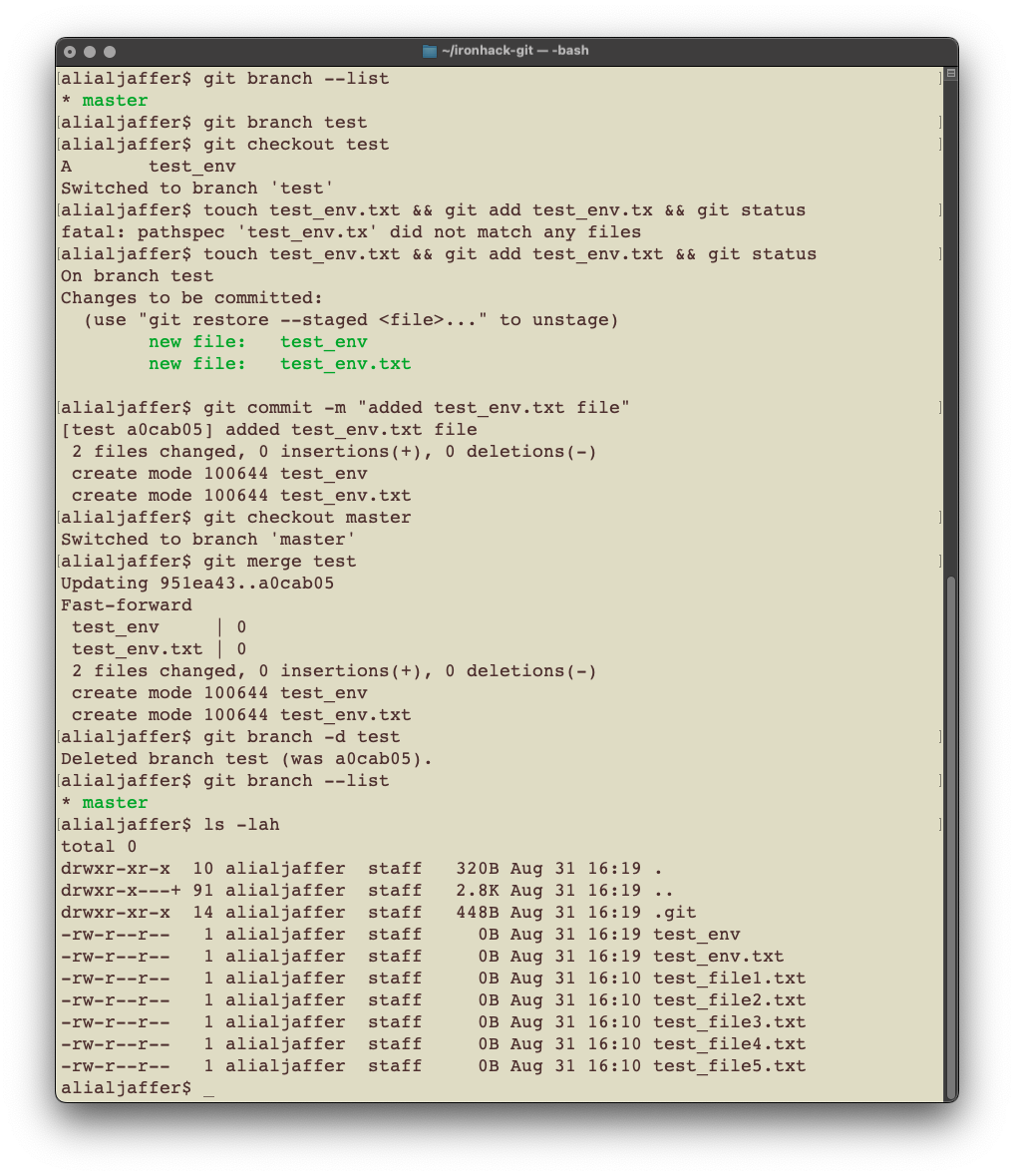
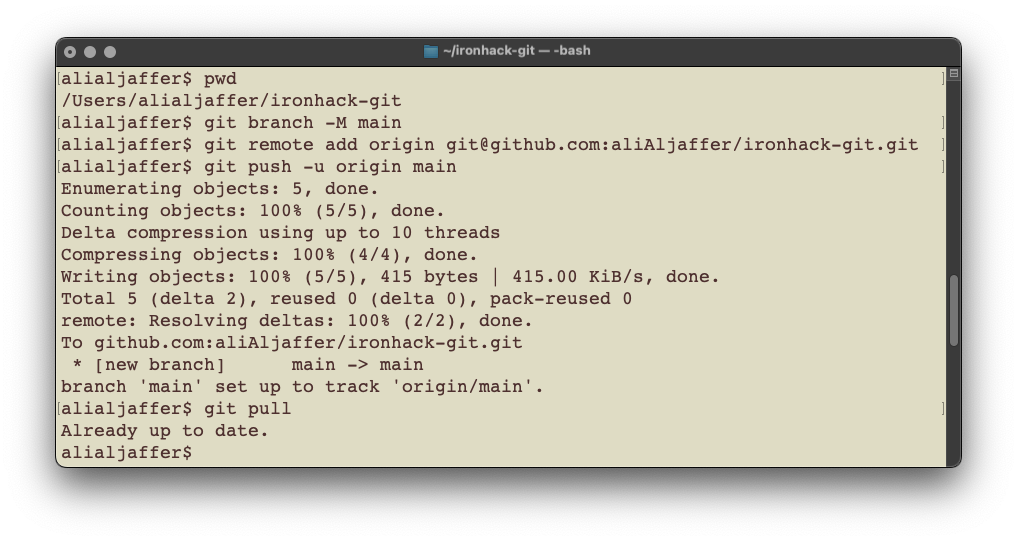
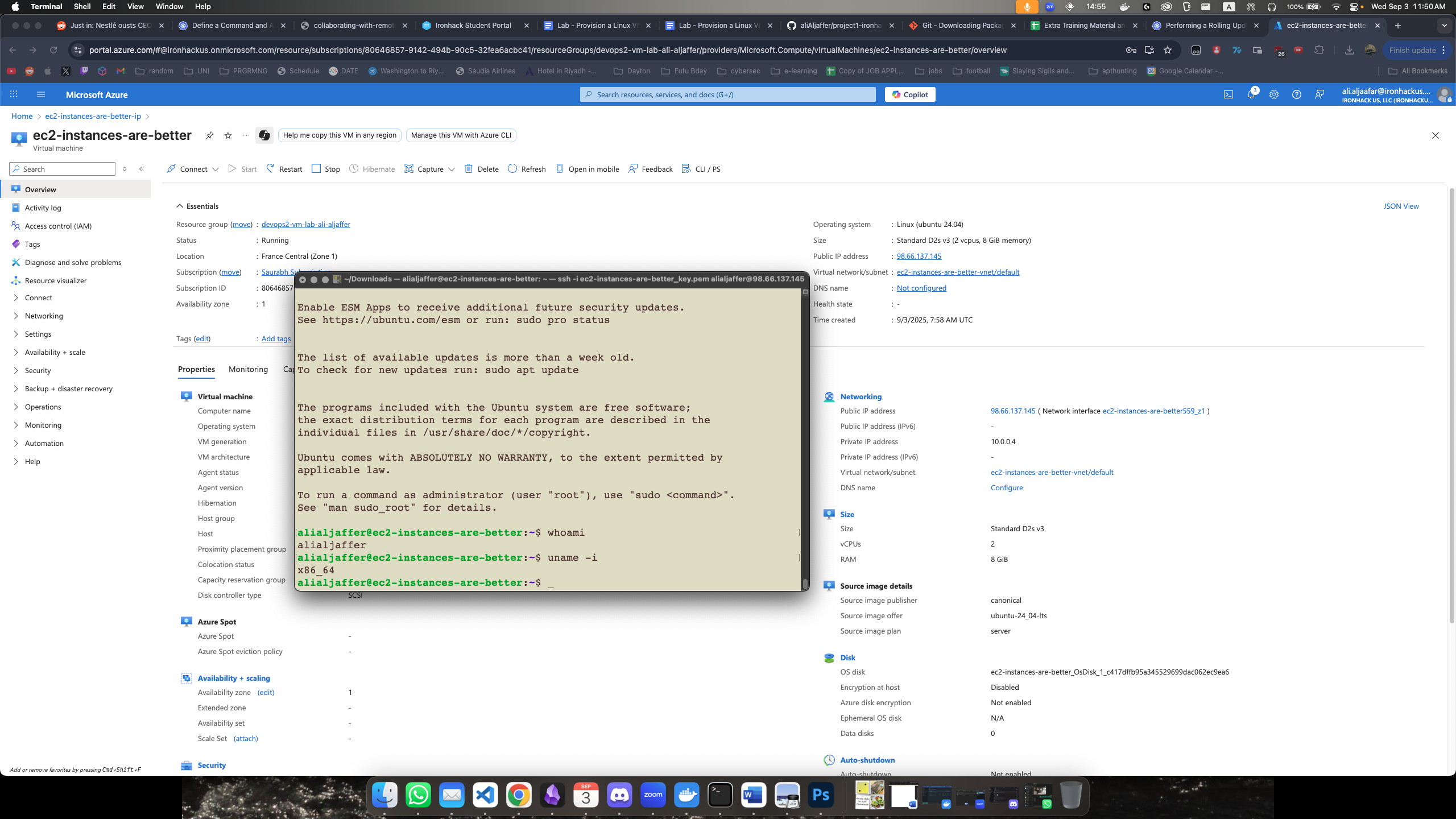
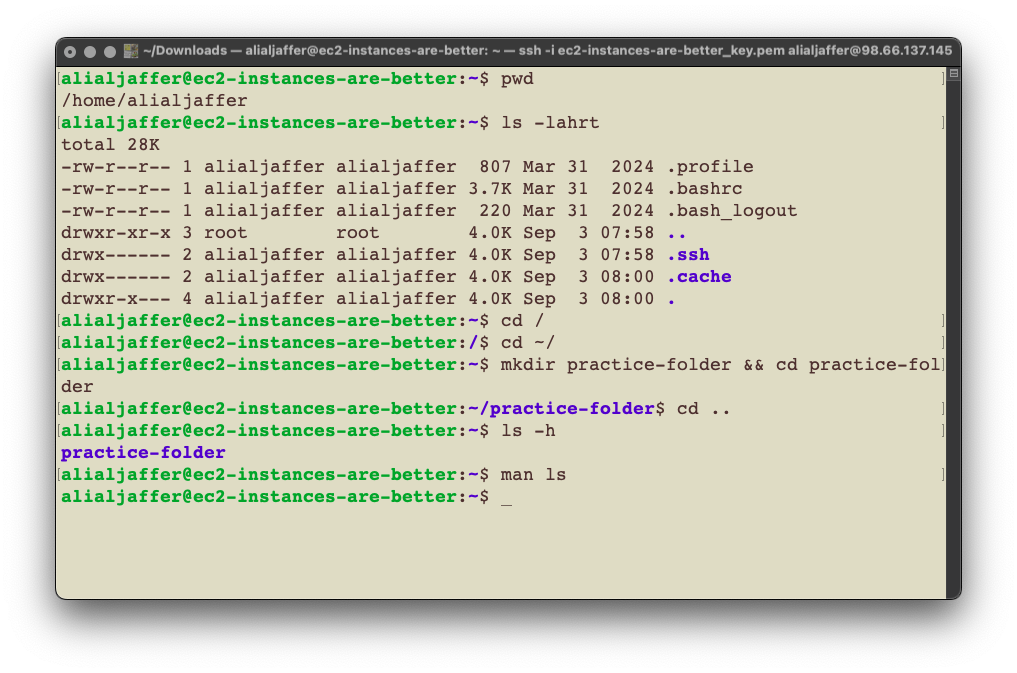
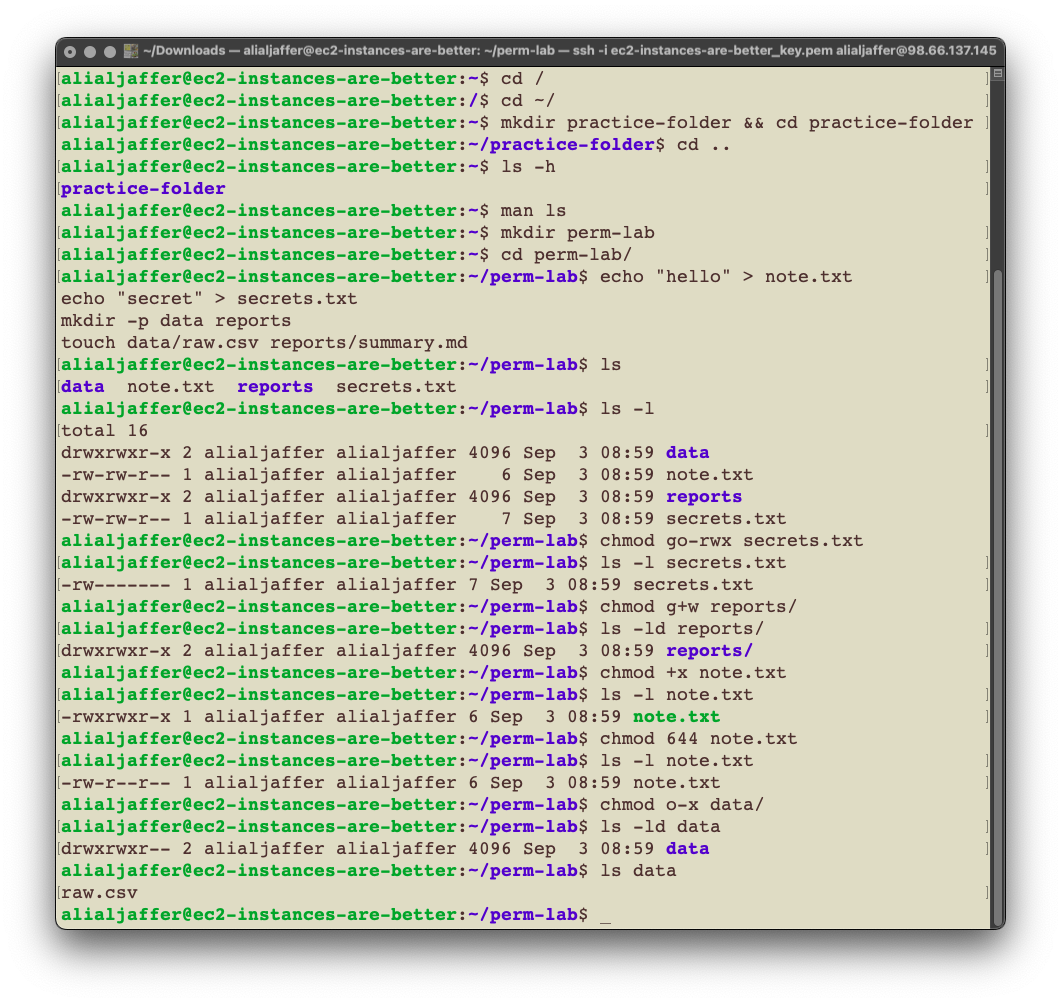
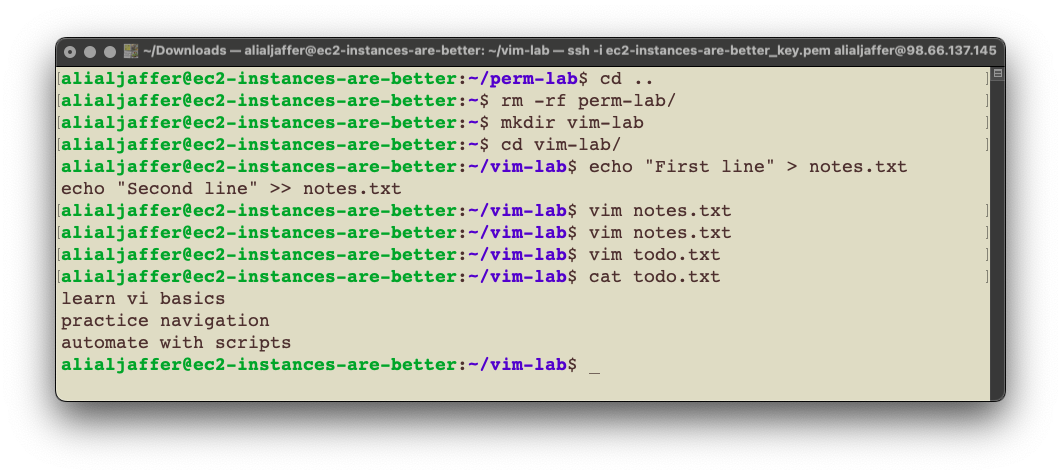
في الصورة ظاهر اني مسوي كونكت عالـVM وفي الويندو اللي ورا ظاهر انها شغالة تمام, عشان كذا حسيت صورة وحدة كافية
azureuser@server:~$ sudo apt install -y apache2 > /dev/null # install apache2 and do not show the output

WARNING: apt does not have a stable CLI interface. Use with caution in scripts.

Scanning processes...
Scanning linux images...
azureuser@server:~$ sudo systemctl enable apache2 # enable the apache2 service
Synchronizing state of apache2.service with SysV service script with /usr/lib/systemd/systemd-sysv-install.
Executing: /usr/lib/systemd/systemd-sysv-install enable apache2
azureuser@server:~$ sudo systemctl status apache2 # check the status of apache2 to make sure it's enabled
● apache2.service - The Apache HTTP Server
     Loaded: loaded (/usr/lib/systemd/system/apache2.service; enabled; preset: >
     Active: active (running) since Thu 2025-09-04 07:25:52 UTC; 40s ago
       Docs: https://httpd.apache.org/docs/2.4/
   Main PID: 4049 (apache2)
      Tasks: 55 (limit: 9449)
     Memory: 5.1M (peak: 5.4M)
        CPU: 38ms
     CGroup: /system.slice/apache2.service
             ├─4049 /usr/sbin/apache2 -k start
             ├─4052 /usr/sbin/apache2 -k start
             └─4053 /usr/sbin/apache2 -k start

Sep 04 07:25:52 server systemd[1]: Starting apache2.service - The Apache HTTP S>
Sep 04 07:25:52 server systemd[1]: Started apache2.service - The Apache HTTP Se>
azureuser@server:~$ echo "<h1>Hi my name is Ali</h1>" | sudo tee /var/www/html/index.html > /dev/null # print the string into the index.html file, then do not display the output
azureuser@server:~$ curl http://localhost # check if I can reach the web page
<h1>Hi my name is Ali</h1>
azureuser@server:~$ echo "Done!"
Done!
azureuser@server:~$ _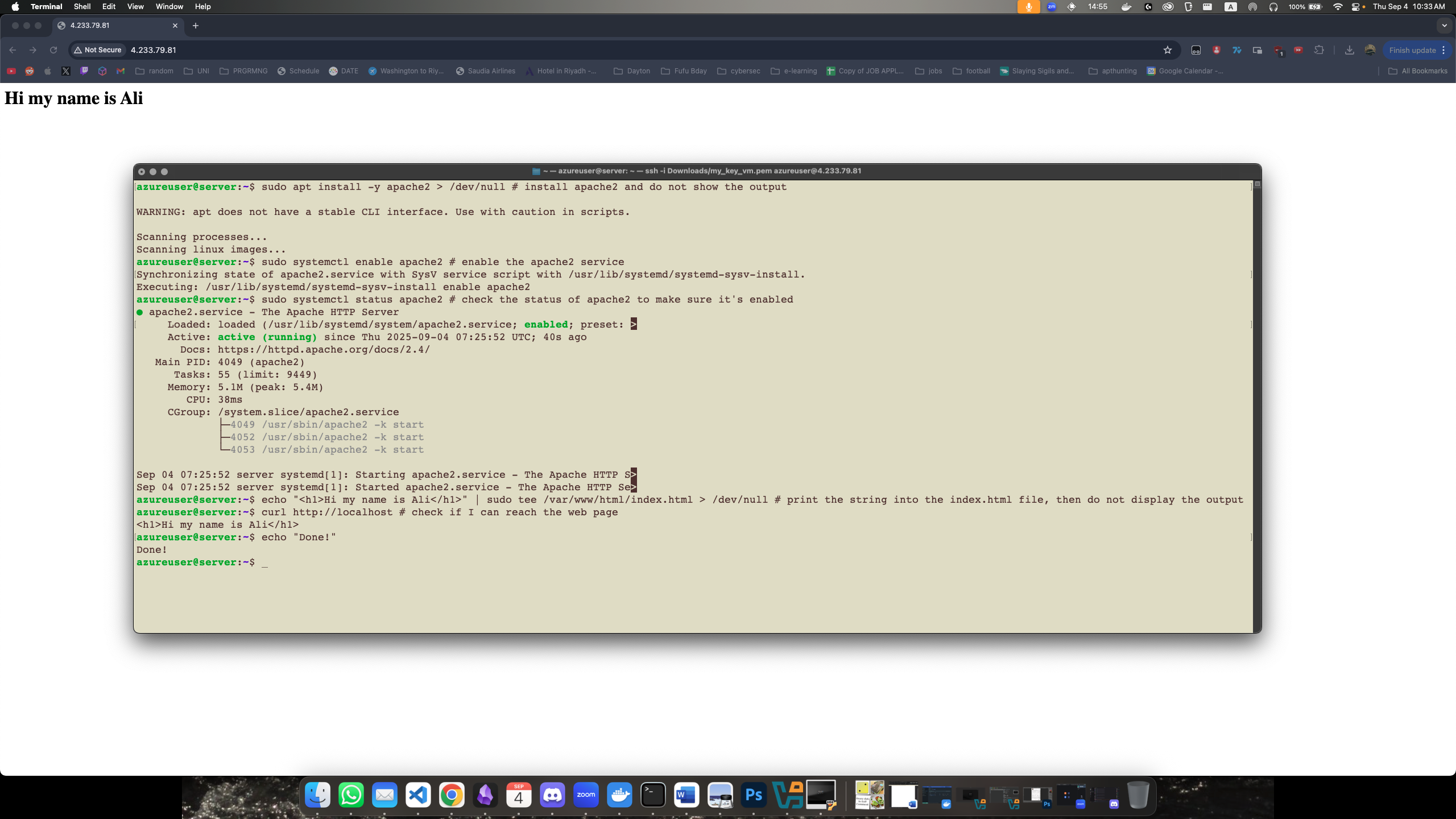
ali@ironhack:~$ # Lab 1
ali@ironhack:~$ cd lab1/
ali@ironhack:~/lab1$ vim file_manage.sh
ali@ironhack:~/lab1$ ./file_manage.sh
Creating directory lab1_test ...
Creating a sample file in lab1_test ...
Listing files in lab1_test:
total 4
-rw-rw-r-- 1 ali ali 30 Sep  7 10:38 sample.txt
Creating backup directory lab1_backup ...
Copying sample.txt to backup directory...
Renaming sample.txt to sample_renamed.txt ...
Moving sample_renamed.txt into a new subdirectory...
Deleting the file in subdirectory...
Cleaning up directories...
File operations complete. Backup copy is in lab1_backup.
ali@ironhack:~/lab1$ ls -lah
total 16K
drwxrwxr-x  3 ali ali 4.0K Sep  7 10:38 .
drwxr-x--- 20 ali ali 4.0K Sep  7 10:38 ..
-rwxrwxr-x  1 ali ali 1.9K Sep  7 10:38 file_manage.sh
drwxrwxr-x  2 ali ali 4.0K Sep  7 10:38 lab1_backup
ali@ironhack:~/lab1$ ls -lah lab1_backup/
total 12K
drwxrwxr-x 2 ali ali 4.0K Sep  7 10:38 .
drwxrwxr-x 3 ali ali 4.0K Sep  7 10:38 ..
-rw-rw-r-- 1 ali ali   30 Sep  7 10:38 sample.txt
ali@ironhack:~/lab1$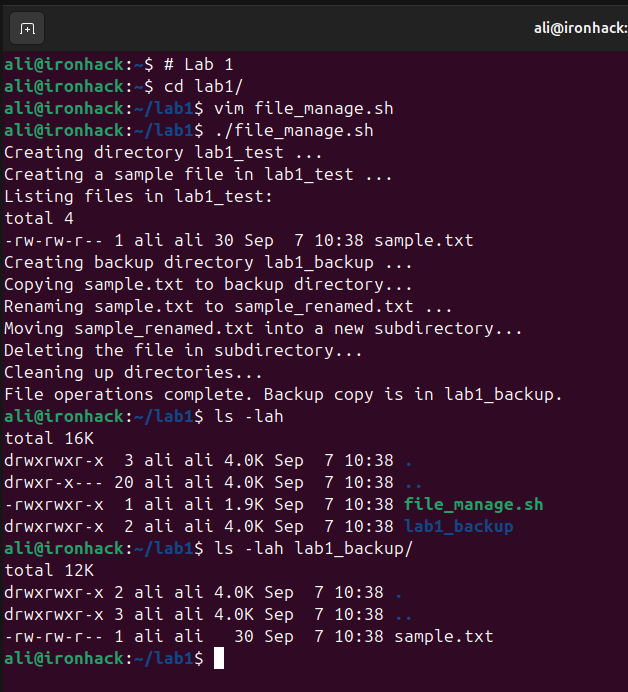
ali@ironhack:~$ # Lab 2
ali@ironhack:~$ ps
    PID TTY          TIME CMD
   6607 pts/0    00:00:01 bash
  19333 pts/0    00:00:00 vim
  19351 pts/0    00:00:00 ps
ali@ironhack:~$ vim check_process.sh
ali@ironhack:~$ chmod +x check_process.sh
ali@ironhack:~$ ./check_process.sh
cron is running
ali@ironhack:~$ vim check_process.sh
ali@ironhack:~$ ./check_process.sh
ssh is NOT running
ali@ironhack:~$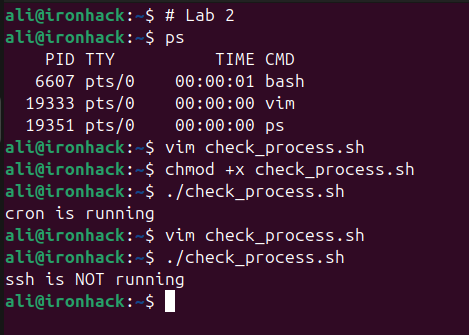
ali@ironhack:~$ mkdir lab3
ali@ironhack:~$ cd lab3/
ali@ironhack:~/lab3$ mkdir ../backup
ali@ironhack:~/lab3$ touch ../backup/file_{1..5}.txt
ali@ironhack:~/lab3$ vim backup.sh
ali@ironhack:~/lab3$ vim backup.sh
ali@ironhack:~/lab3$ chmod +x backup.sh
ali@ironhack:~/lab3$ ./backup.sh
Starting backup of /home/ali/backup to /home/ali/my-backups/myfolder_backup_20250907.tar.gz ...
tar: Removing leading `/' from member names
Backup completed successfully! ✅
Backup file created: /home/ali/my-backups/myfolder_backup_20250907.tar.gz
ali@ironhack:~/lab3$ ls -lah ~/my-backups/
total 12K
drwxrwxr-x  2 ali ali 4.0K Sep  7 10:54 .
drwxr-x--- 24 ali ali 4.0K Sep  7 10:54 ..
-rw-rw-r--  1 ali ali  188 Sep  7 10:54 myfolder_backup_20250907.tar.gz
ali@ironhack:~/lab3$ tar -tf ../my-backups/myfolder_backup_20250907.tar.gz
home/ali/backup/
home/ali/backup/file_4.txt
home/ali/backup/file_3.txt
home/ali/backup/file_2.txt
home/ali/backup/file_5.txt
home/ali/backup/file_1.txt
ali@ironhack:~/lab3$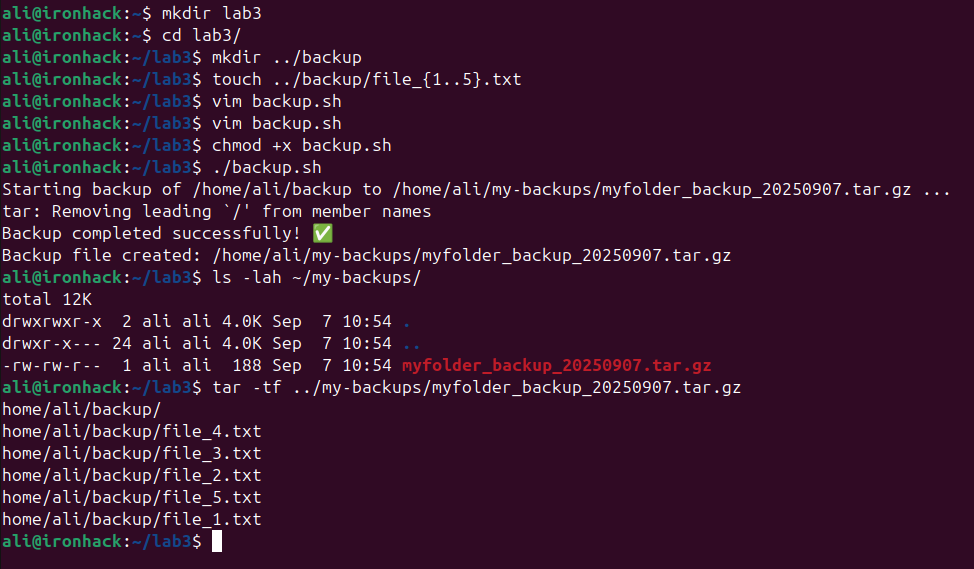
ملاحظة: عدلت الكود اللي من عنده في هذا اللاين
KEYWOARD="ERROR"وخليته كذا
KEYWOARD=$1كذا يصير بس اعطيه الكلمة اللي يبحث عنها دايركت بدل ما كل مرة اغير الكود
$1 يعني خذ اول ارقيومنت من الكوماند
ali@ironhack:~$ vim parse_logs.sh
ali@ironhack:~$ chmod +x parse_logs.sh
ali@ironhack:~$ ./parse_logs.sh ding
grep: /var/log/syslog: Permission denied
grep: /var/log/syslog: Permission denied
Found  lines containing "ding" in /var/log/syslog.
Extracted those lines to error_lines.log.
ali@ironhack:~$ sudo !!
sudo ./parse_logs.sh ding
Found 137 lines containing "ding" in /var/log/syslog.
Extracted those lines to error_lines.log.
ali@ironhack:~$ sudo ./parse_logs.sh error
Found 4 lines containing "error" in /var/log/syslog.
Extracted those lines to error_lines.log.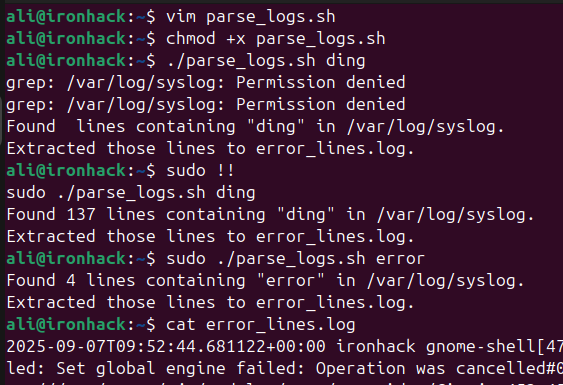
ali@ironhack:~$ vim heartbeat.sh
ali@ironhack:~$ chmod +x heartbeat.sh
ali@ironhack:~$ ./heartbeat.sh
ali@ironhack:~$ cat heartbeat.log
Heartbeat: 2025-09-07 11:30:07
ali@ironhack:~$ crontab # Ctrl+C to exit if stuck
^Cali@ironhack:~$ !! -e
crontab -e
crontab: installing new crontab
ali@ironhack:~$ cat heartbeat.log
Heartbeat: 2025-09-07 11:30:07
ali@ironhack:~$ cat heartbeat.log
Heartbeat: 2025-09-07 11:30:07
Heartbeat: 2025-09-07 11:32:01
ali@ironhack:~$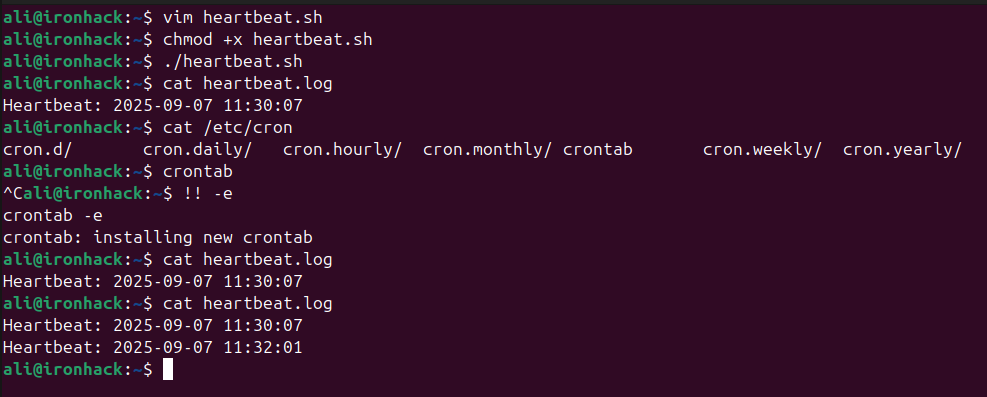
موجود هنا الحل
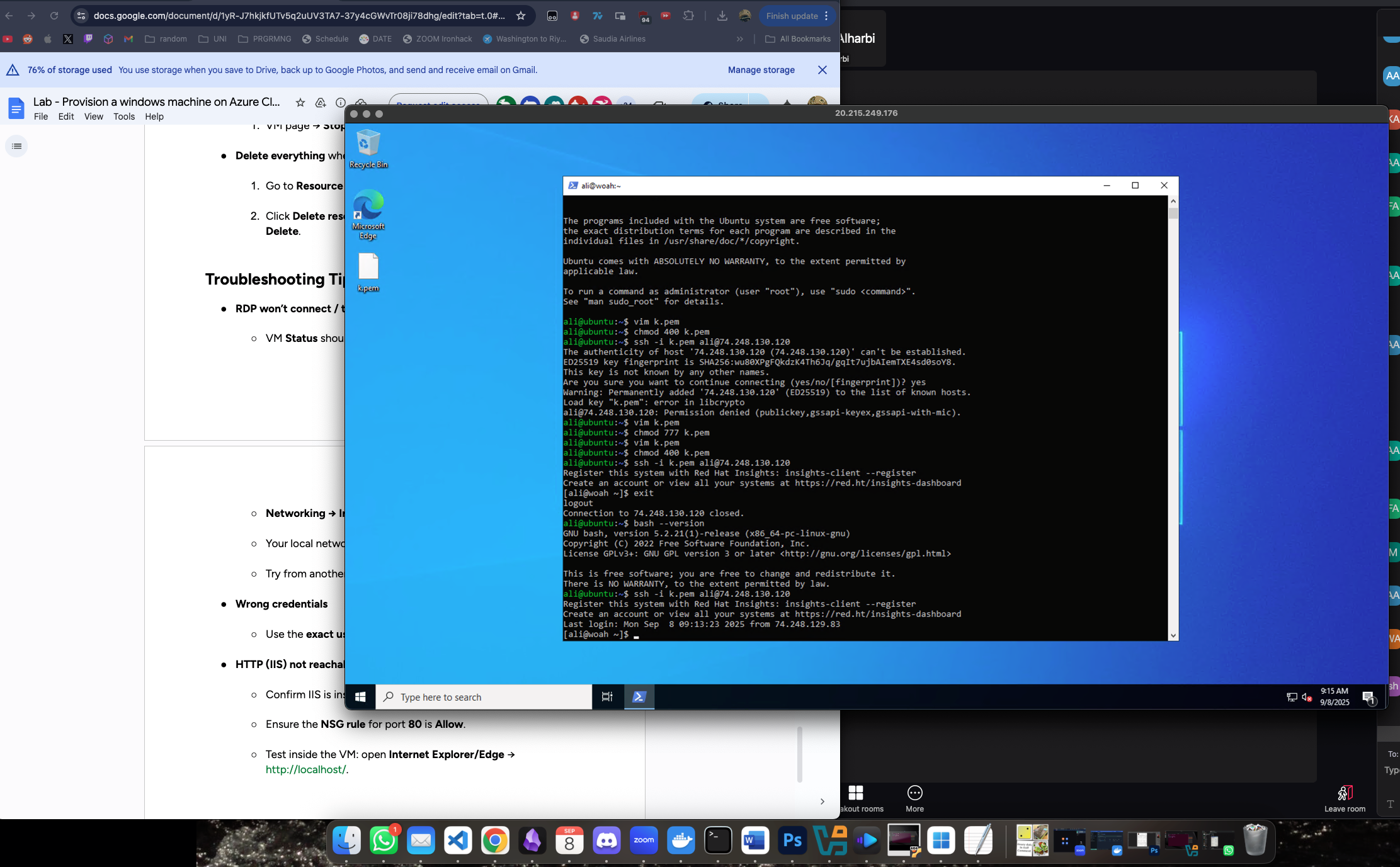
VMCeption. Mac RDP'd to Windows SSH'd to Ubuntu SSH'd to RedHat Enterprise Linux.
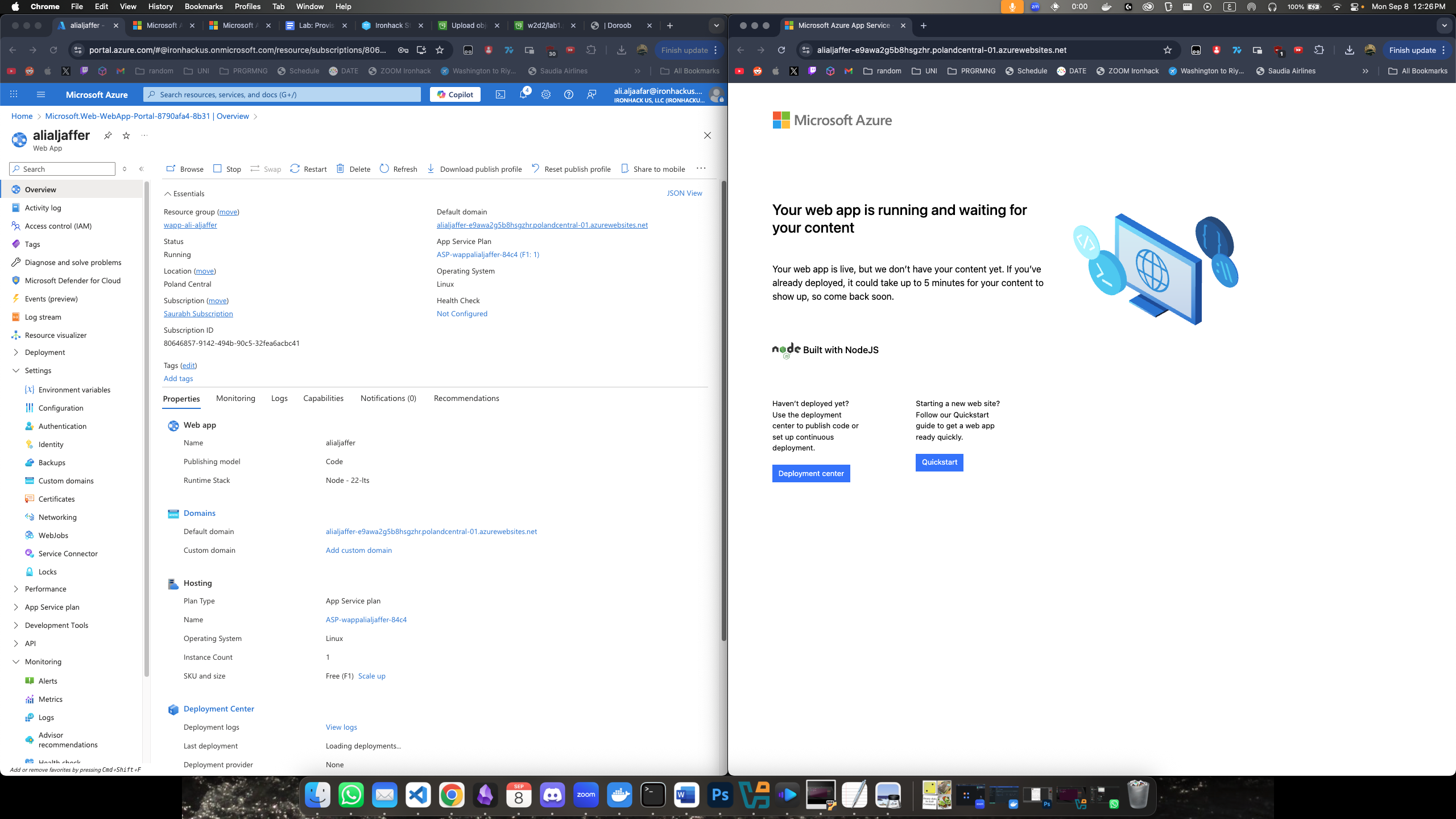
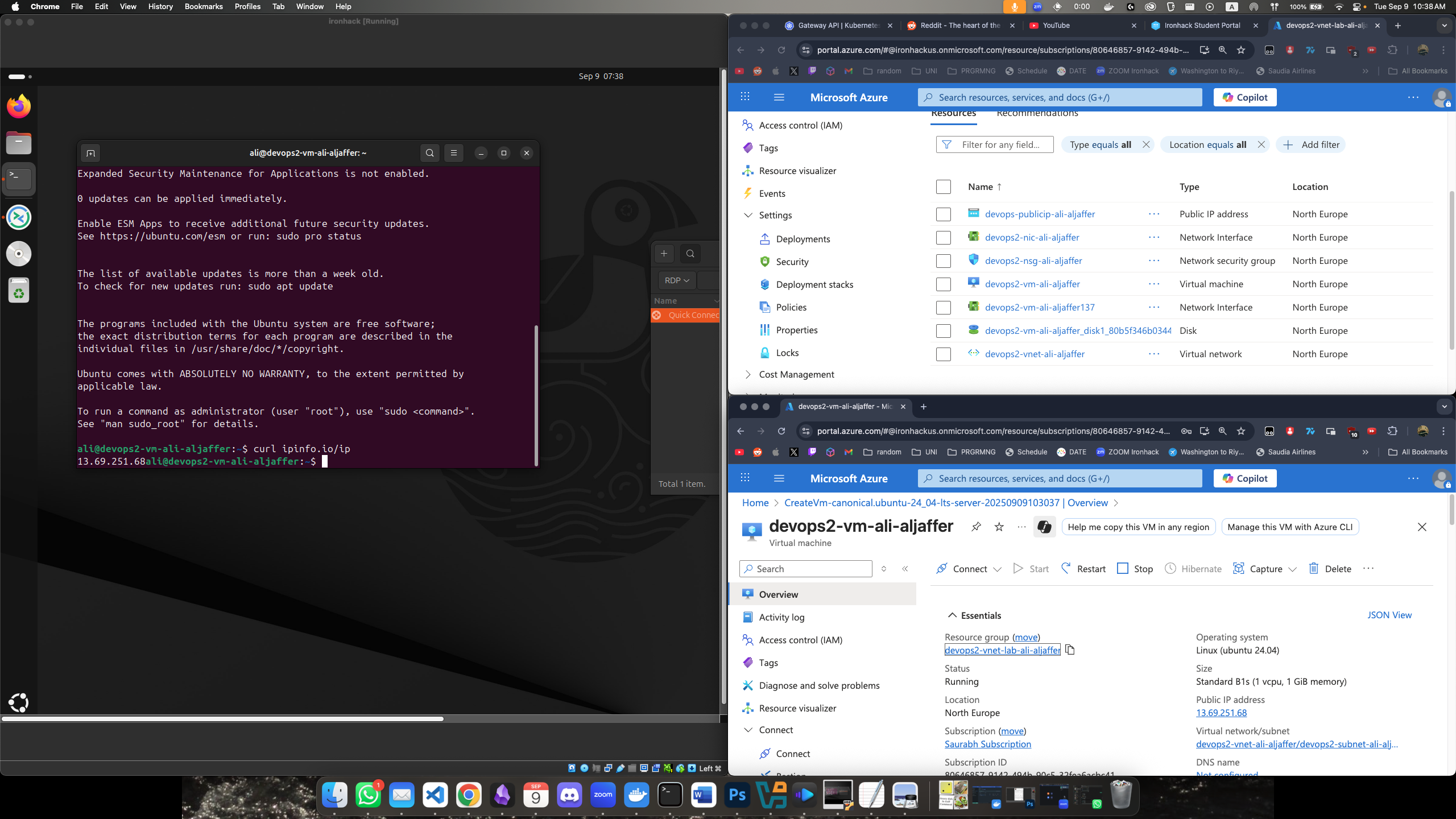
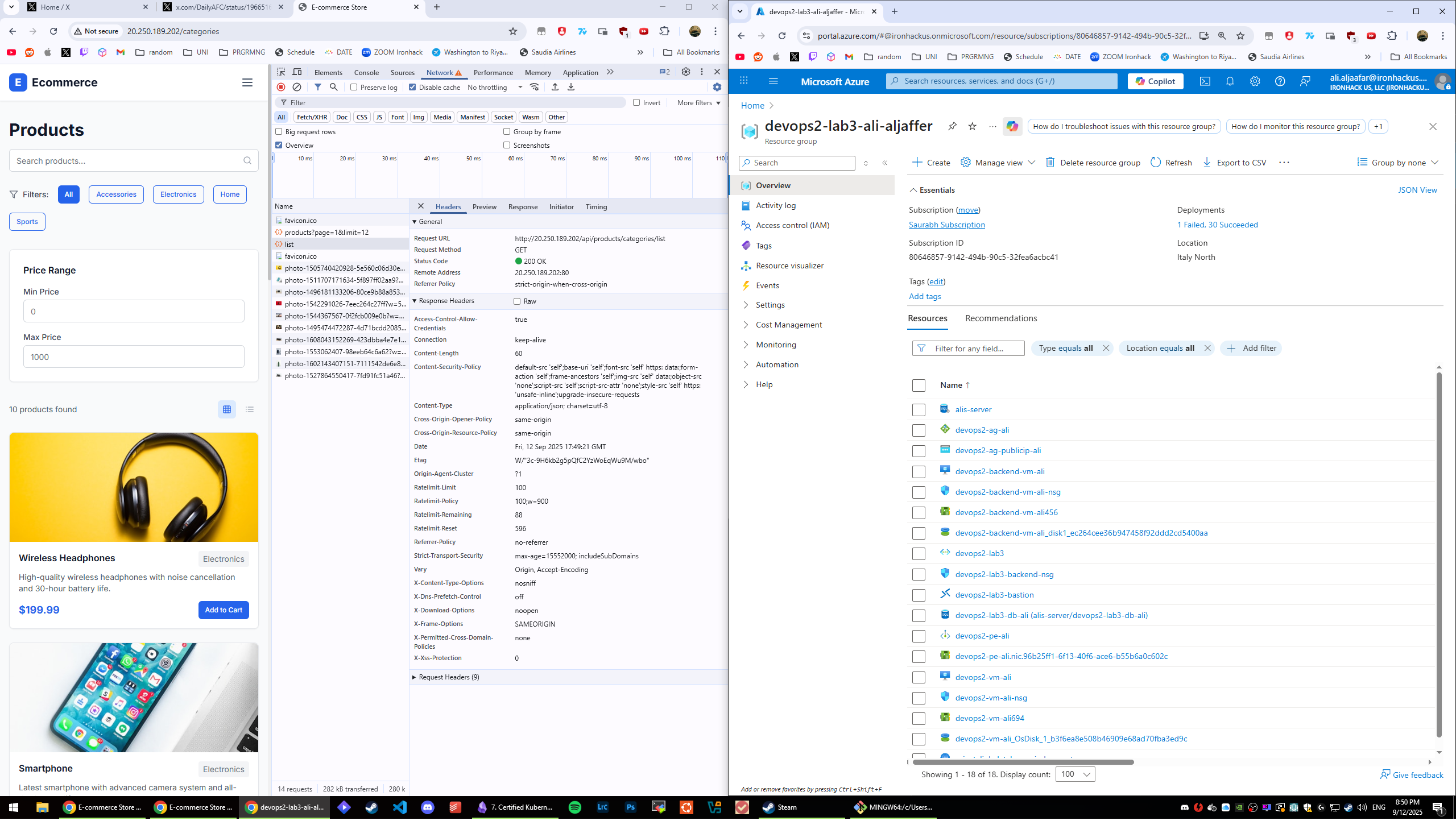
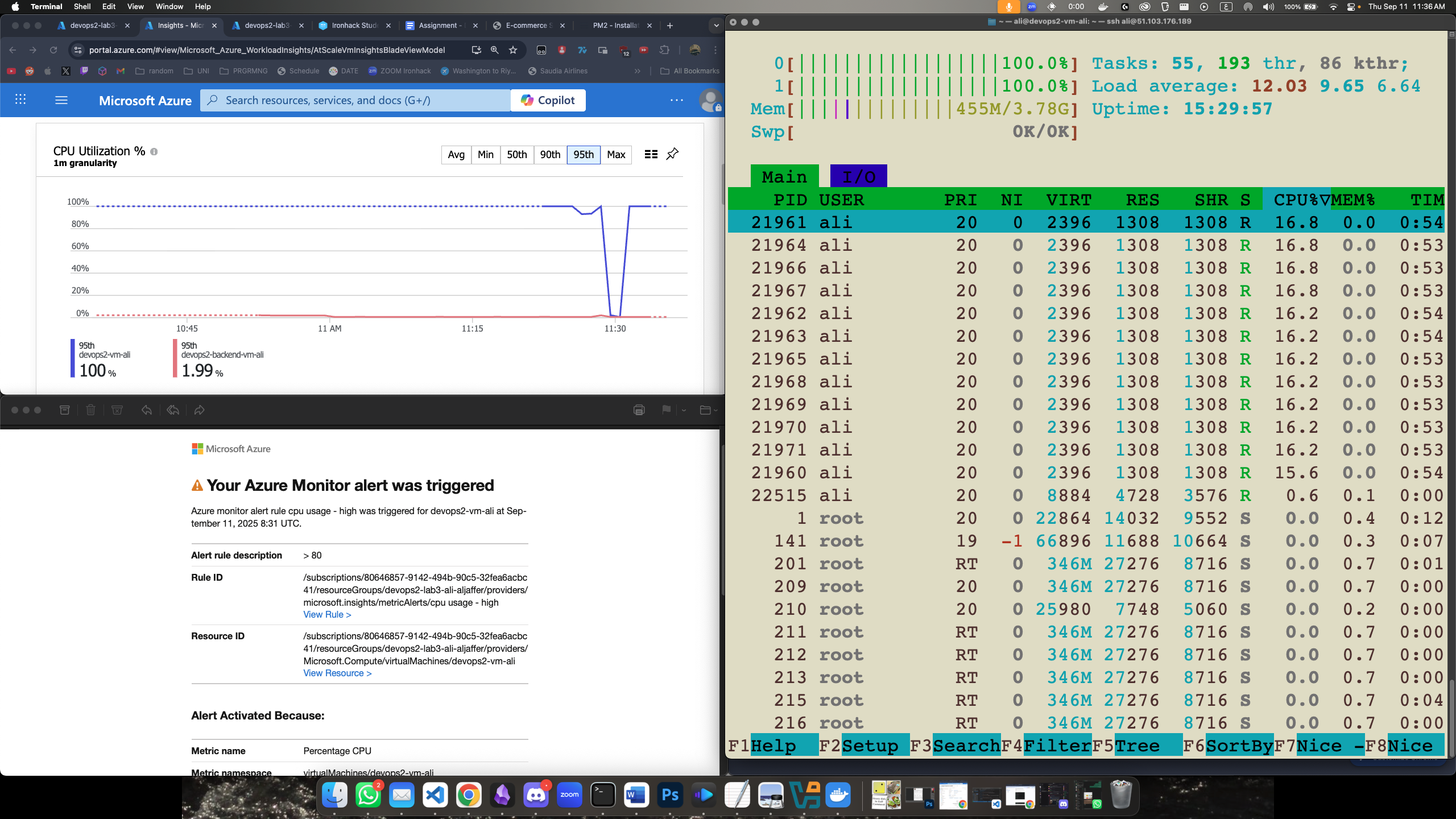
في السكرينشوت يوضح الريسورس قروب مع كل مكونات الشبكة, وتوضح صفحة الـVM وايضاً اني متصل عليها بـSSH والاي بي مطابق مع اللي في ازور
ali@ironhack:~$ cat load-balance-tester.sh
#!/bin/bash
i=0
ip="20.153.236.3"
while [[i -lt 10 ]];
do
	echo "curling $ip..."
	curl $ip
	echo "waiting 1 second..."
	sleep 1
	i=$i+1
done
ali@ironhack:~$ ./load-balance-tester.sh
curling 20.153.236.3...
Hi I'm machine devops2-vEZIY3O
waiting 1 second...
curling 20.153.236.3...
Hi I'm machine devops2-vGC9V9L
waiting 1 second...
curling 20.153.236.3...
Hi I'm machine devops2-vEZIY3O
waiting 1 second...
curling 20.153.236.3...
Hi I'm machine devops2-vLTX0NE
waiting 1 second...
curling 20.153.236.3...
Hi I'm machine devops2-vH76WTS
waiting 1 second...
curling 20.153.236.3...
Hi I'm machine devops2-vH76WTS
waiting 1 second...
curling 20.153.236.3...
Hi I'm machine devops2-vLTX0NE
waiting 1 second...
curling 20.153.236.3...
Hi I'm machine devops2-vH76WTS
waiting 1 second...
curling 20.153.236.3...
Hi I'm machine devops2-vGC9V9L
waiting 1 second...
curling 20.153.236.3...
Hi I'm machine devops2-vLTX0NE
waiting 1 second...
ali@ironhack:~$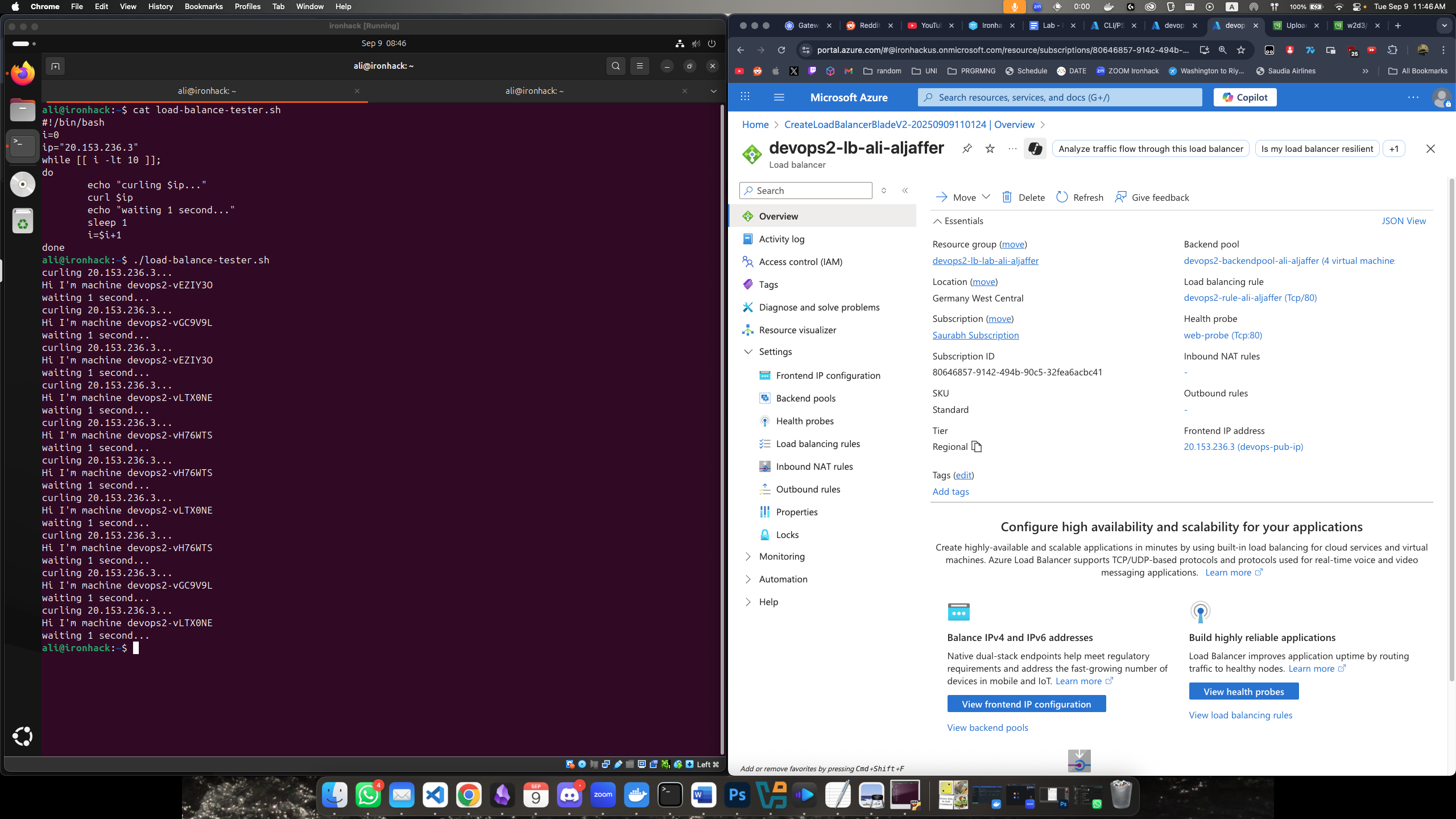

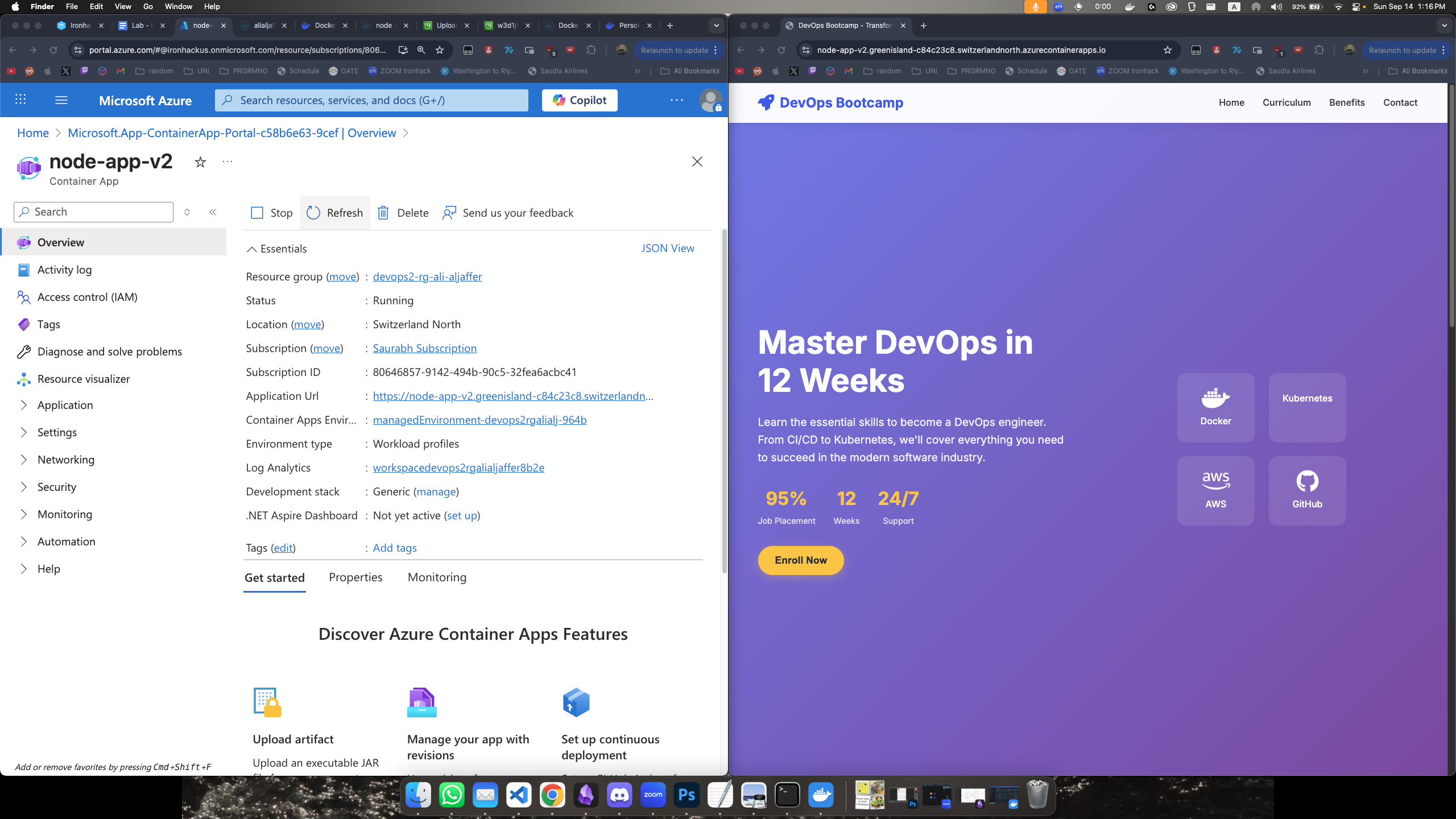
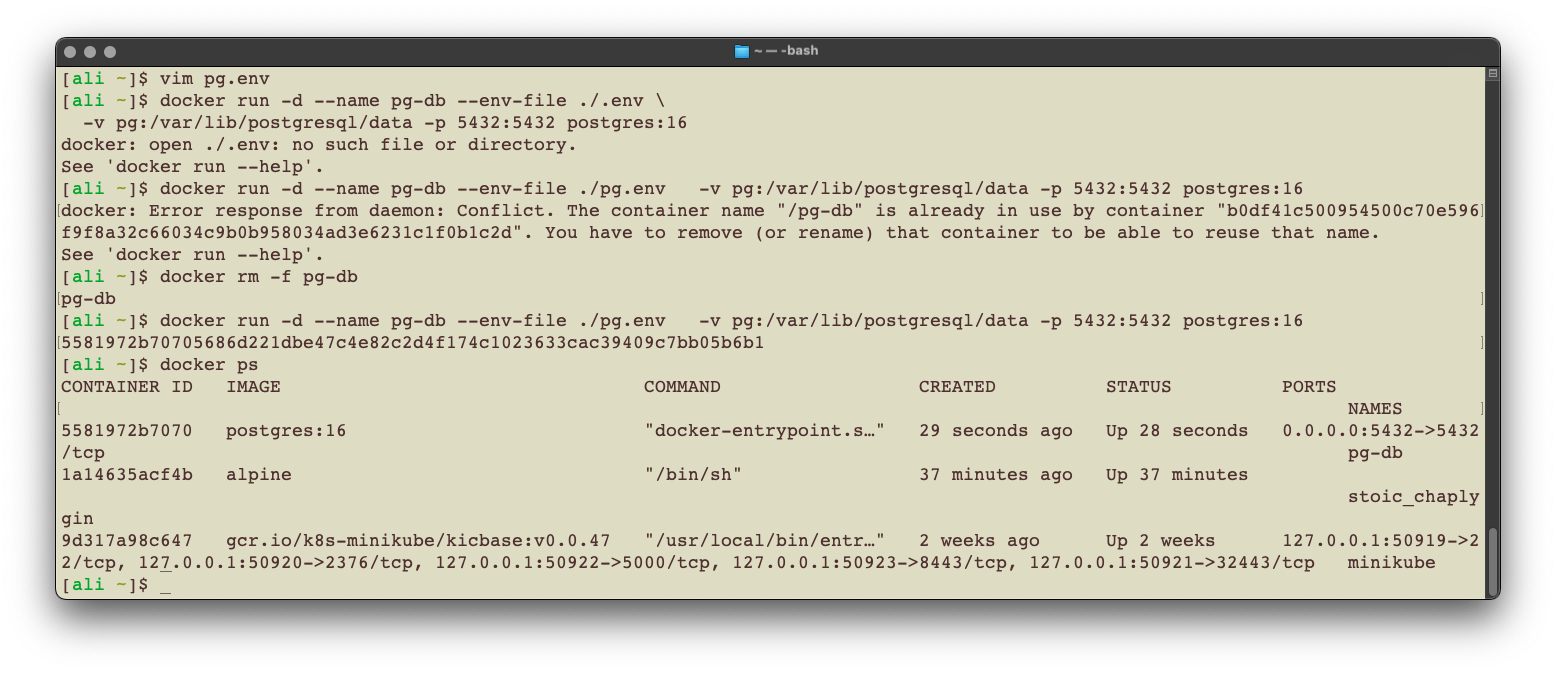
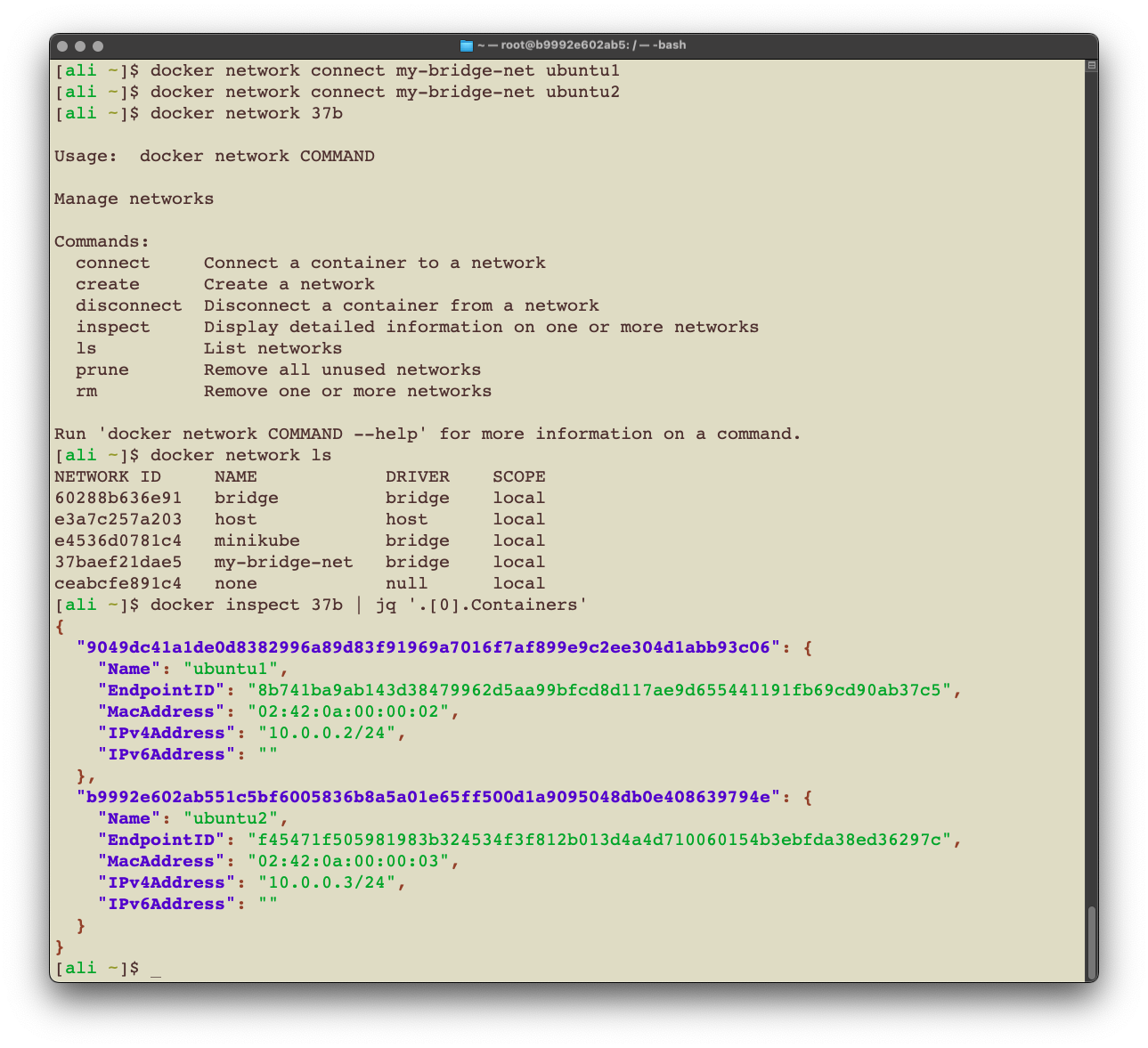
الكوماند في ملف الاساينمنت في خطوة ٥ عشان تشغل النود آب غلط, هذا الصح لو بتمشي بنفس كوماندز الملف اللي قبل
docker run -d --name node-backend-app --network my-app-network -p 3001:3001 -e DATABASE_URL=postgresql://myappuser:mysecretpassword@postgres-db:5432/myappdb node-backend-app:latest
الغلط في الكوماند حقه انه جالس يضيف كل الانفايرونمنت فاريابلز بس ولا وحده اصلاً مستخدمة في الكود, الوحيد المستخدم هو فاريبل DATABASE_URL ويكون فيه الـconnection string للداتابيس فأضفته انا:
-e DATABASE_URL=postgresql://myappuser:mysecretpassword@postgres-db:5432/myappdb
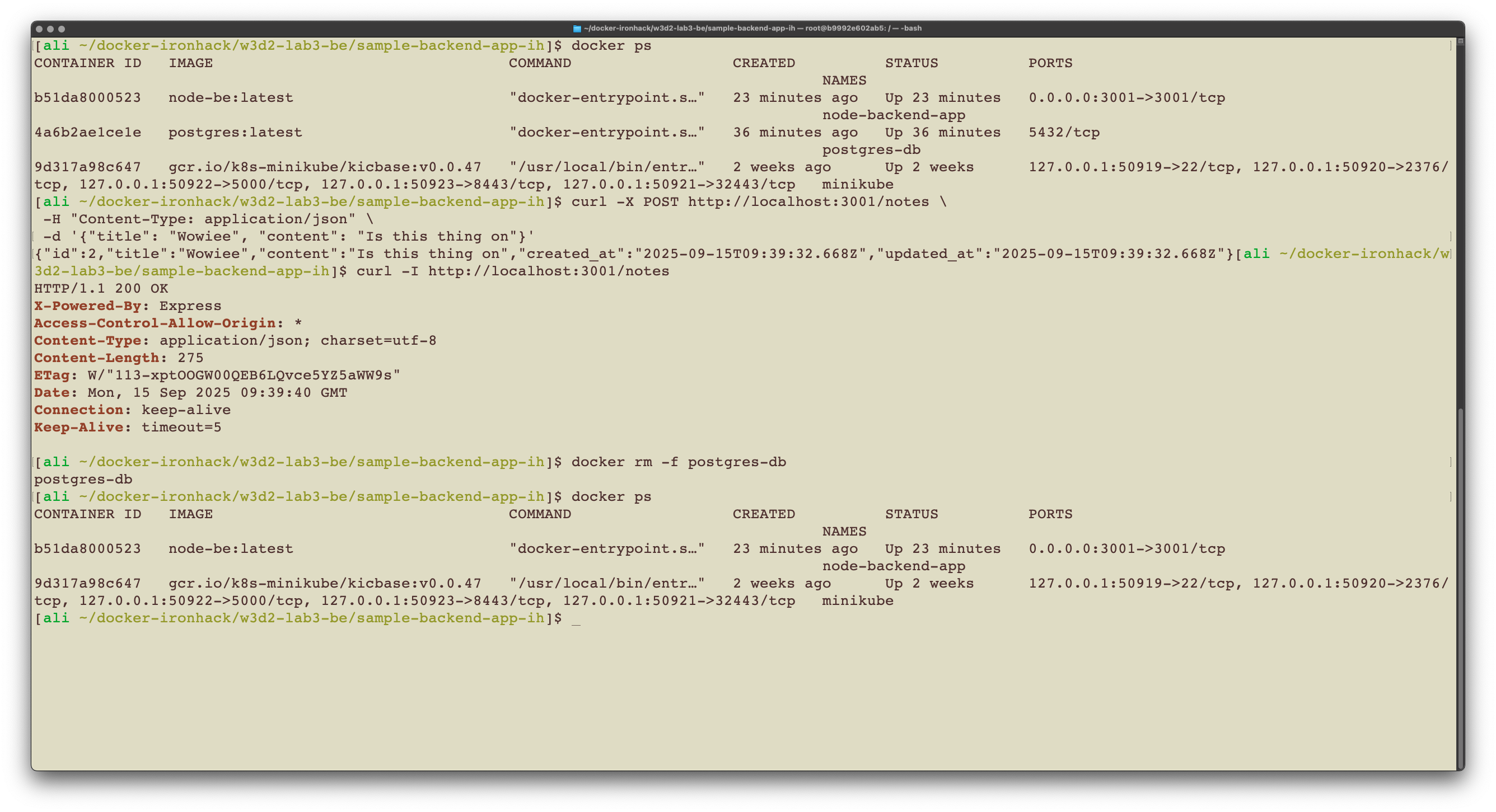
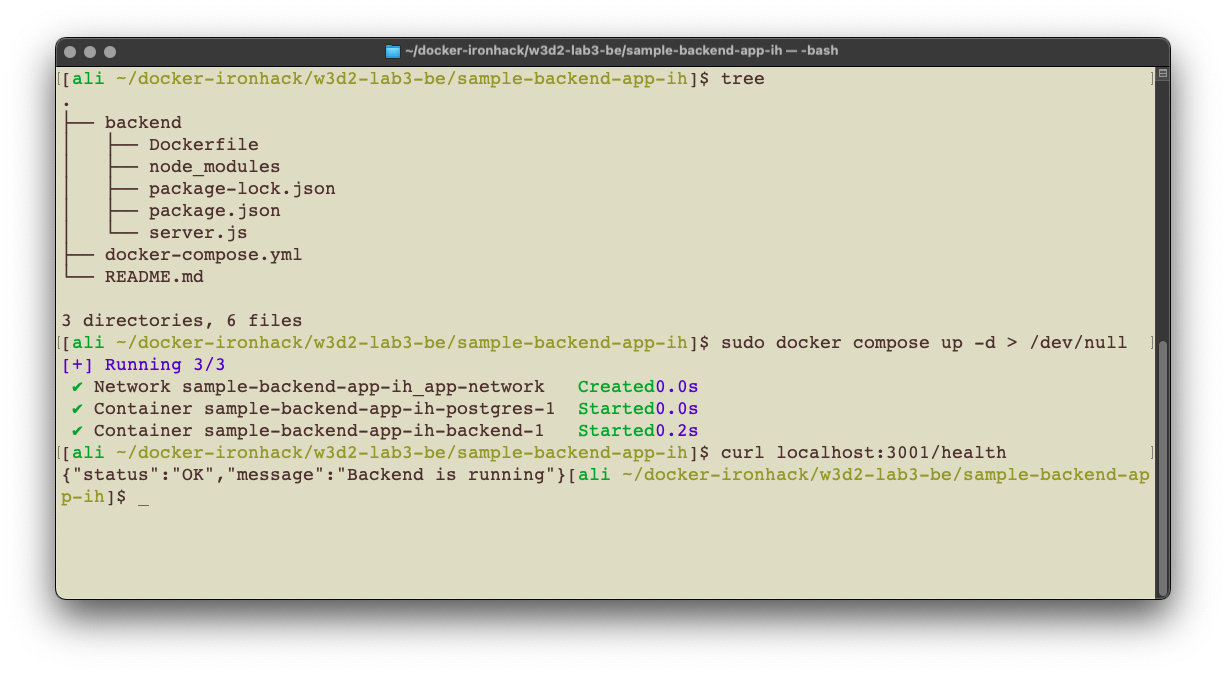
كان فيه غلط في build directory المفروض اننا نسوي مجلد اسمه backend بس اظن انه صلحه.
فيه غلط في فورماتنق ملف دوكر كومبوز, كذا صح
للتحميل دايركت من التيرمنل للي عندهم مشاكل مع نسخ الكوماند:
curl -o docker-compose.yml https://raw.githubusercontent.com/aliAljaffer/devops-cloud-bootcamp-sda/refs/heads/main/extra-files/w3d2-docker-compose.ymlservices:
postgres:
image: postgres:15
environment:
POSTGRES_DB: notes_db
POSTGRES_USER: postgres
POSTGRES_PASSWORD: password
ports:
- "5432:5432"
volumes:
- postgres_data:/var/lib/postgresql/data
networks:
- app-network
backend:
build: ./
ports:
- "3001:3001"
environment:
PORT: 3001
DATABASE_URL: postgresql://postgres:password@postgres:5432/notes_db
NODE_ENV: development
depends_on:
- postgres
volumes:
- ./:/app
- /app/node_modules
networks:
- app-network
volumes:
postgres_data:
networks:
app-network:
driver: bridgeملاحظة: دايركتوري الباك اند في الصورة كانت قبل لا يعدل اللاب
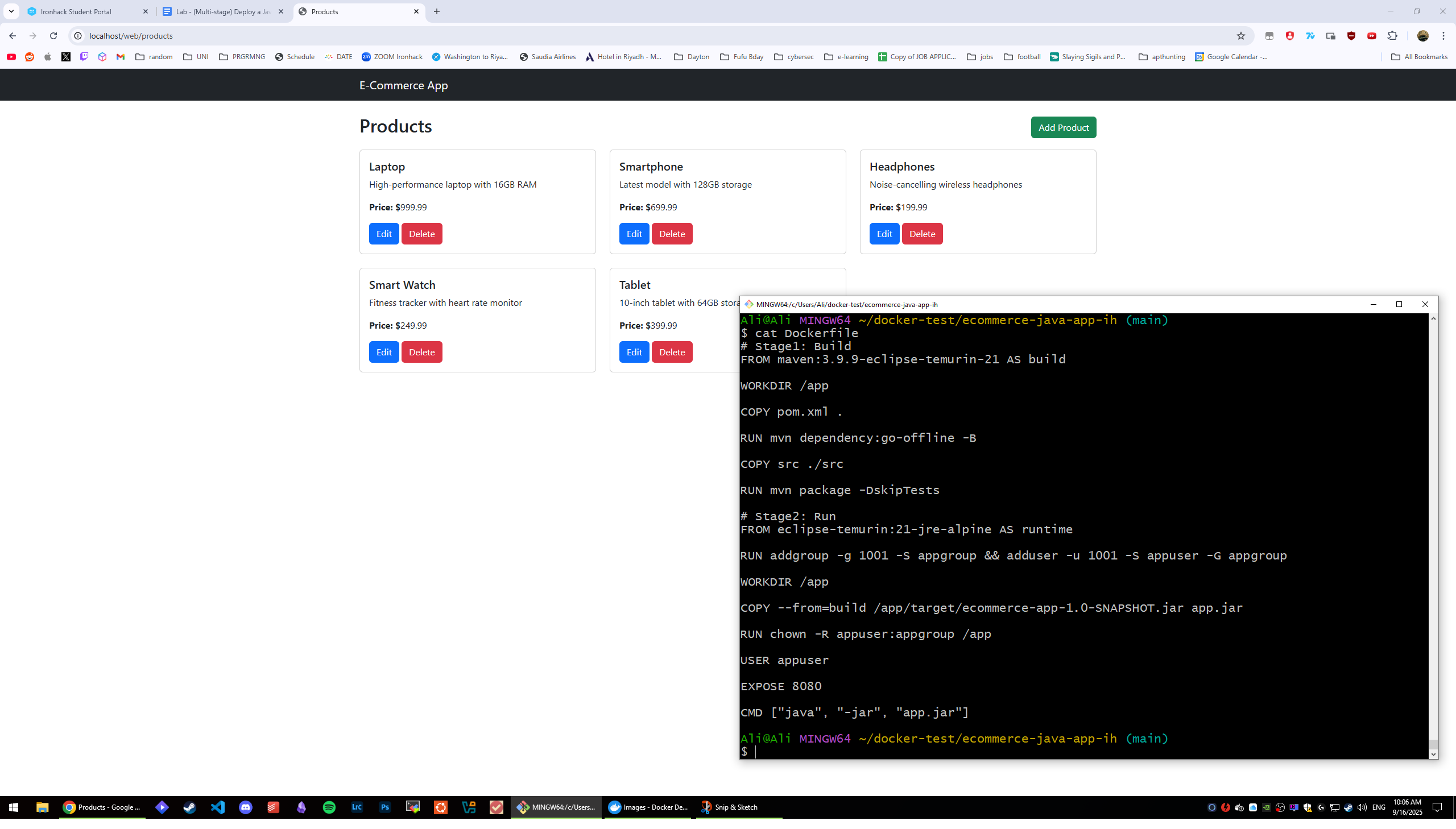
في الدوكرفايل فيه لاين غلط:
COPY --from=builder /app/target/ecommerce-app-1.1-SNAPSHOT.jar app.jar
الصح هو النسخة 1.0 ومش 1.1:
COPY --from=builder /app/target/ecommerce-app-1.0-SNAPSHOT.jar app.jar
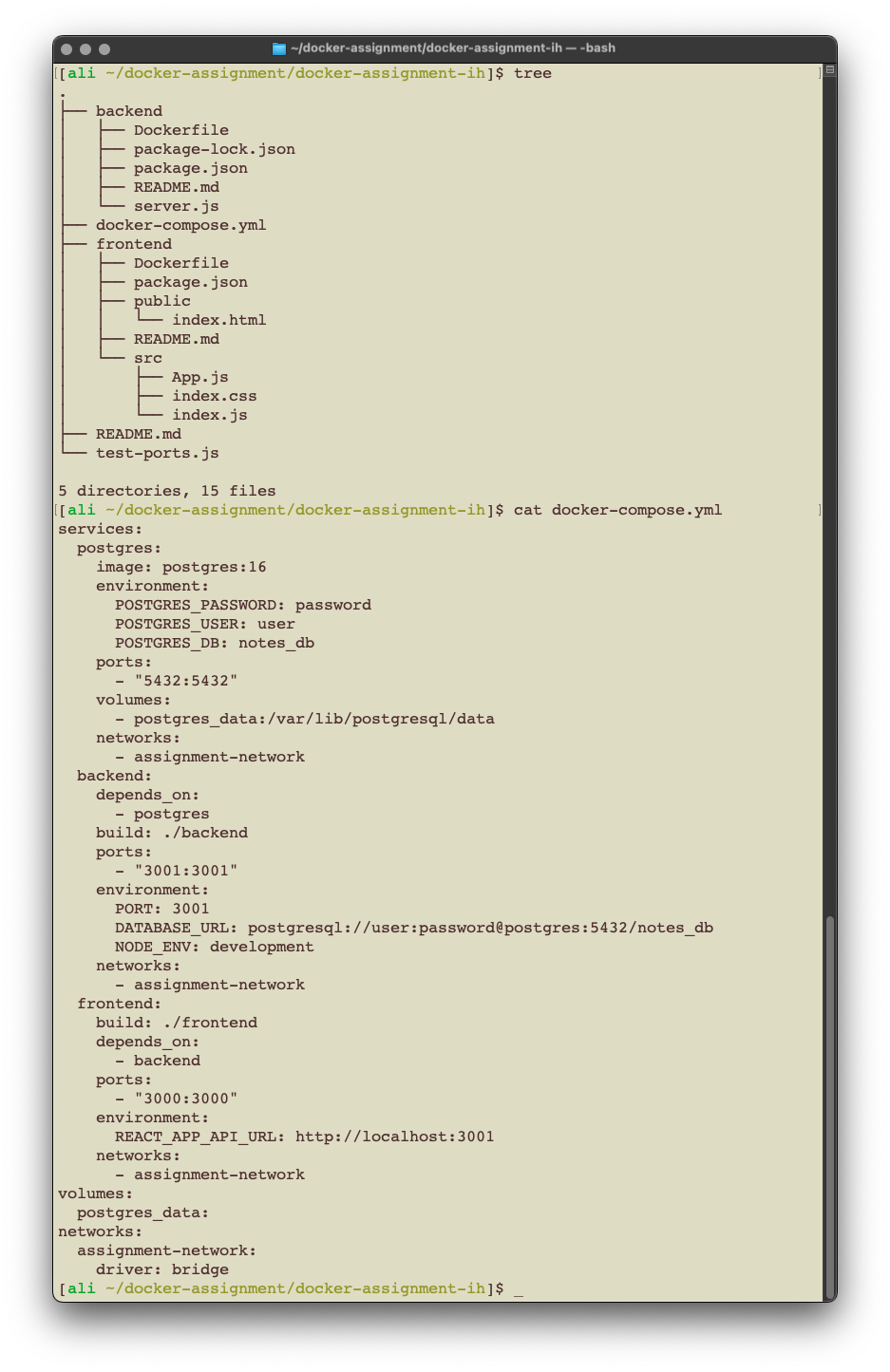
في الفرونت اند فيه مجلد وملف ضروريين ماهم موجودين في الريبوزيتوري تحتاج مجلد public داخل مجلد frontend وداخله ملف index.html بهالمحتوى:
<html>
  <body>
    <div id="root"></div>
  </body>
</html>
موقع الملف:
docker-assignment-ih/frontend/public/index.html
البكجات قديمة وتحتاج تضيف تحديث لأحد البكجات عشان يزبط في الدوكرفايل حق الفرونت اند
بعد أمر الـRUN npm install
...
...

RUN npm install --save-dev ajv@^8

...
...
راح يحمل اخر نسخة (٨) من بكج ajv
الباث له يكون:
docker-assignment-ih/docker-compose.yml
تحميل محتواه من التيرمنال بس انسخ هالكوماند:
curl -o docker-compose.yml https://raw.githubusercontent.com/aliAljaffer/devops-cloud-bootcamp-sda/refs/heads/main/extra-files/w3d3-docker-assignment-docker-compose.ymlالمحتوى:
services:
  postgres:
    image: postgres:16
    environment:
      POSTGRES_PASSWORD: password
      POSTGRES_USER: user
      POSTGRES_DB: notes_db
    ports:
      - "5432:5432"
    volumes:
      - postgres_data:/var/lib/postgresql/data
    networks:
      - assignment-network
  backend:
    depends_on:
      - postgres
    build: ./backend # هنا نحدد موقع الدوكرفايل للباك اند
    ports:
      - "3001:3001"
    environment:
      PORT: 3001
      DATABASE_URL: postgresql://user:password@postgres:5432/notes_db
      NODE_ENV: development
    networks:
      - assignment-network
  frontend:
    build: ./frontend # هنا نحدد موقع الدوكرفايل للفرونت اند
    depends_on:
      - backend
    ports:
      - "3000:3000"
    environment:
      REACT_APP_API_URL: http://localhost:3001
    networks:
      - assignment-network
volumes:
  postgres_data:
networks:
  assignment-network:
    driver: bridge
أمر tree فقط يوريك هيكل المجلد اللي انت فيه فأنا احطه عشان ابين لكم الملفات اللي حاطها وموقعها
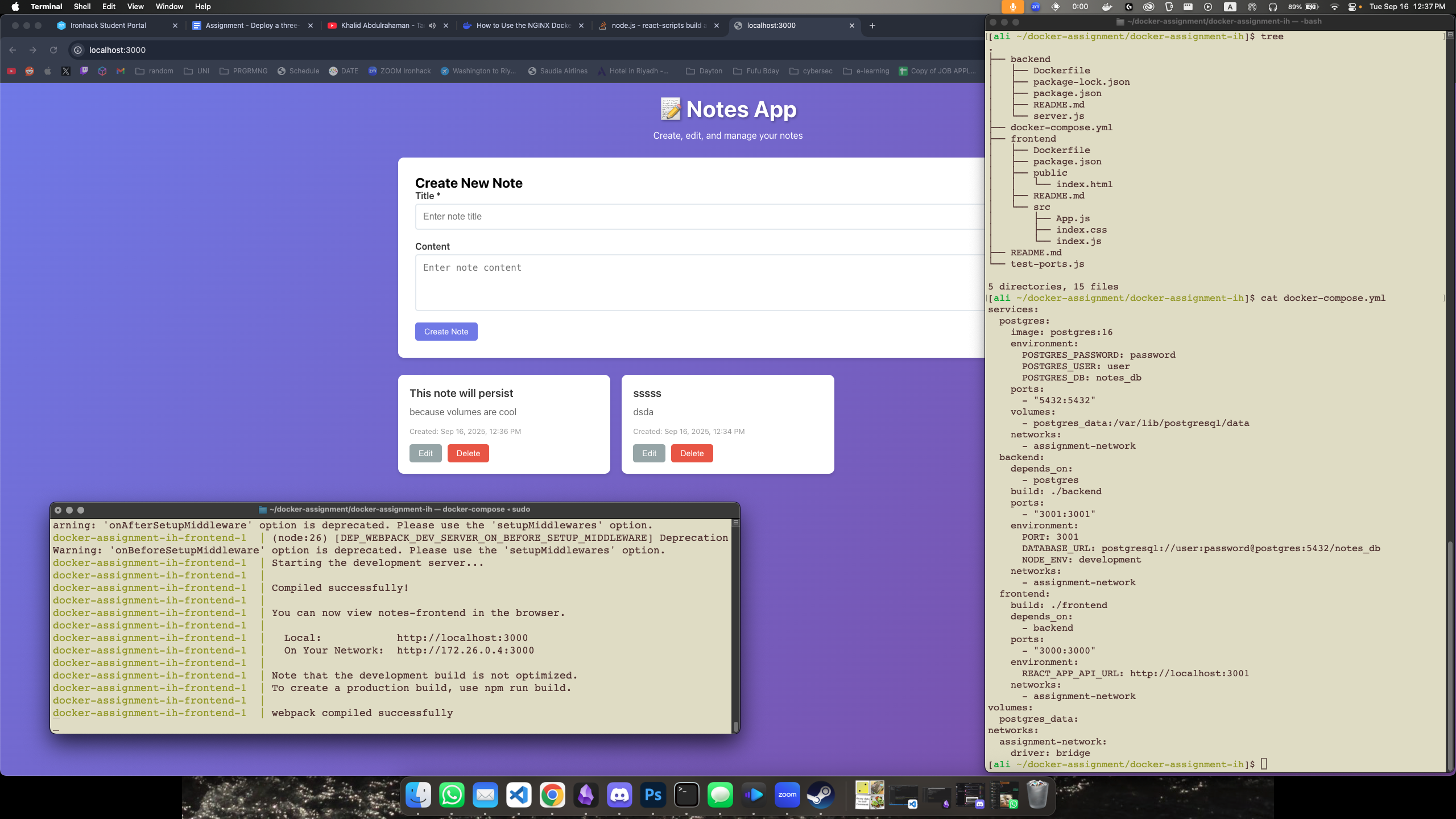
الحل النهائي:
للي يفشل معهم الووركفلو يعدلوا عاللاينات اللي محددها
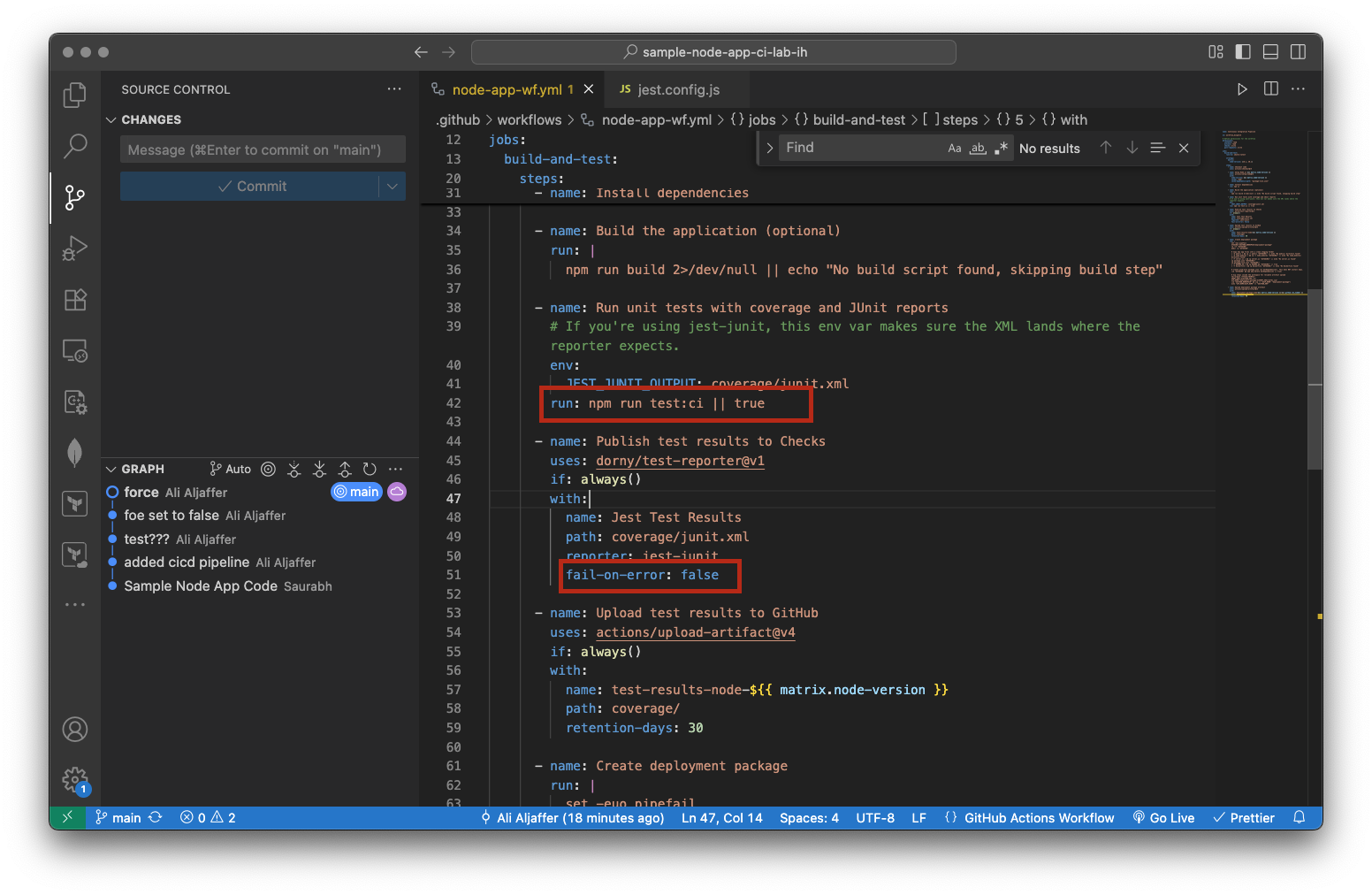
وراح يزبط ان شاء الله
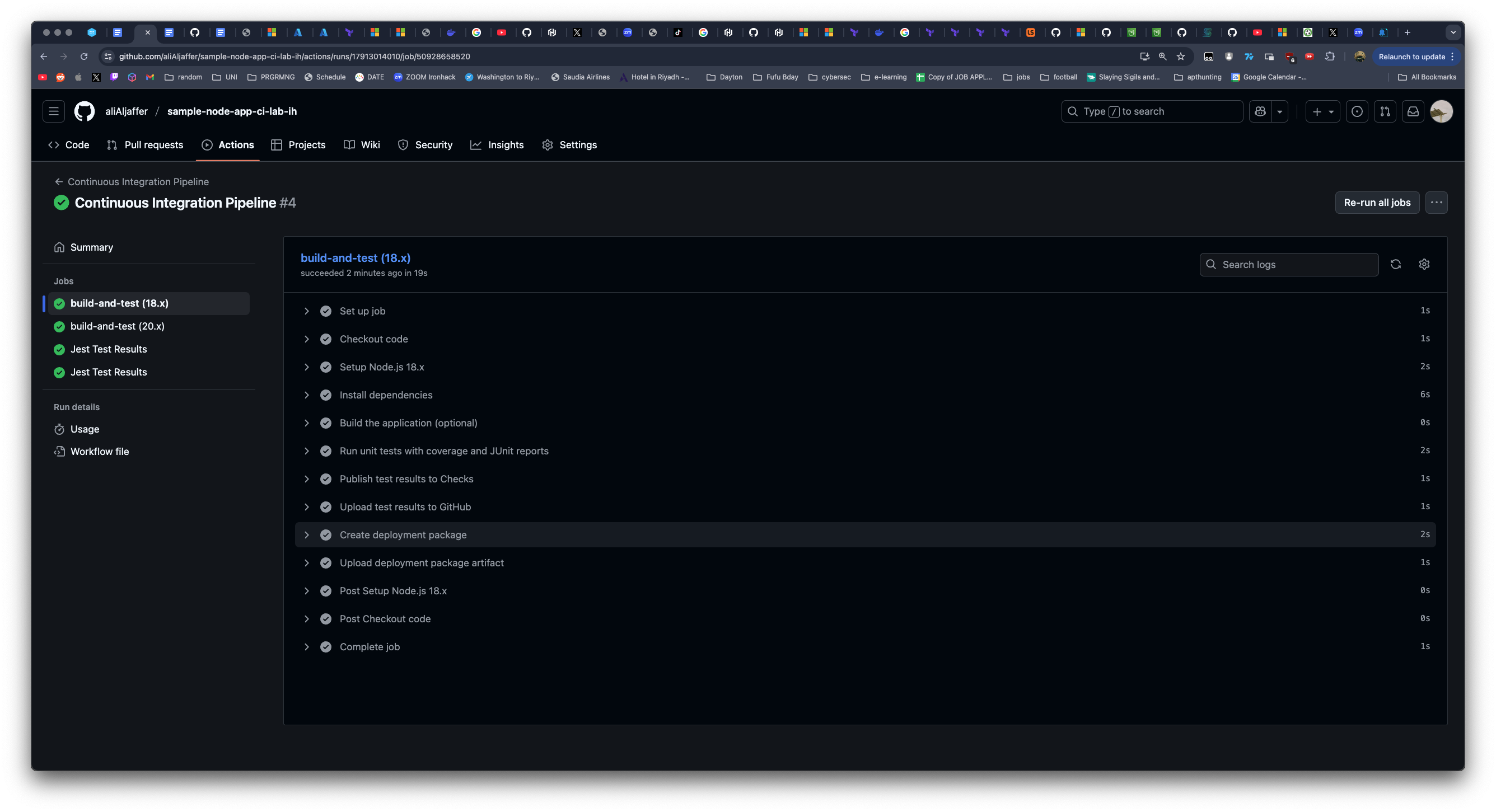
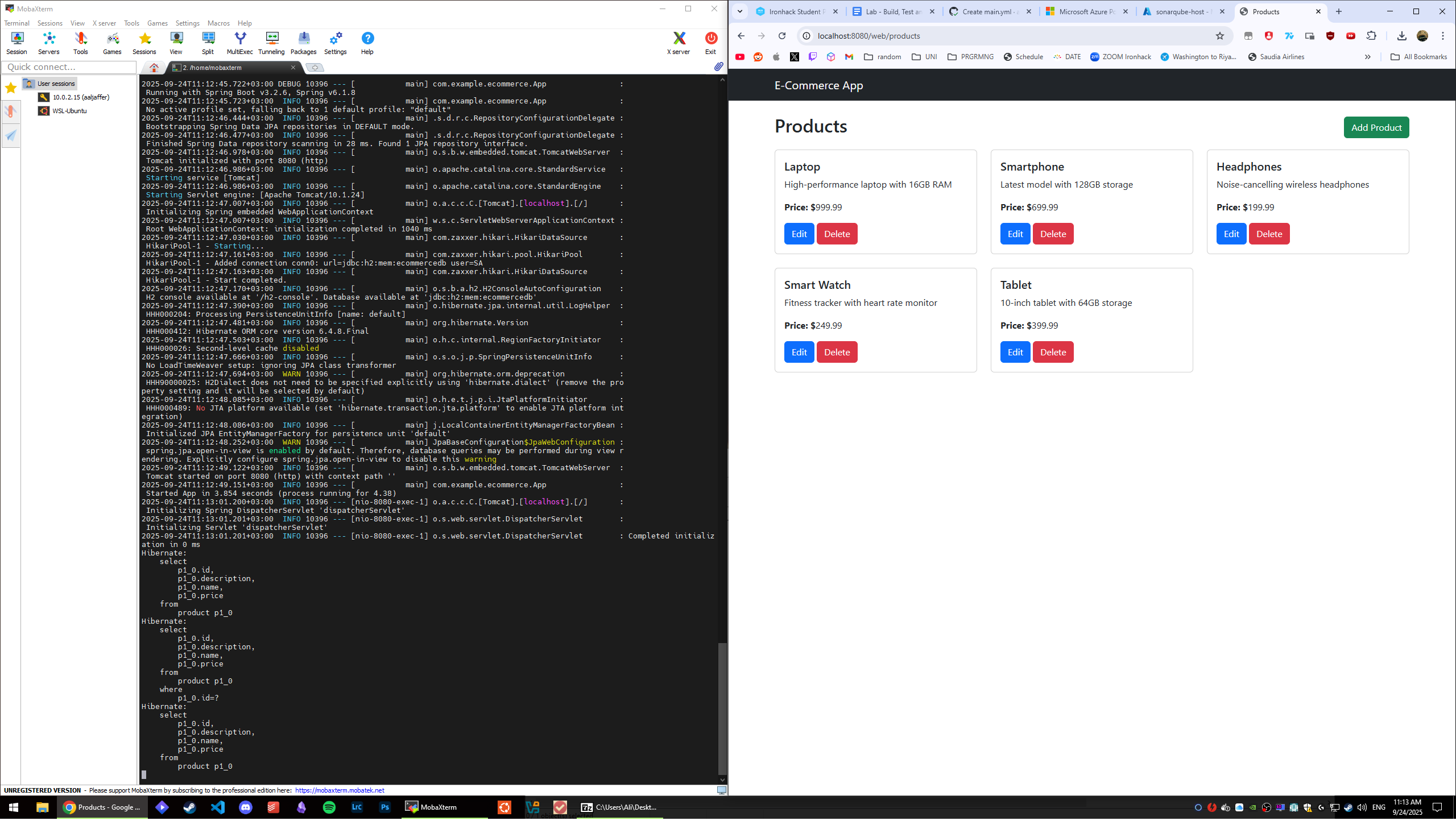
اذا يطول ويجيك ايرور لما توصل لمرحلة نسخ الكوماند اللي من سيرفر سونار كيوب, بس سوي ريستارت للسوناركيوب من التيرمنل اللي سويت منه docker compose up
[ali ~/docker-stuff/sonarqube-setup-ih]$ sudo docker compose down
[+] Running 3/3
 ✔ Container sonarqube              Removed                                                               3.6s
 ✔ Container postgresql             Removed                                                               0.3s
 ✔ Network sonarqube-setup-ih_ipv4  Removed                                                               0.1s
[ali ~/docker-stuff/sonarqube-setup-ih]$ sudo docker compose up -d
[+] Building 0.0s (0/0)                                                                         docker:default
[+] Running 3/3
 ✔ Network sonarqube-setup-ih_ipv4  Created                                                               0.1s
 ✔ Container postgresql             Started                                                               0.1s
 ✔ Container sonarqube              Created                                                               0.2s
[ali ~/docker-stuff/sonarqube-setup-ih]$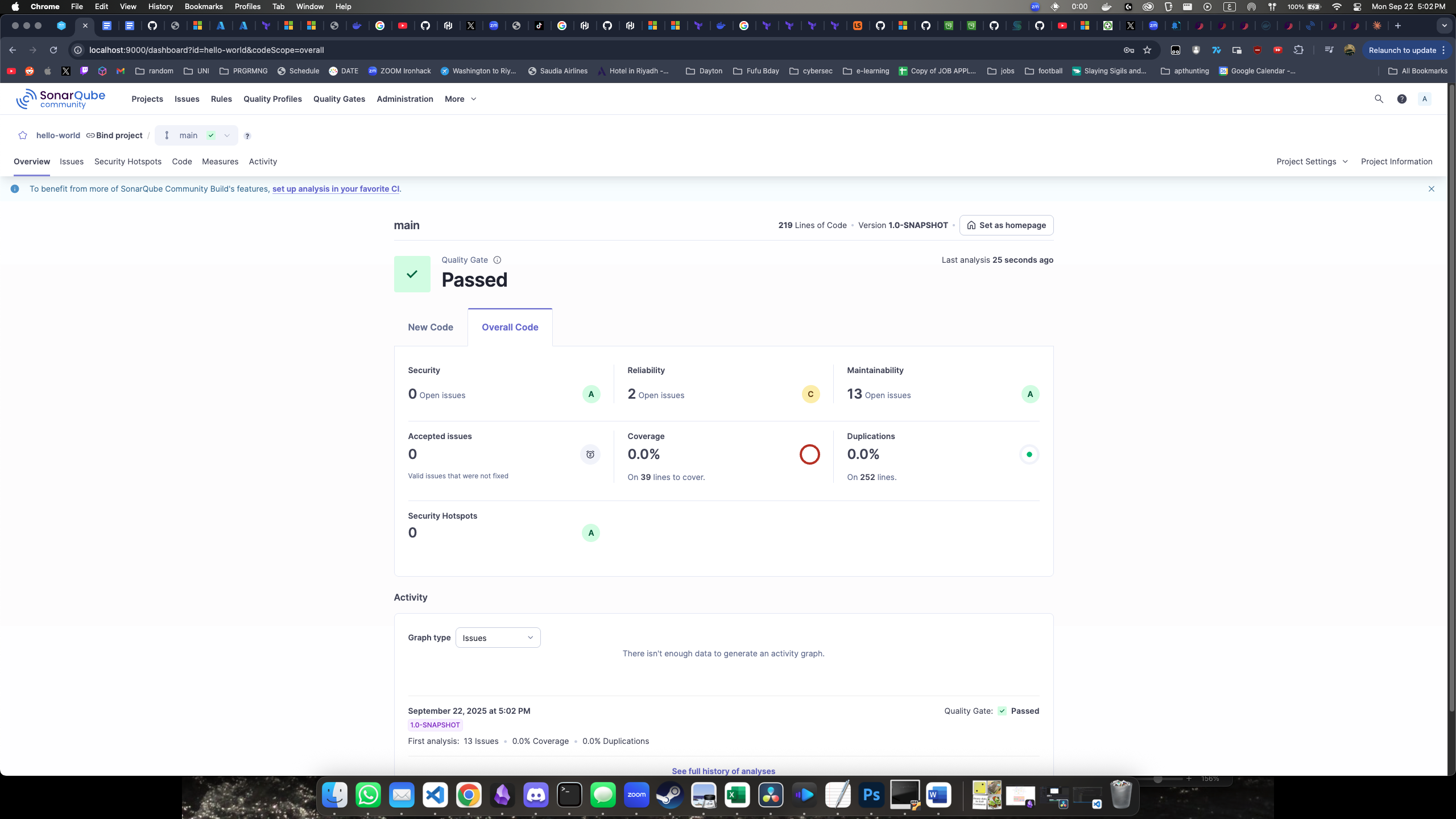
الوركفلو المصحح هنا
لاين 36 يحمل اضافة التست
لاين 38 يستخدم الباث الصح لملف التست
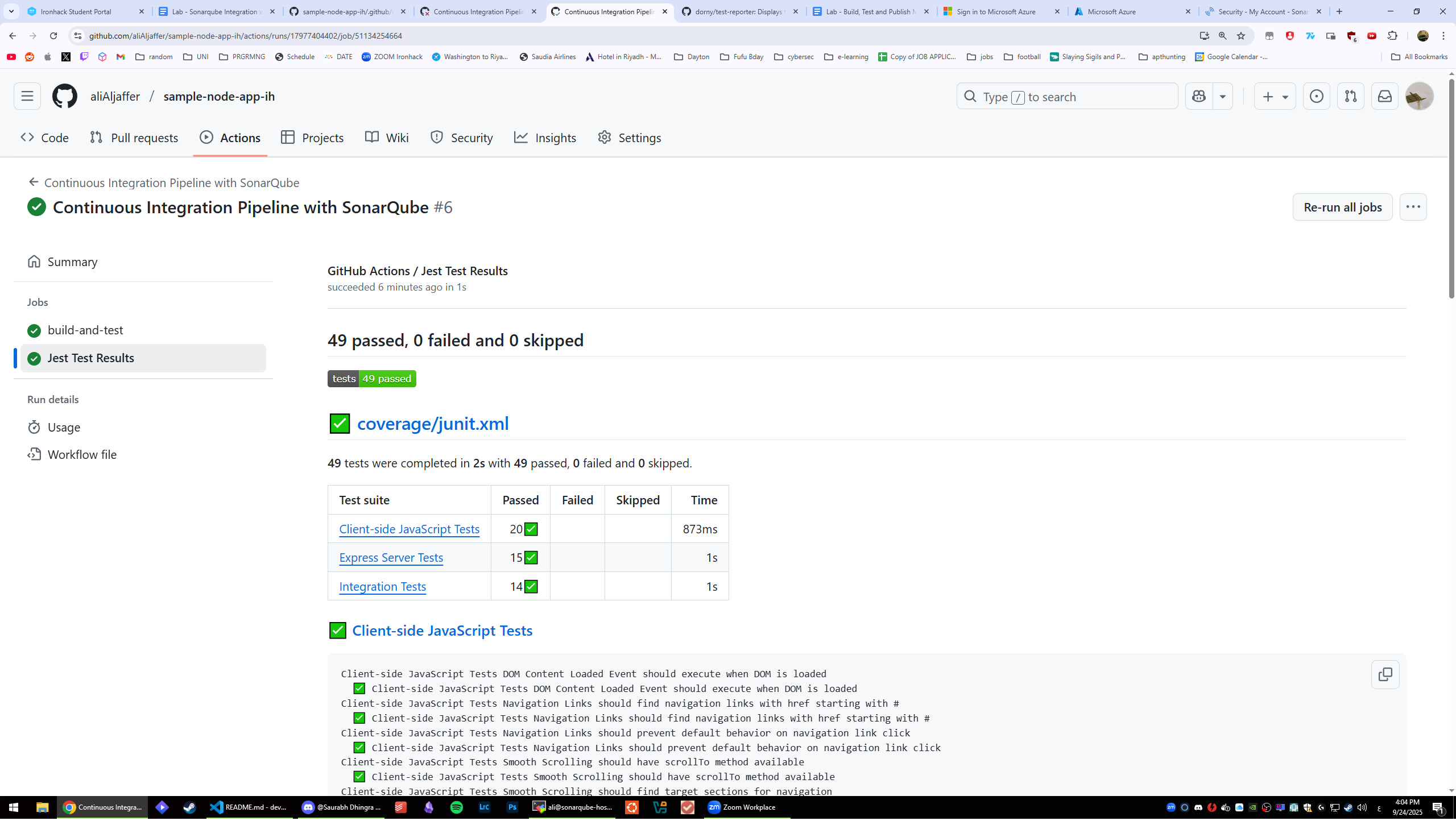
لا يوجد! اليوم الوطني السعودي 🫡🥳🇸🇦🇸🇦🇸🇦🇸🇦🇸🇦
للاونسايت: هنا
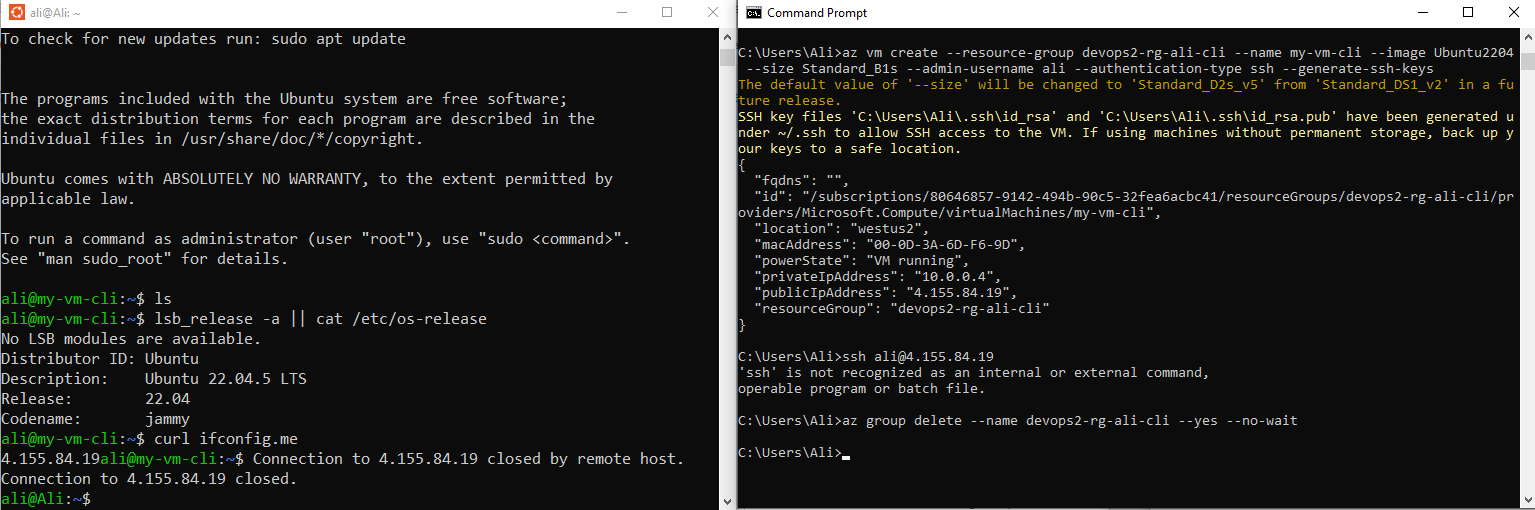
للاونسايت: هنا
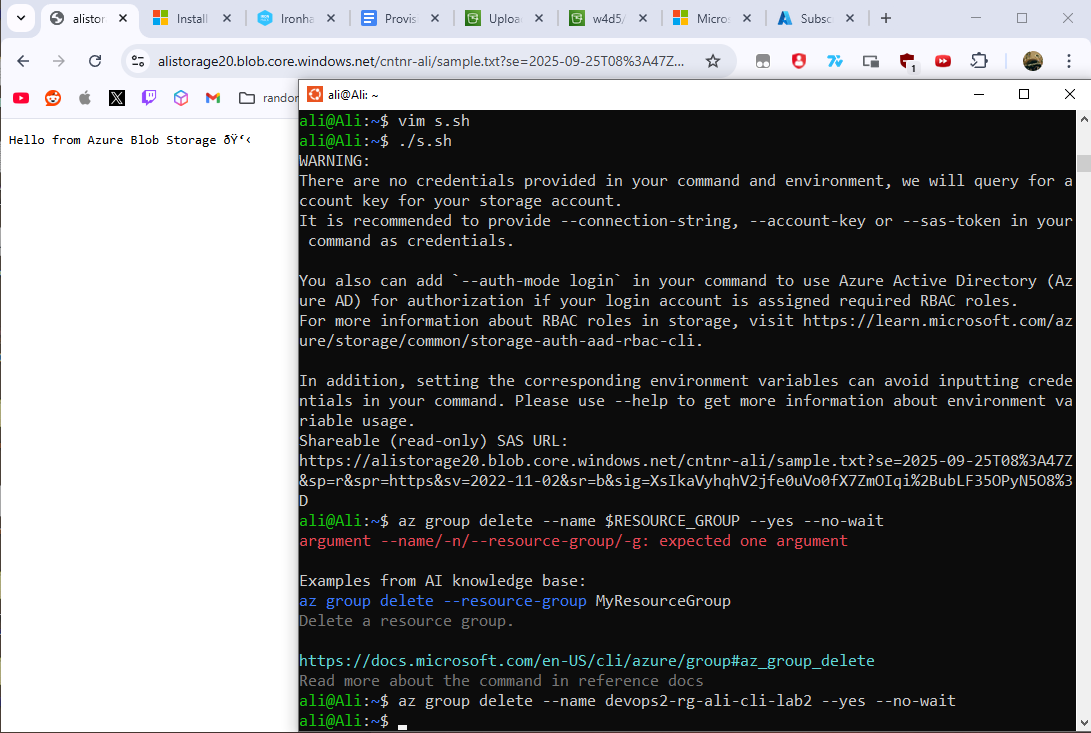
هذي السيكرتس اللي بتكون مطلوبة على كامل اللابز. راح تحتاجها حبة حبة بس انا سحبت عى السوناركيوب في هاللاب وشلت التستنق

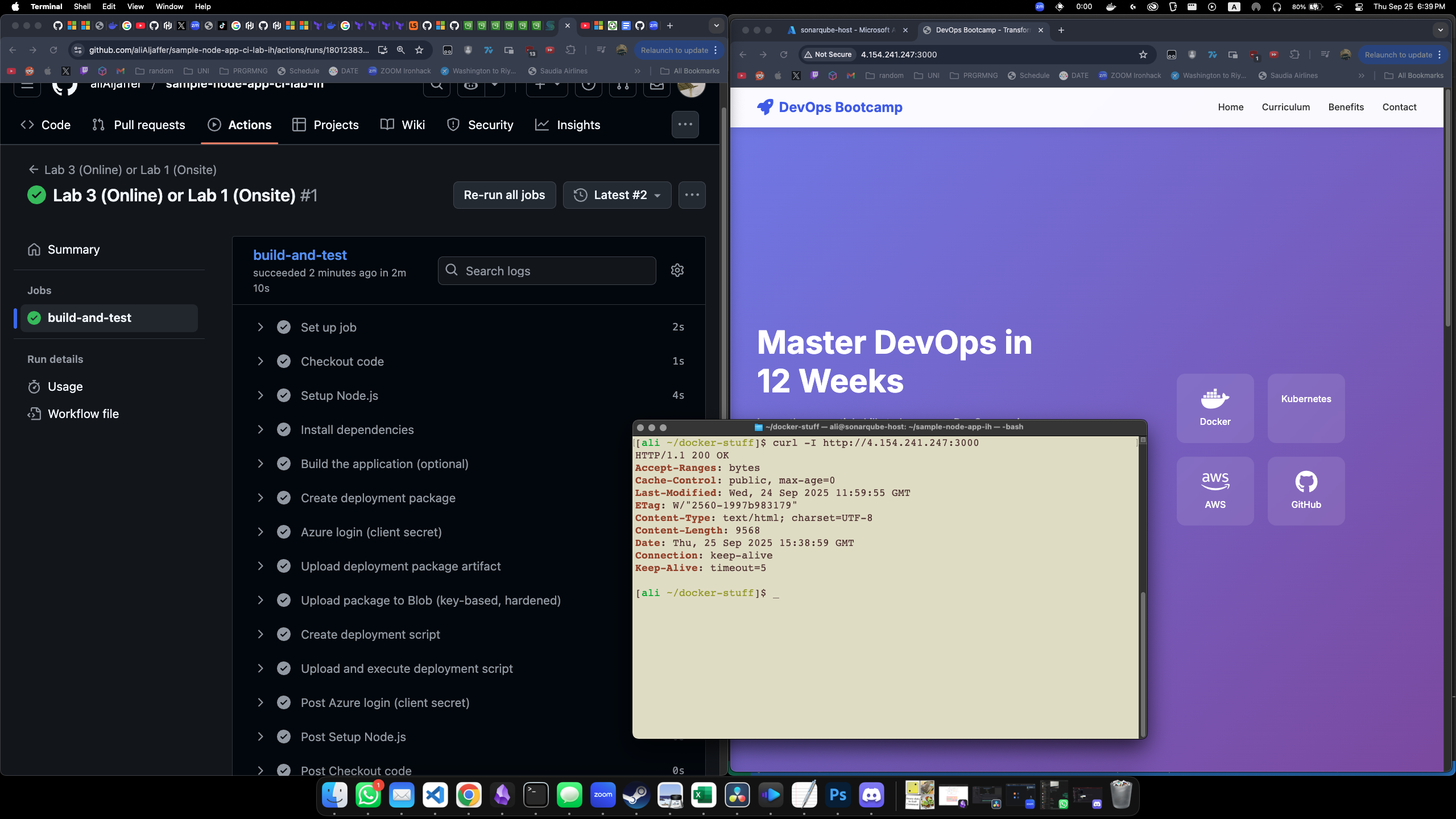
هذا لاب ١ لقسم الاونسايت
App deployed (and missing the public/ folder hehe)
ملف الوركفلو هنا: w4d5-online-lab-3-onsite-lab-1.yml
هذا لاب ٢ لقسم الاونسايت
ملف الوركفلو هنا: w4d5-online-lab-4-onsite-lab-2.yml
App deployed (and missing the public/ folder hehe)
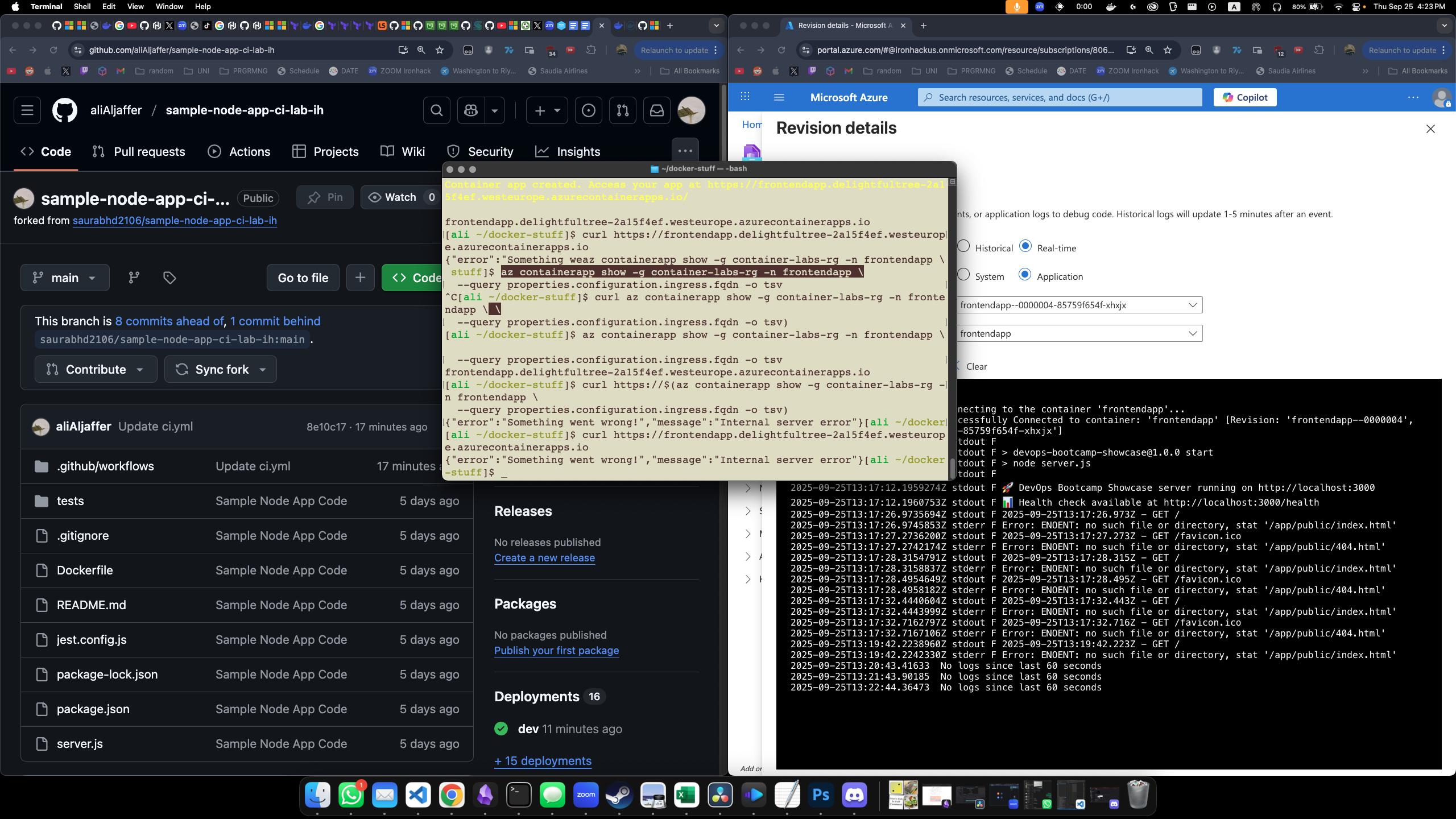
هذا لاب ٣ لقسم الاونسايت
ملف الوركفلو هنا: w4d5-online-lab-5-onsite-lab-3.yml
App deployed (and missing the public/ folder hehe)
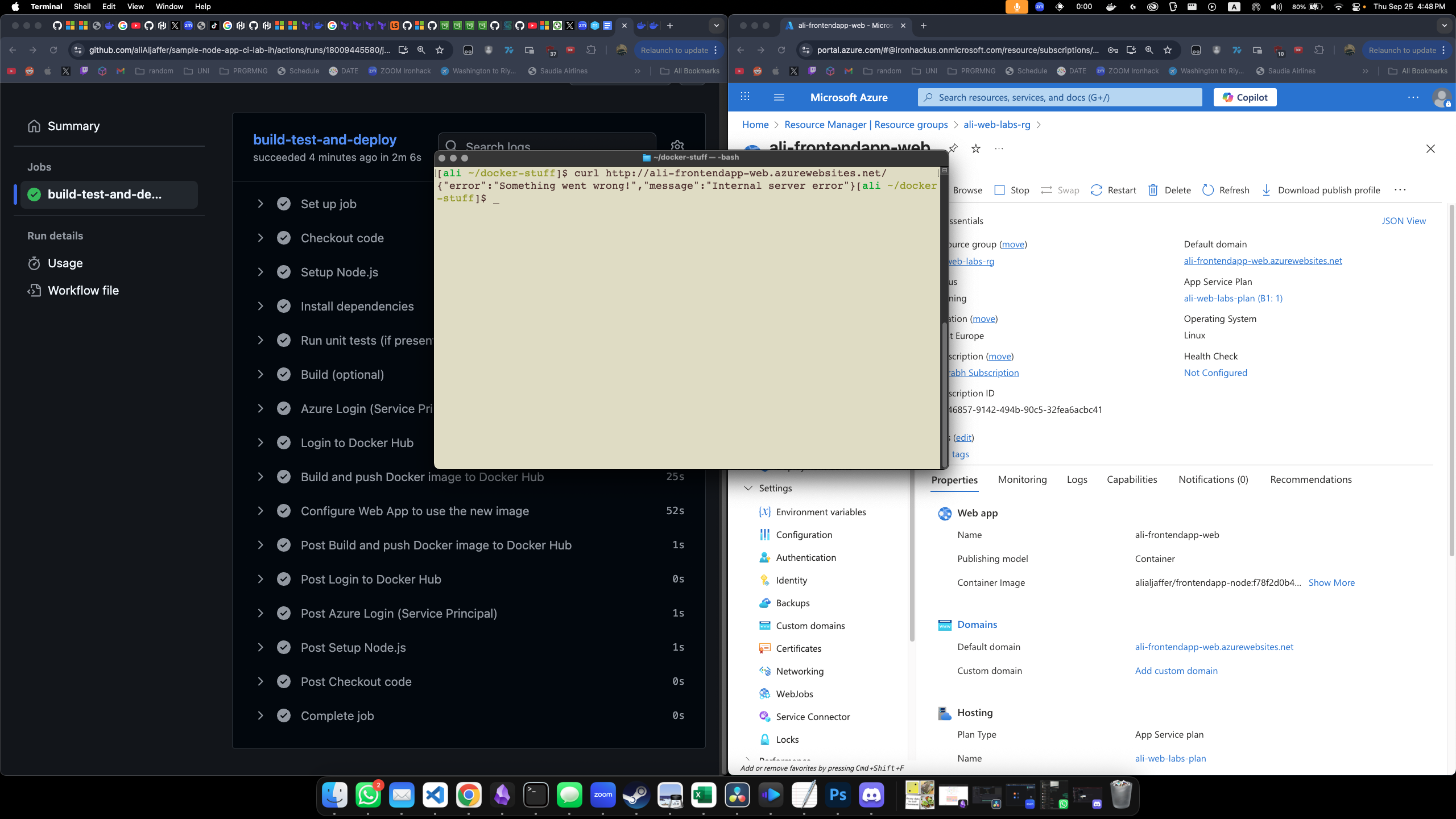
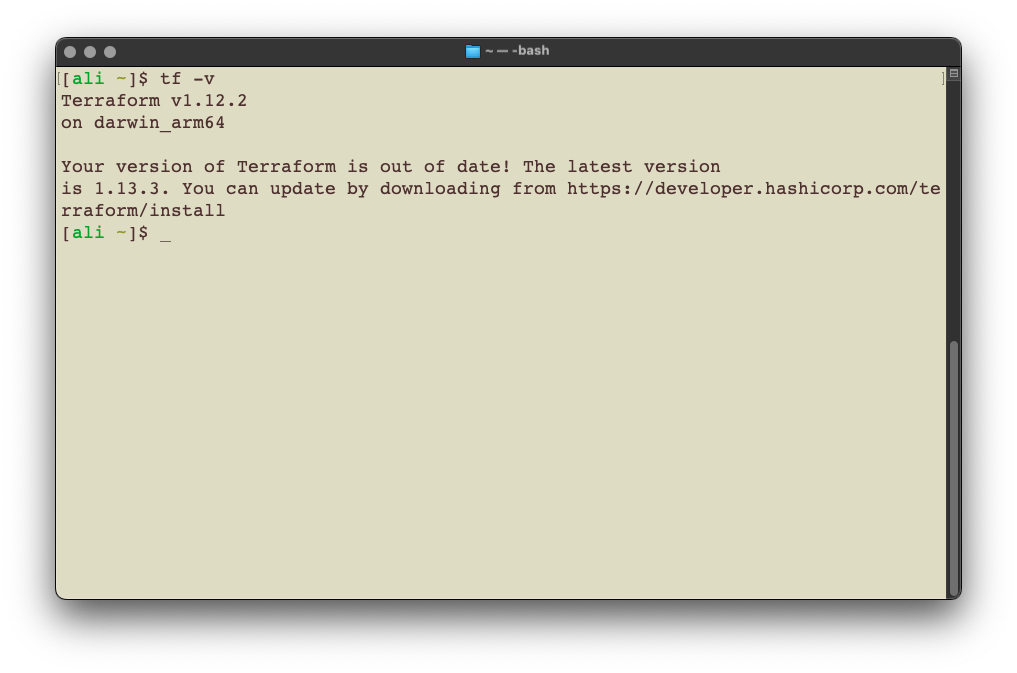
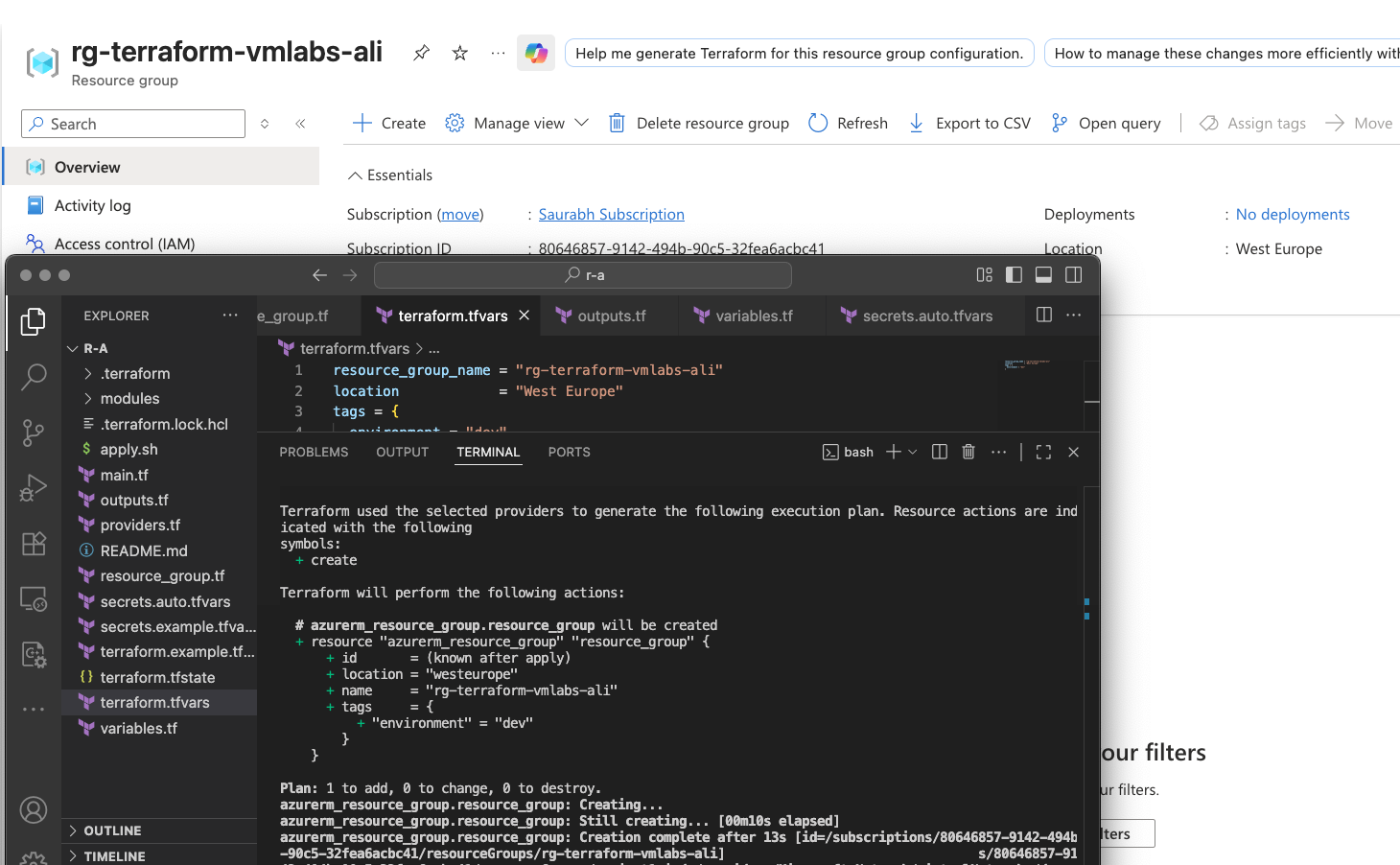
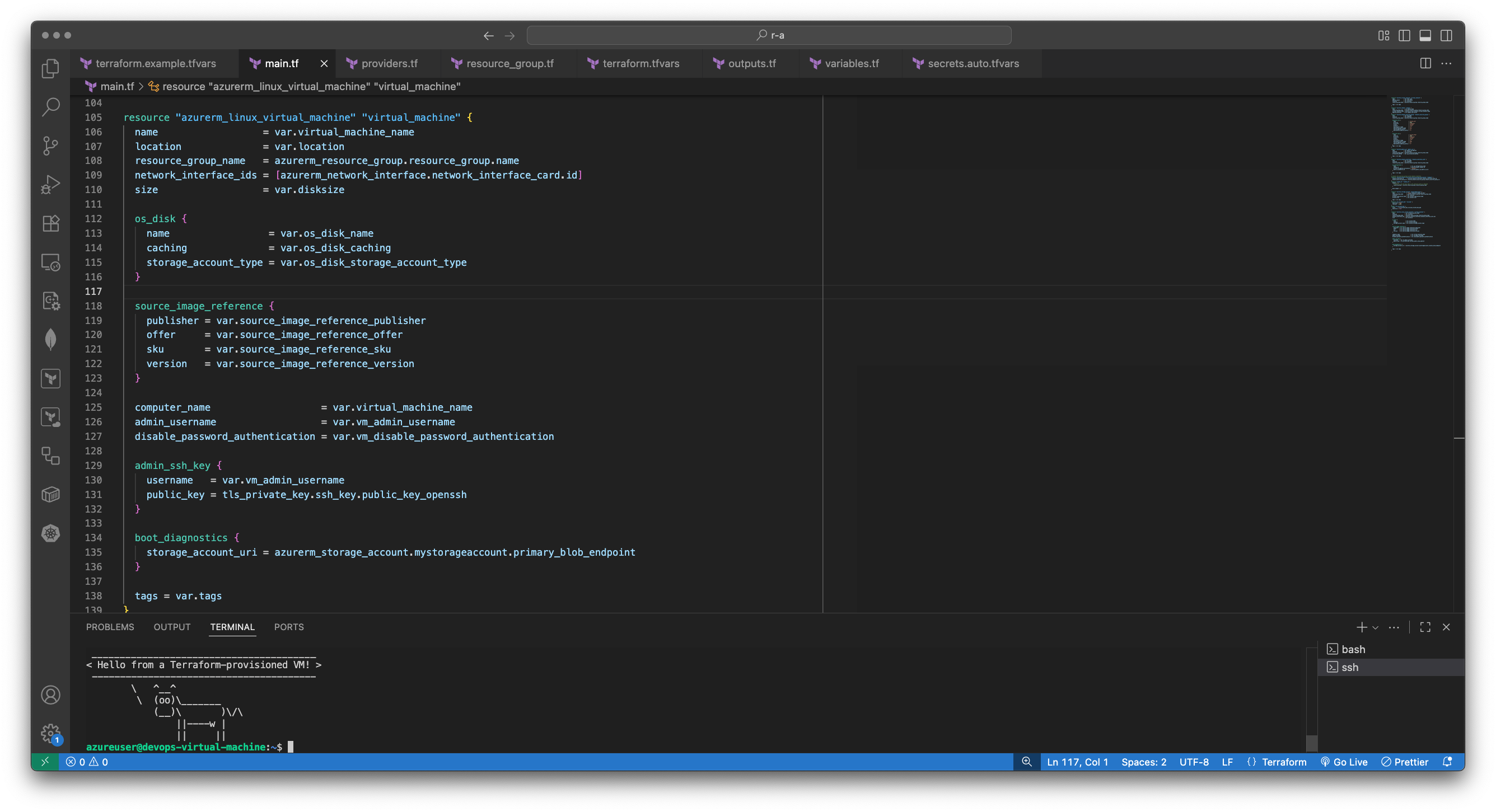
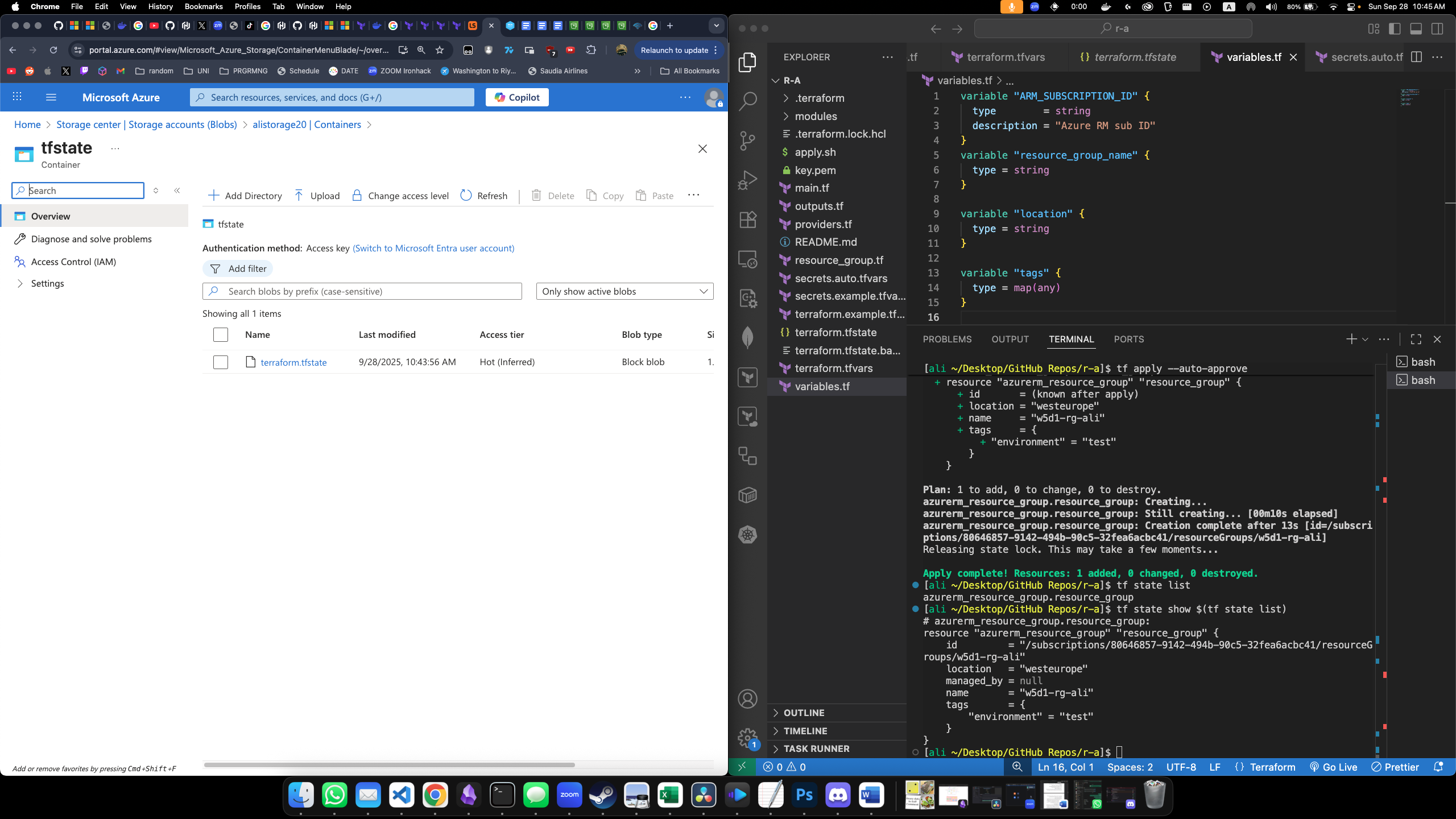
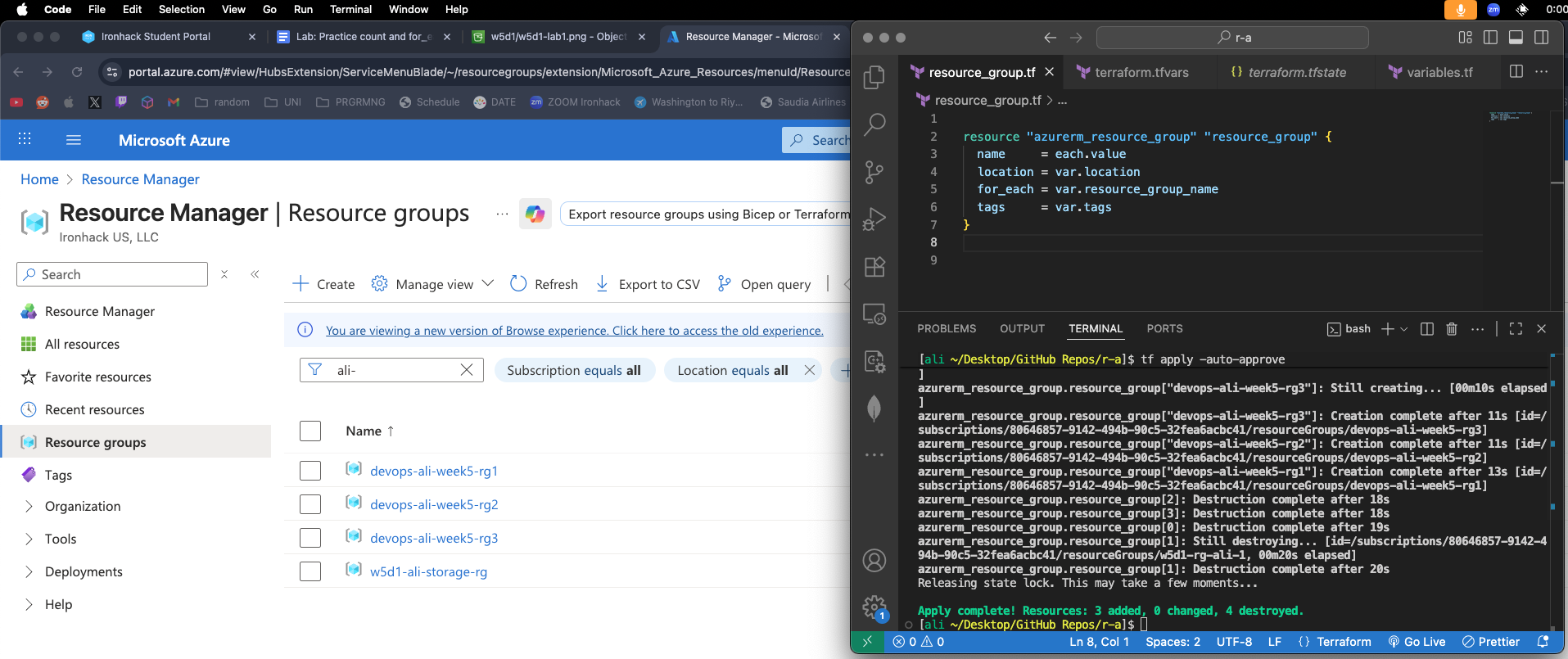
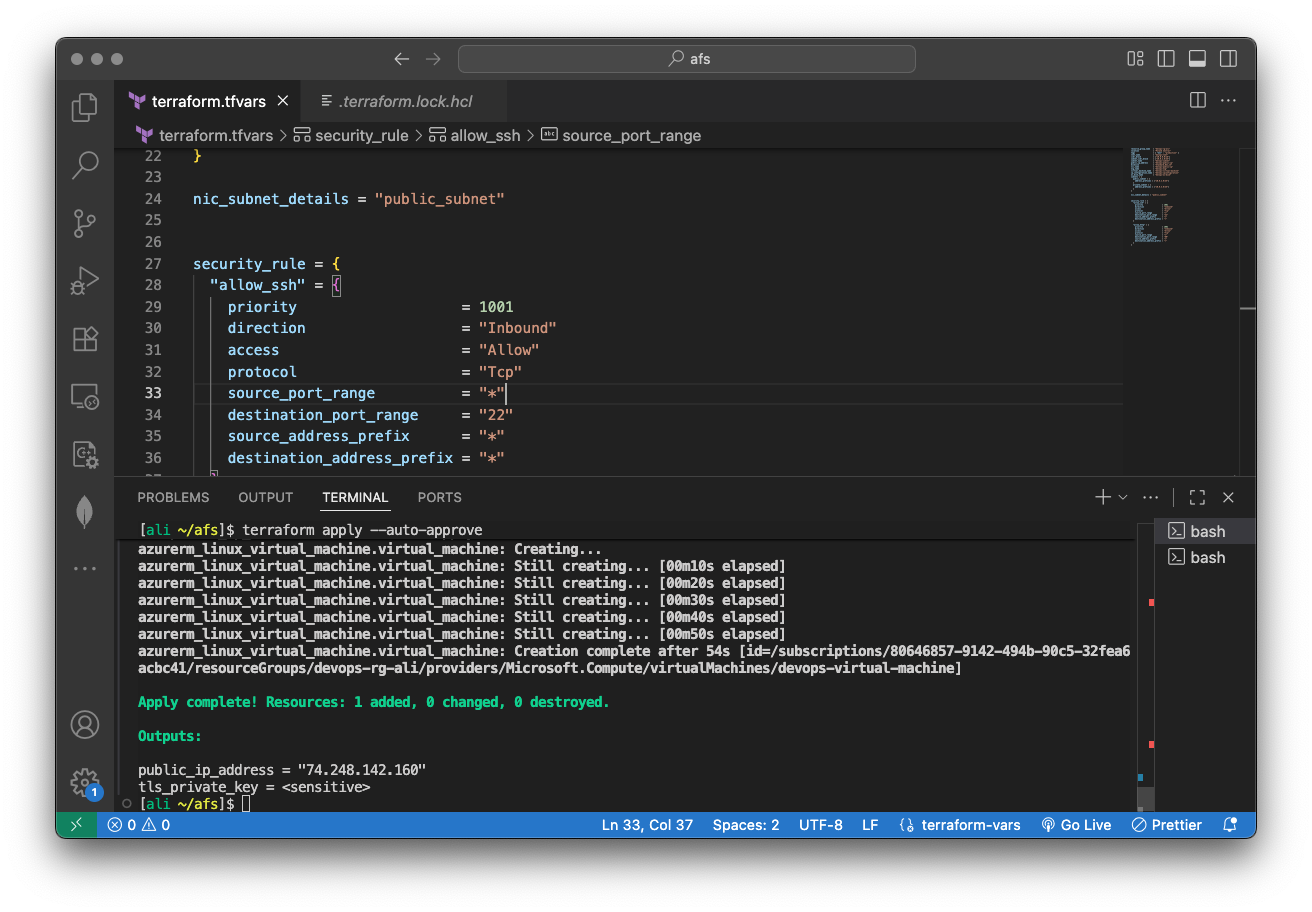
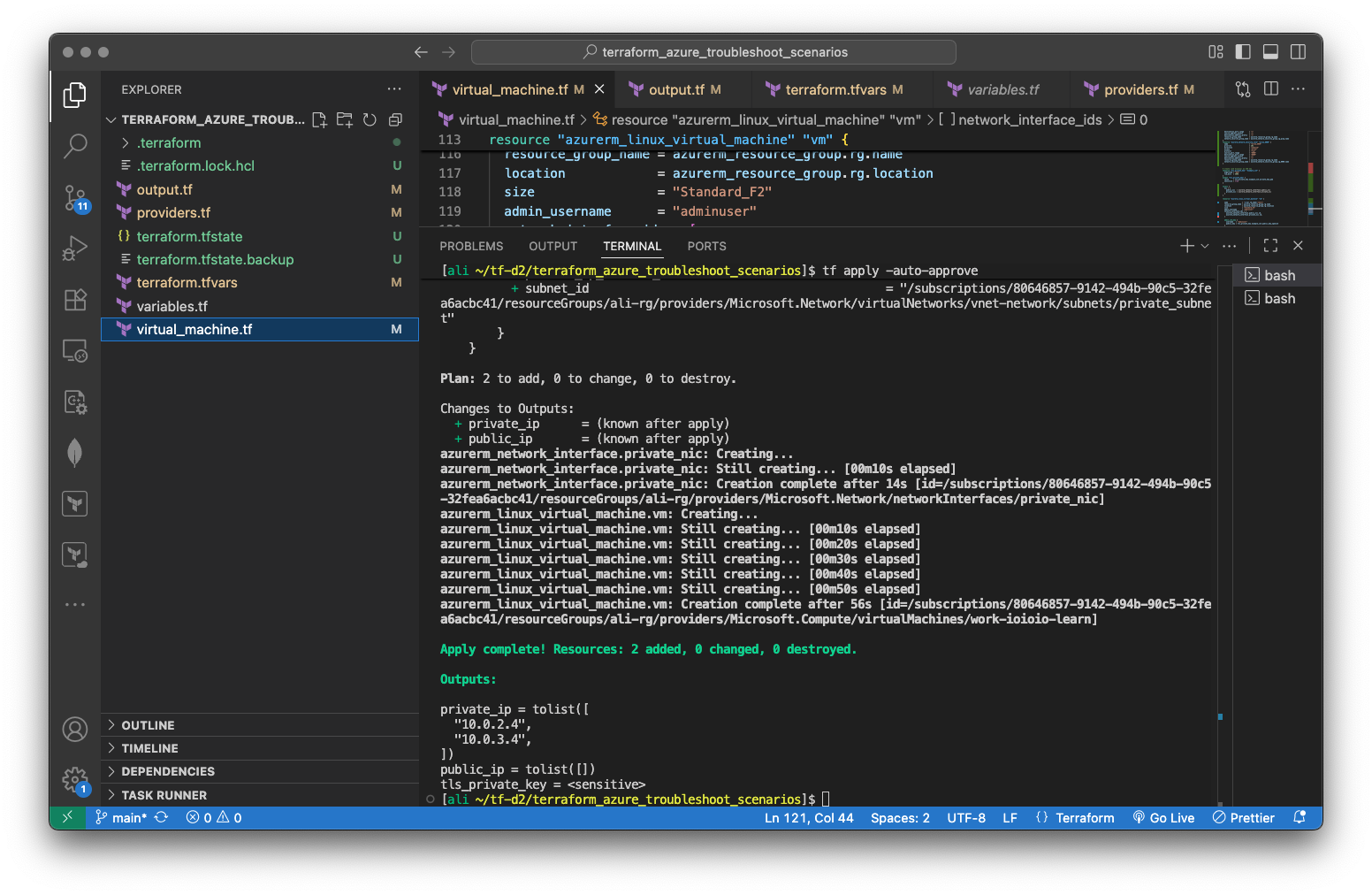
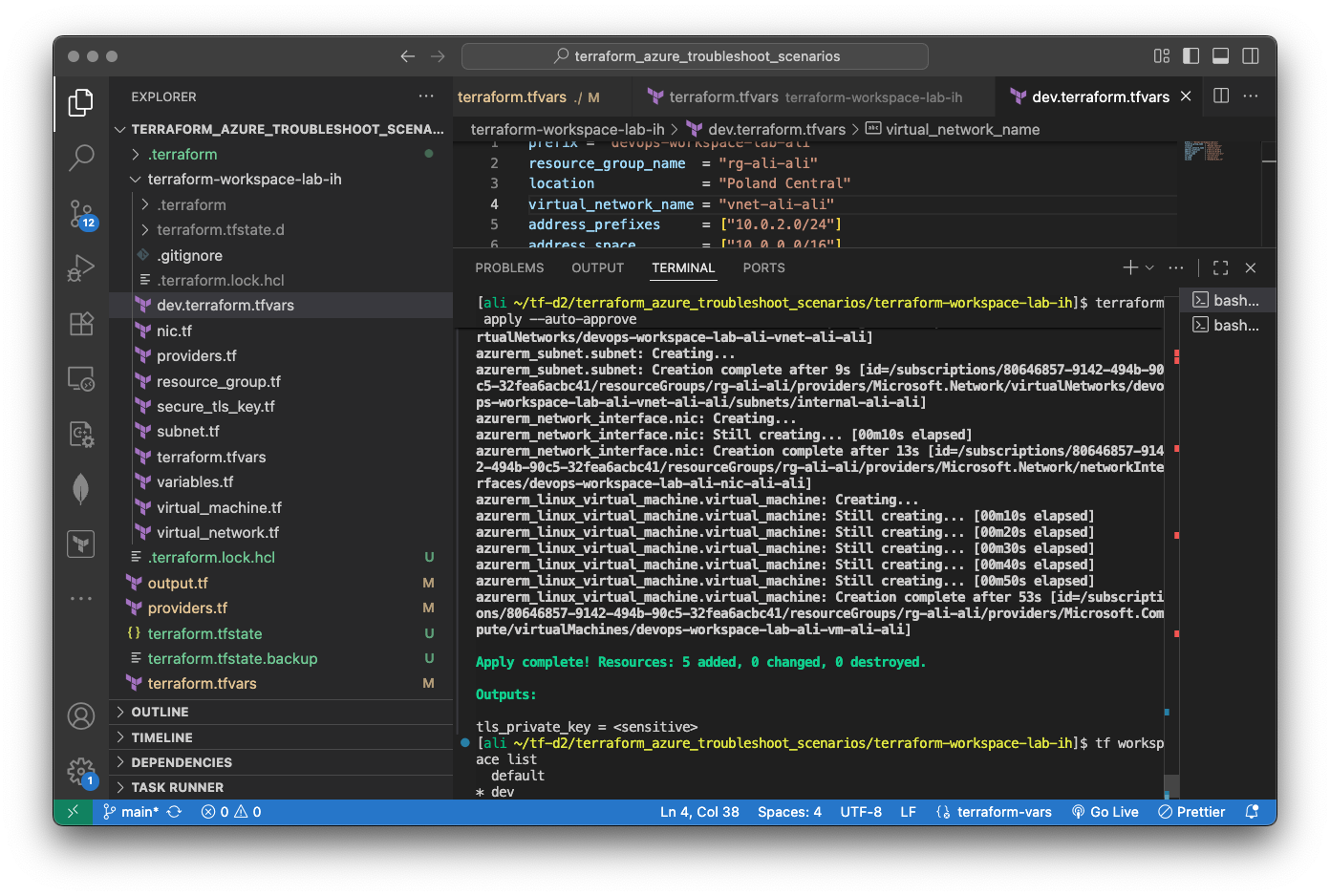
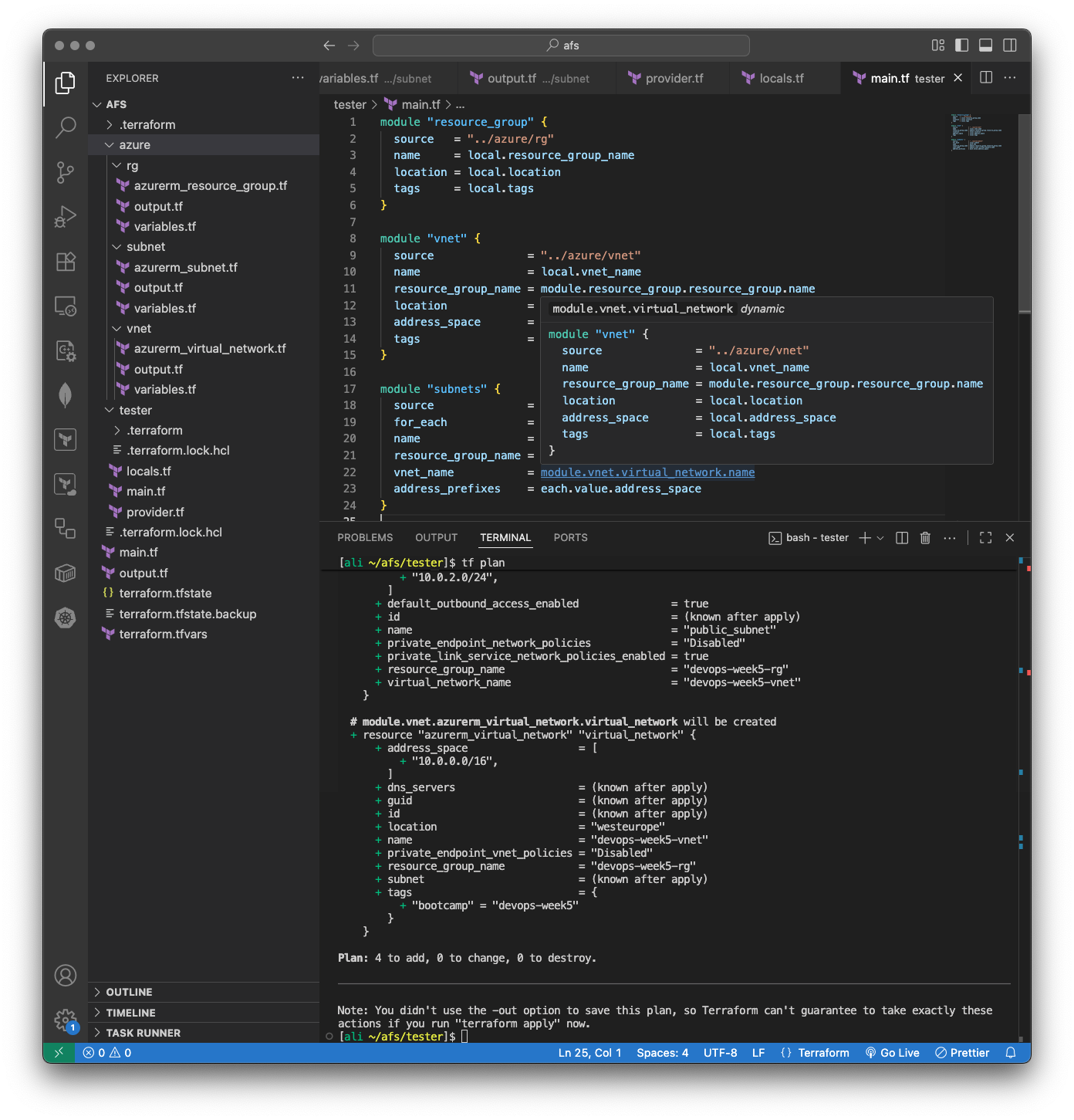
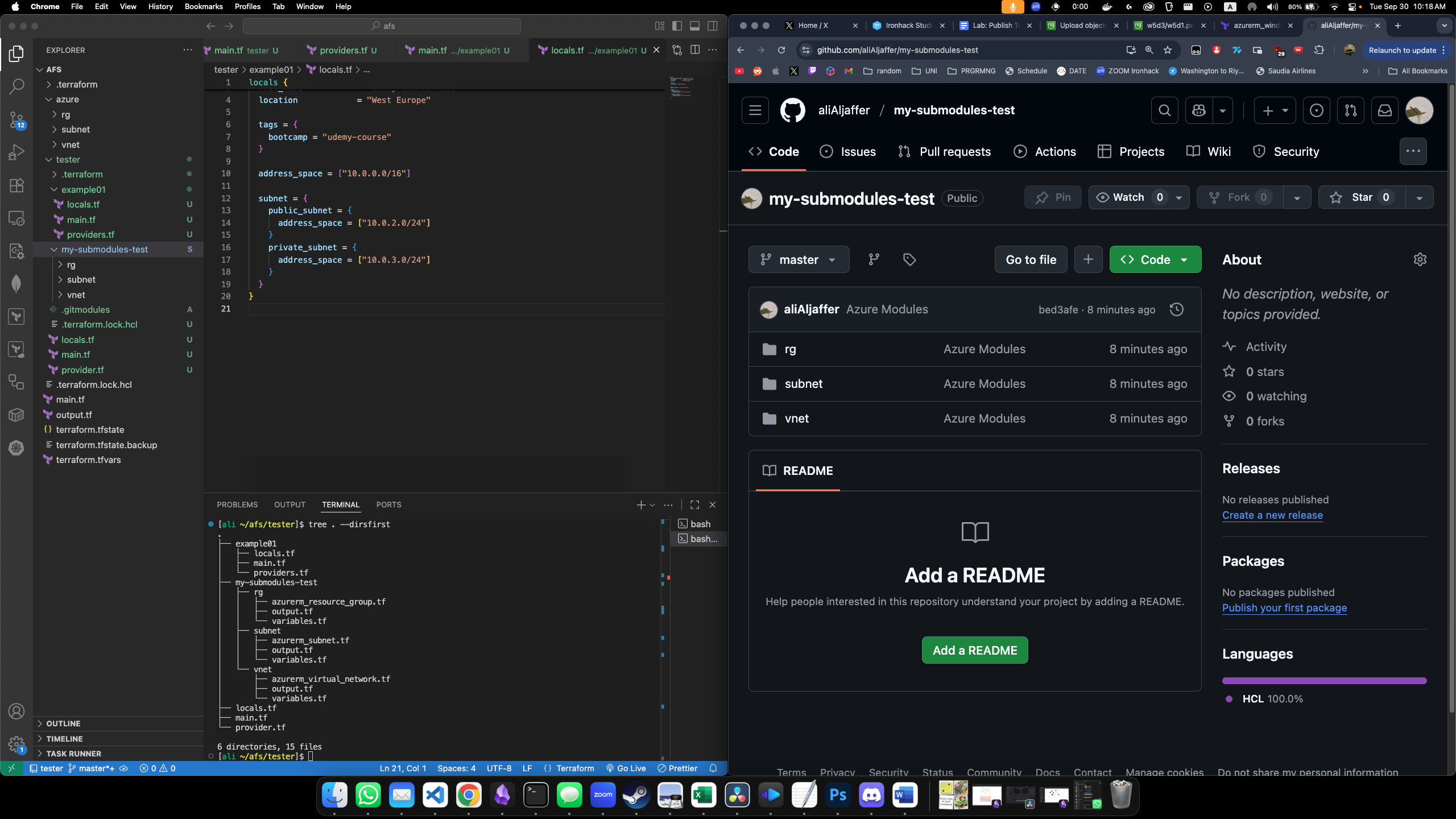
Workflow used: Here

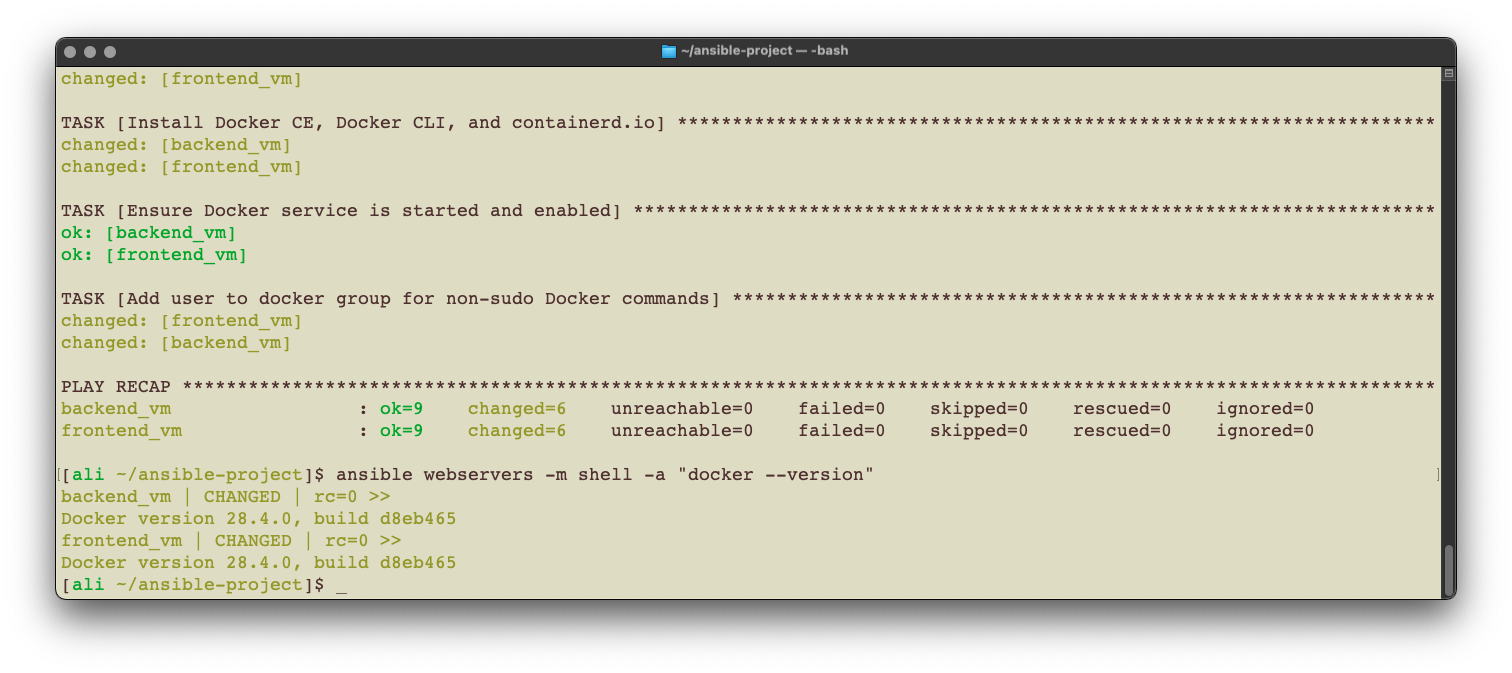
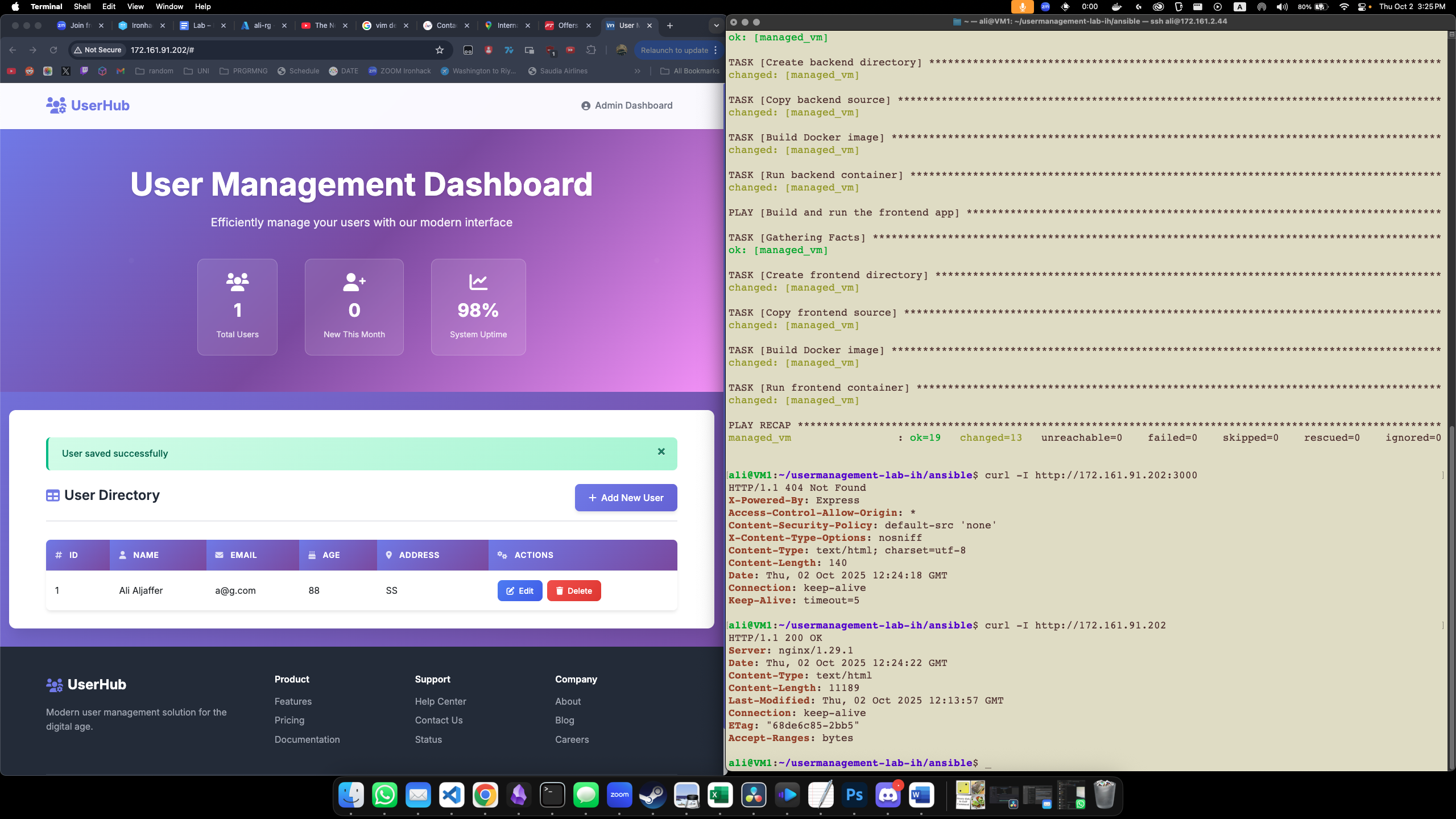
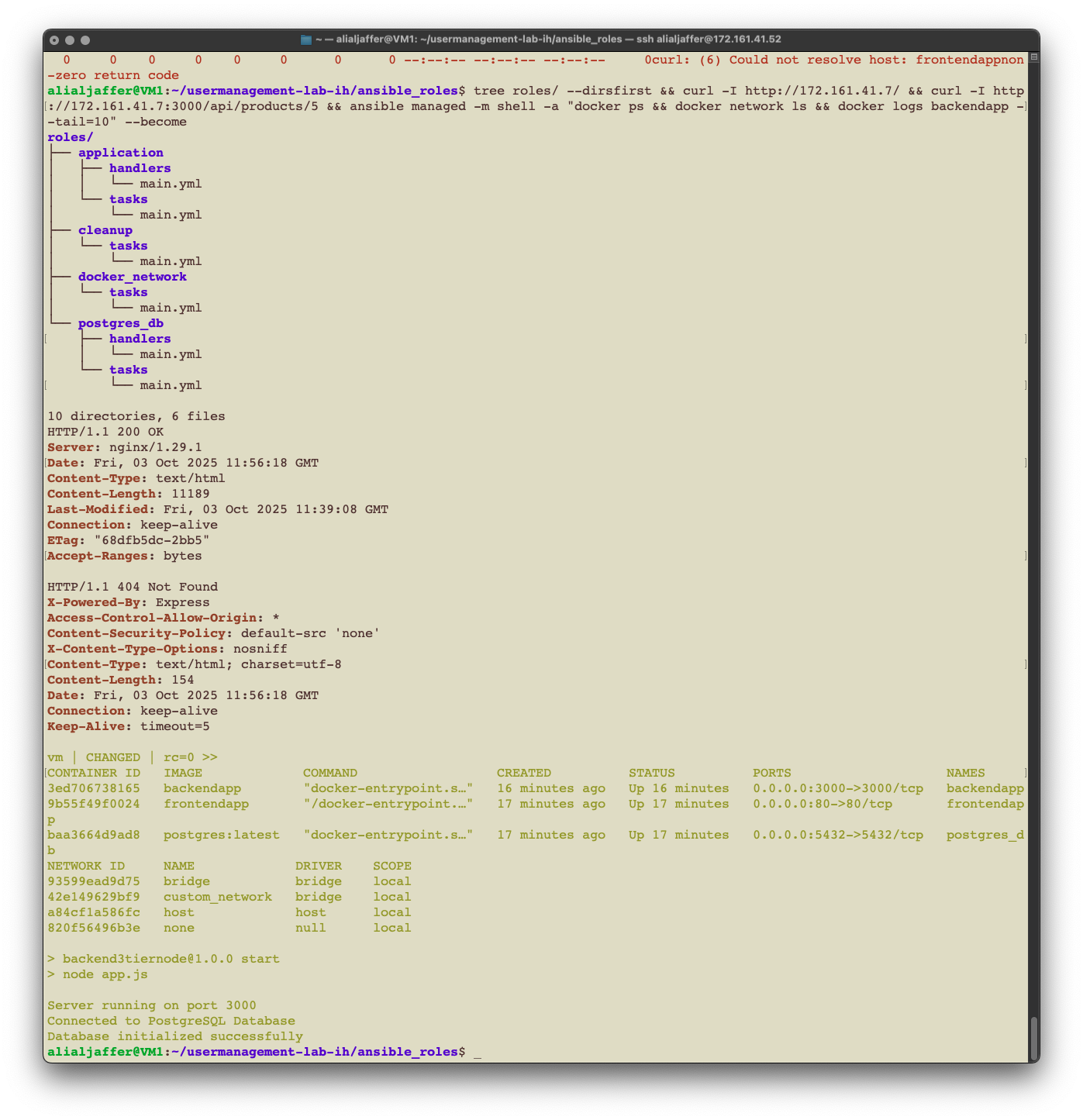
ملاحظة: في هذا اليومين راح نحتاج اكثر من VM, زبطت لكم سكربت يساعد على انشاءها بسرعة
كل اللي عليكم تسوونه تعدلوا في المتغيرات في بلوك اللوكالز في البداية

ضروري يكون عندك مفتاح rsa في الهوم دايركتري, اذا لا فشغل هالكوماند
ssh-keygen -t rsa -b 4096 -f ~/.ssh/id_rsa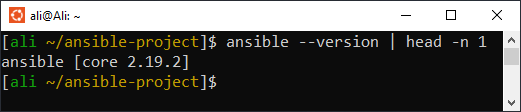
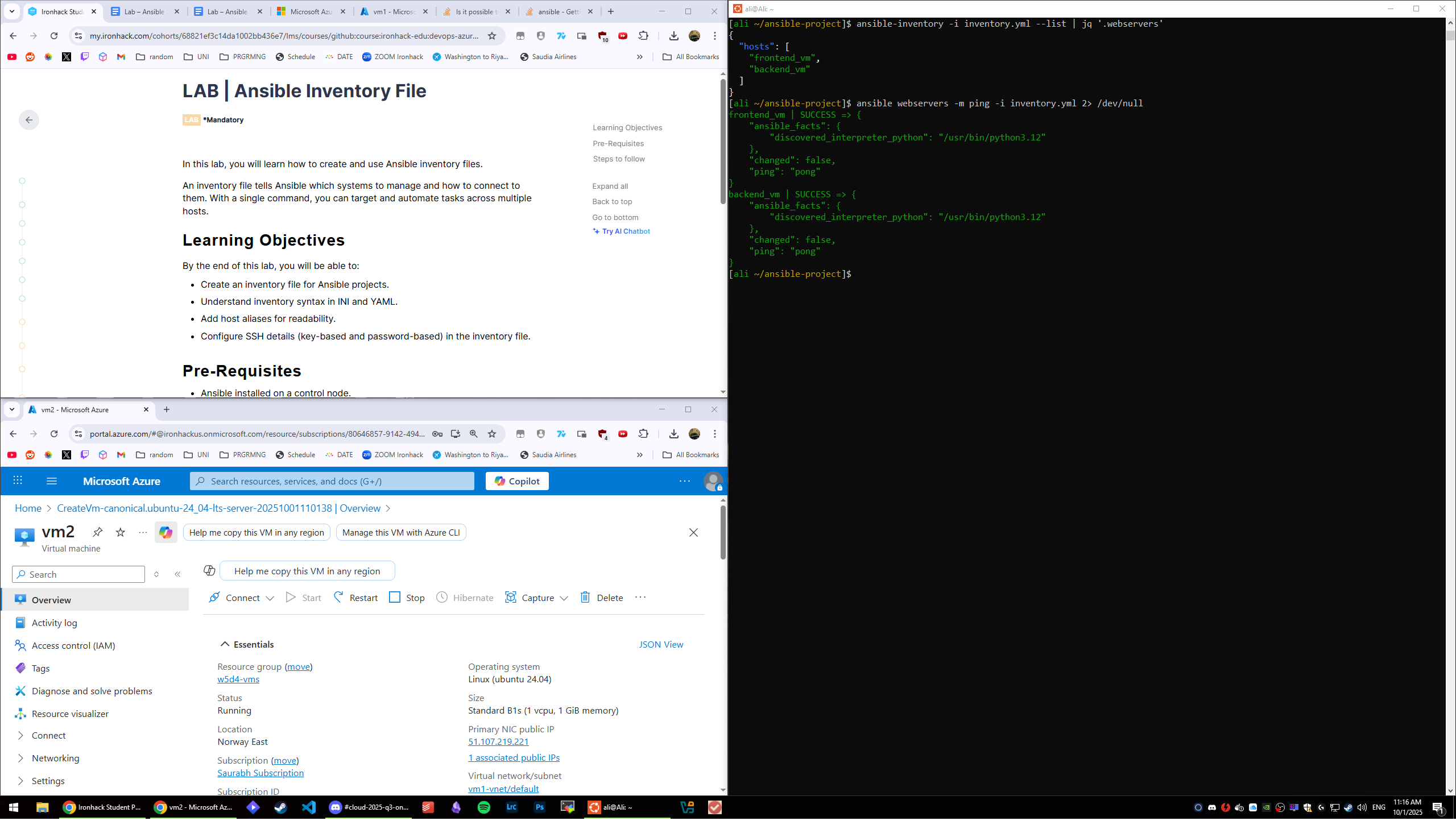
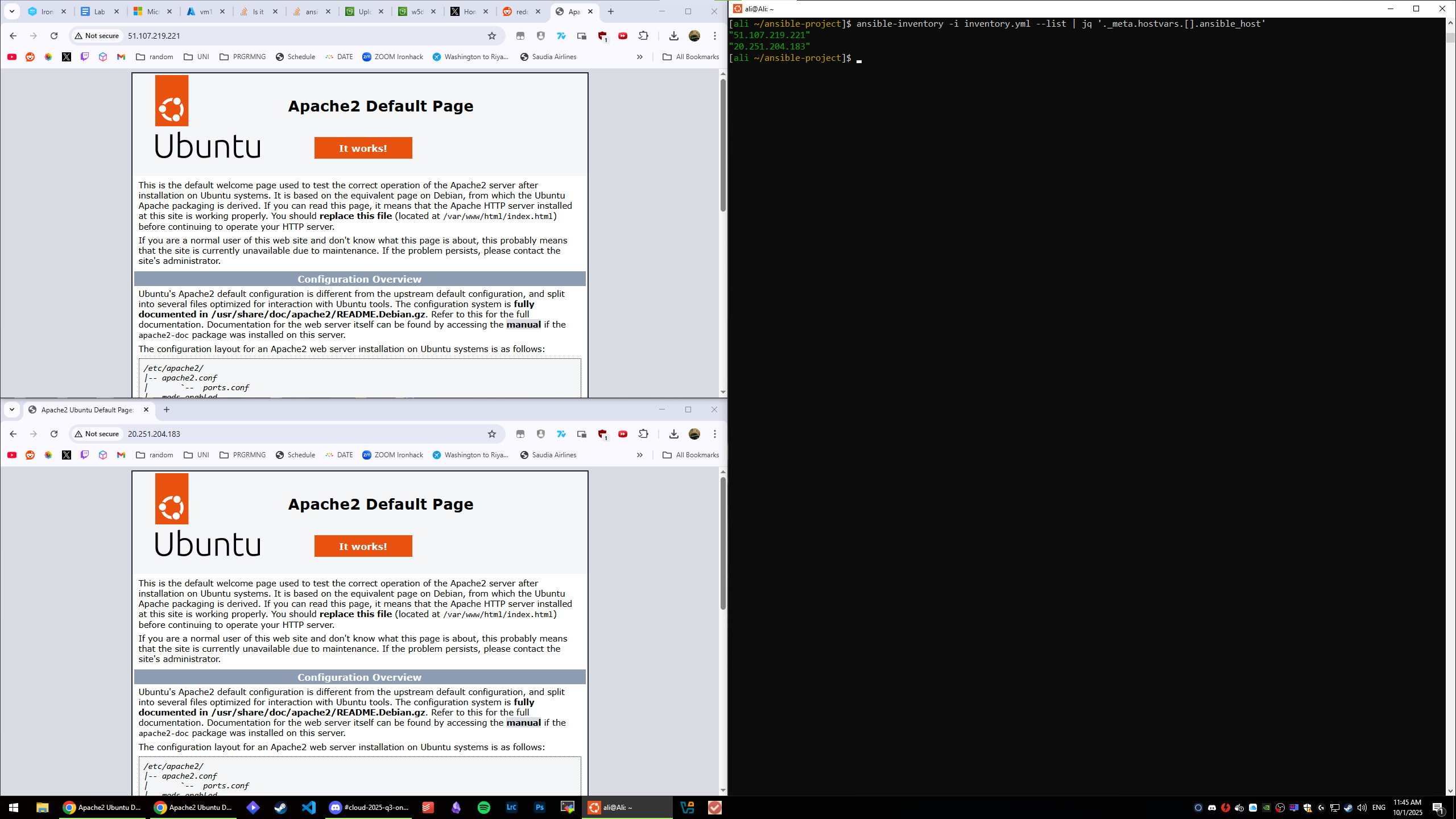
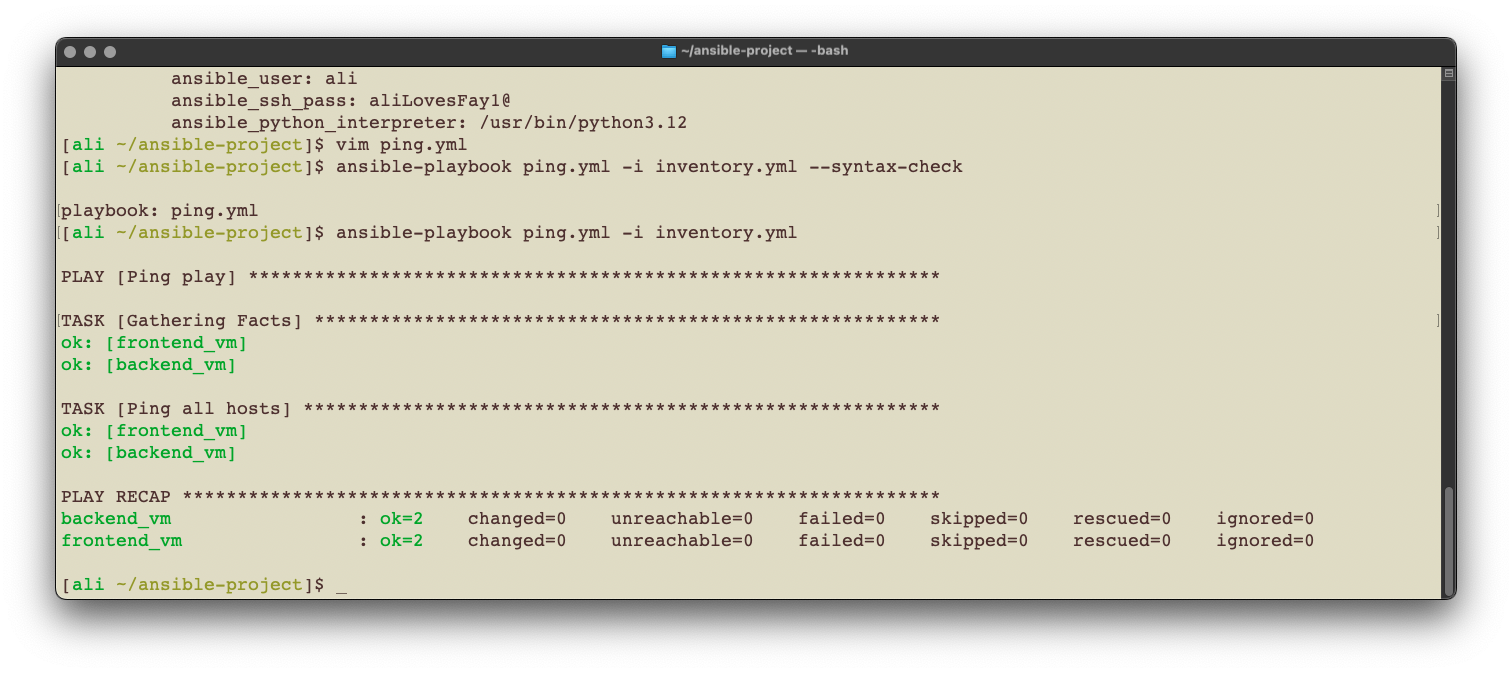
❌
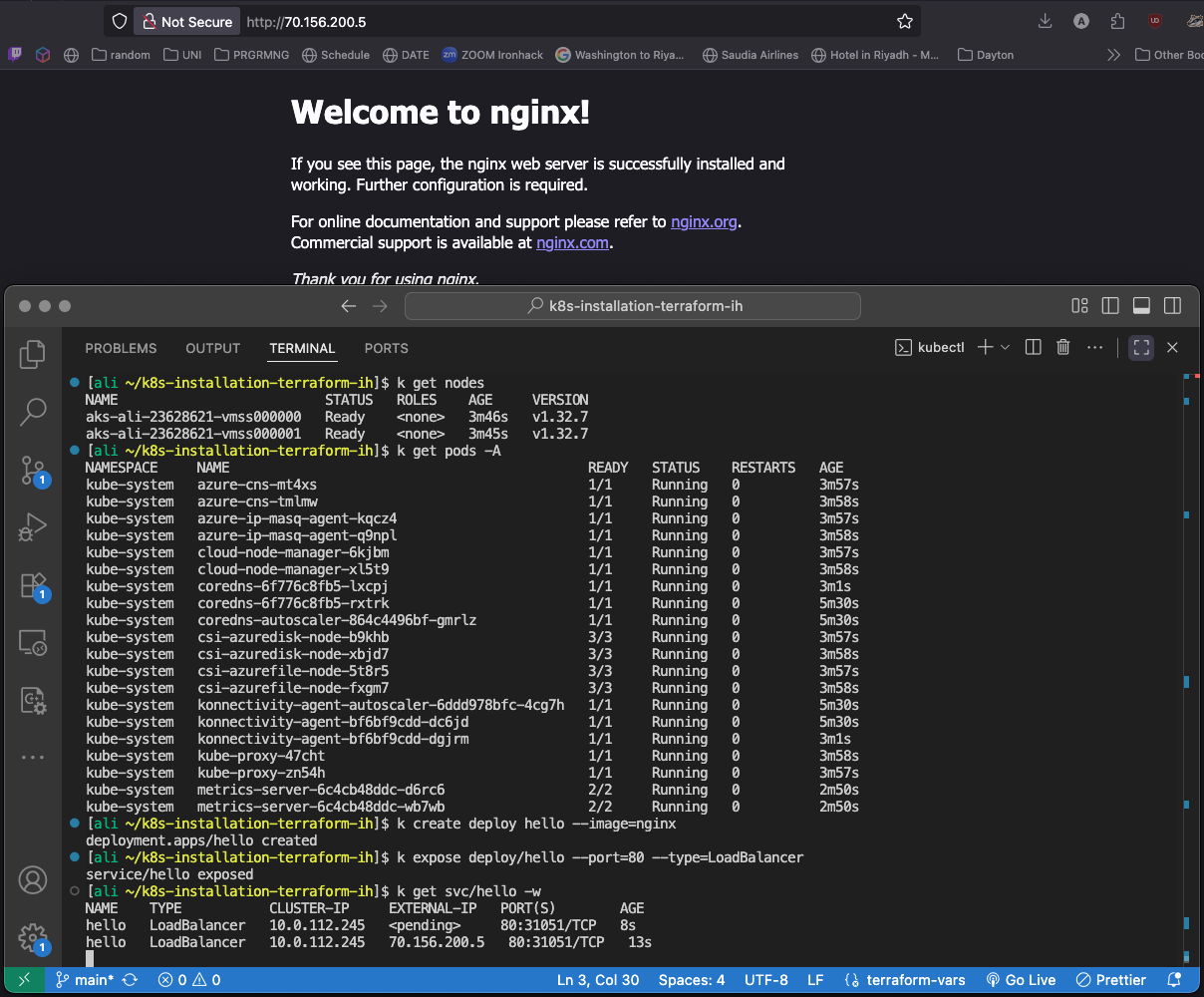
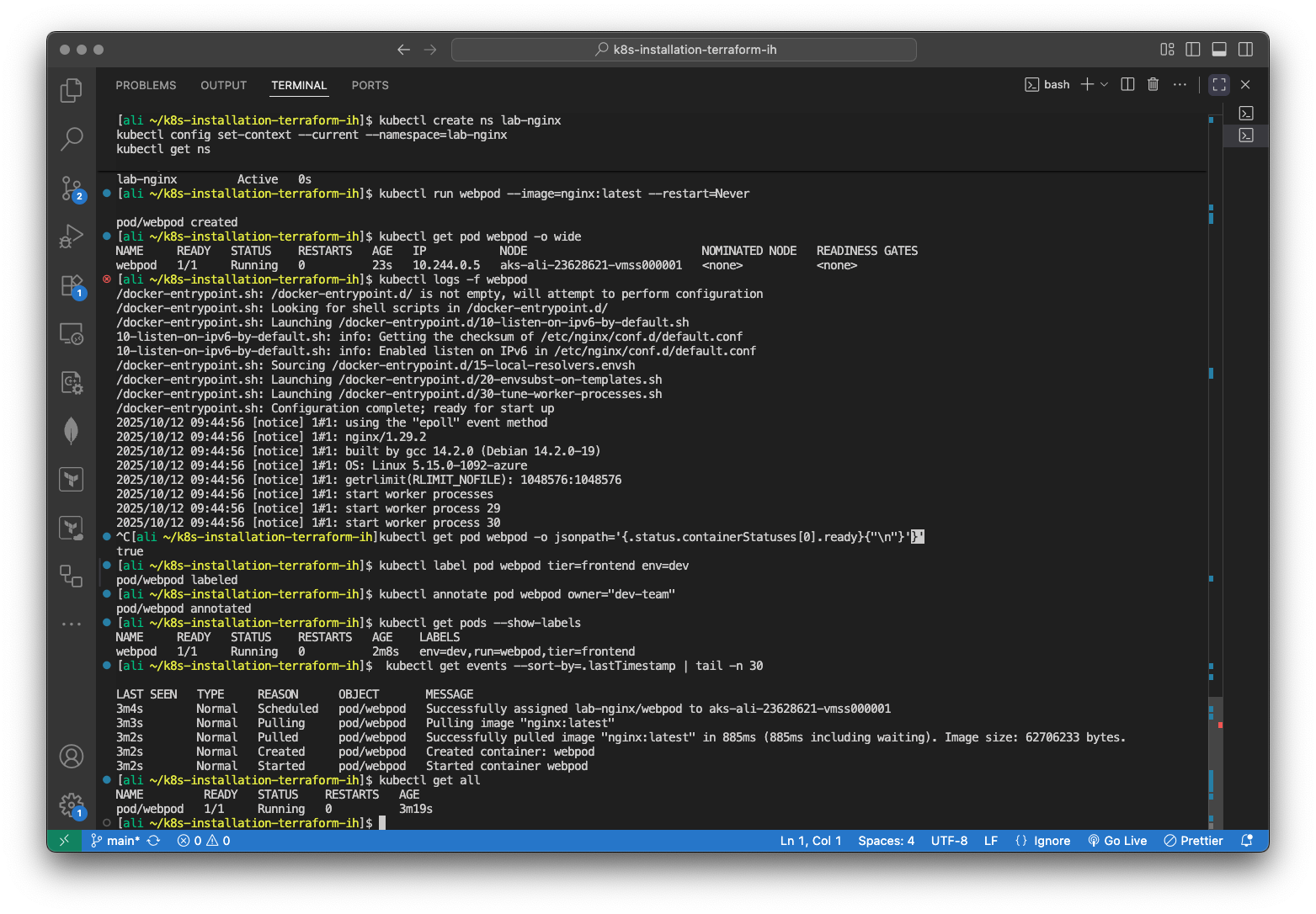
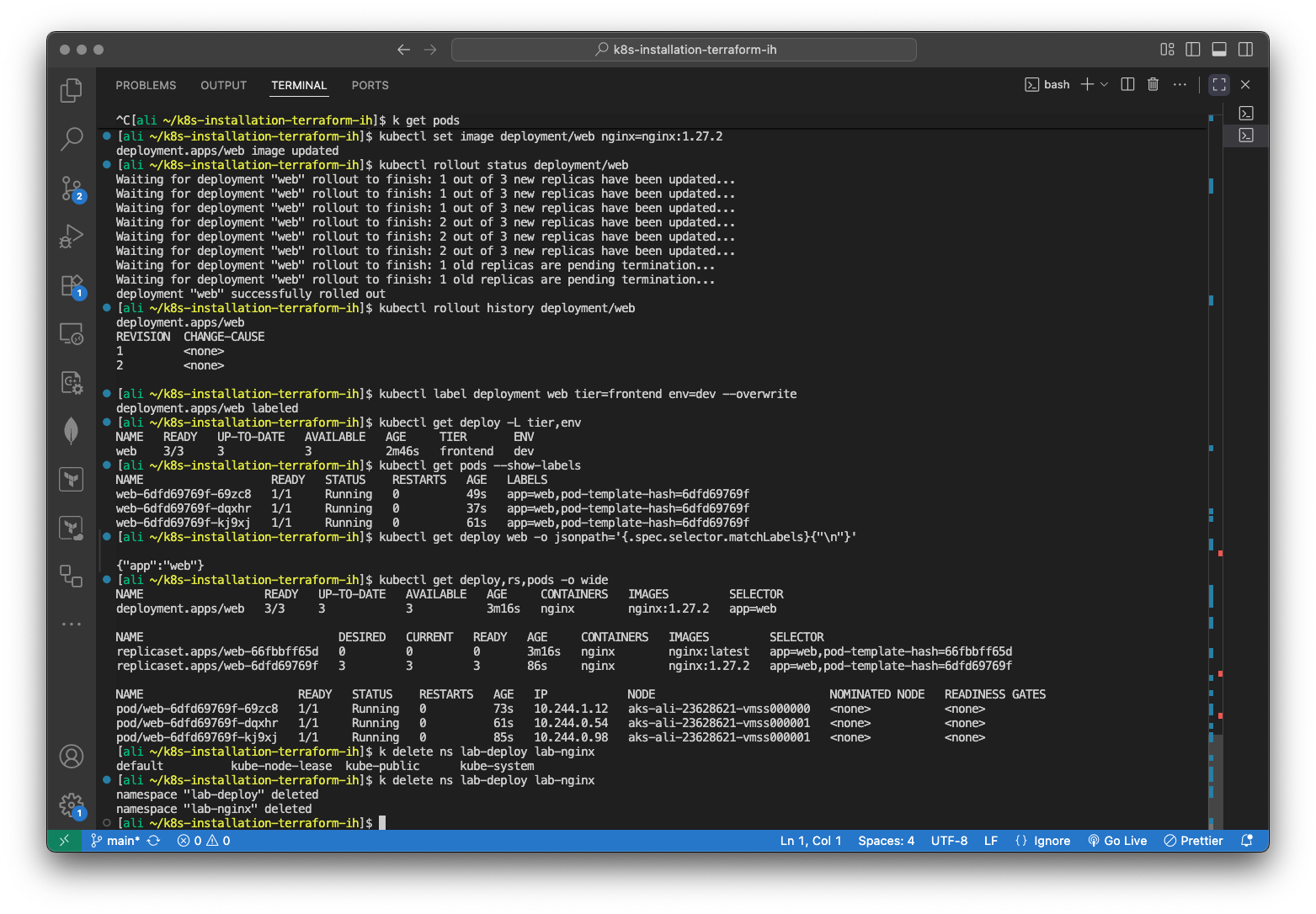
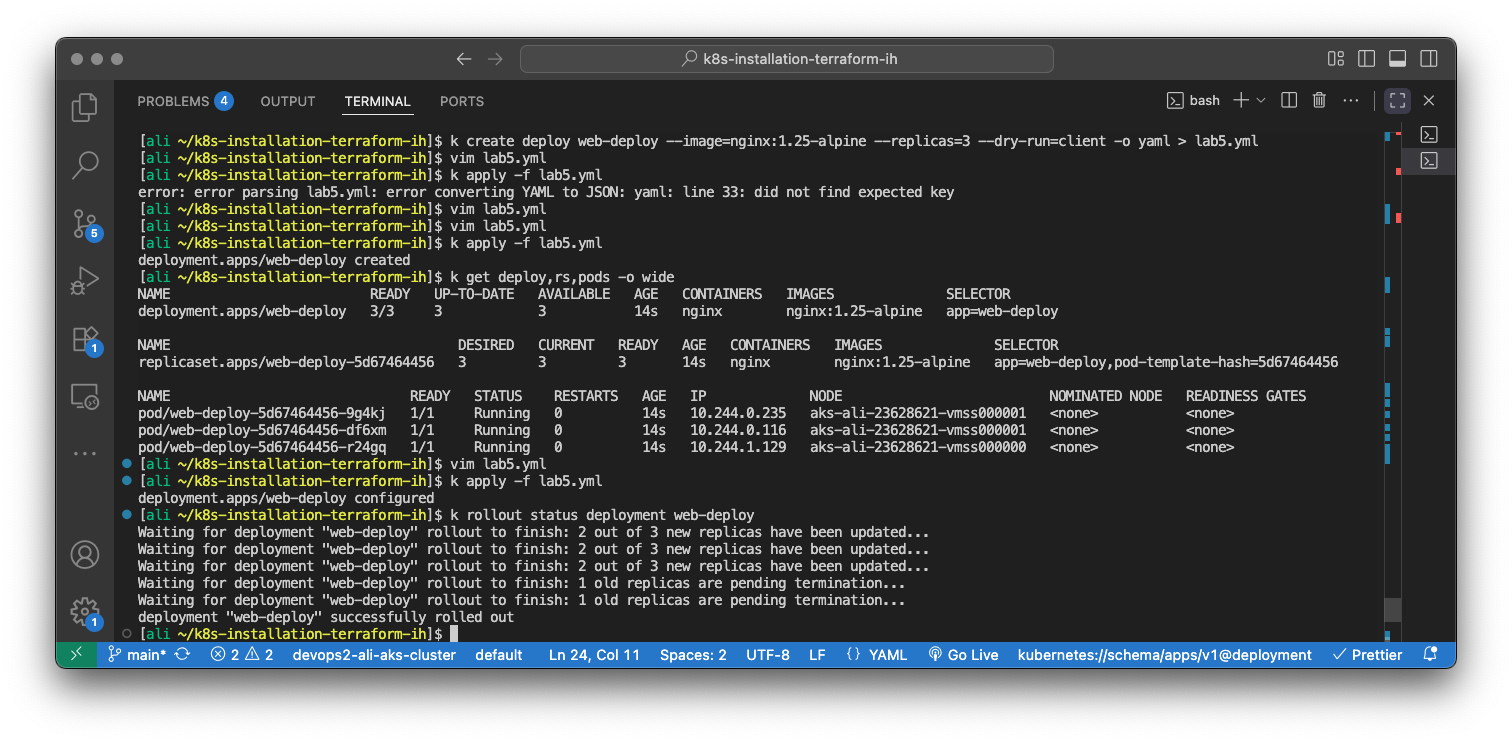
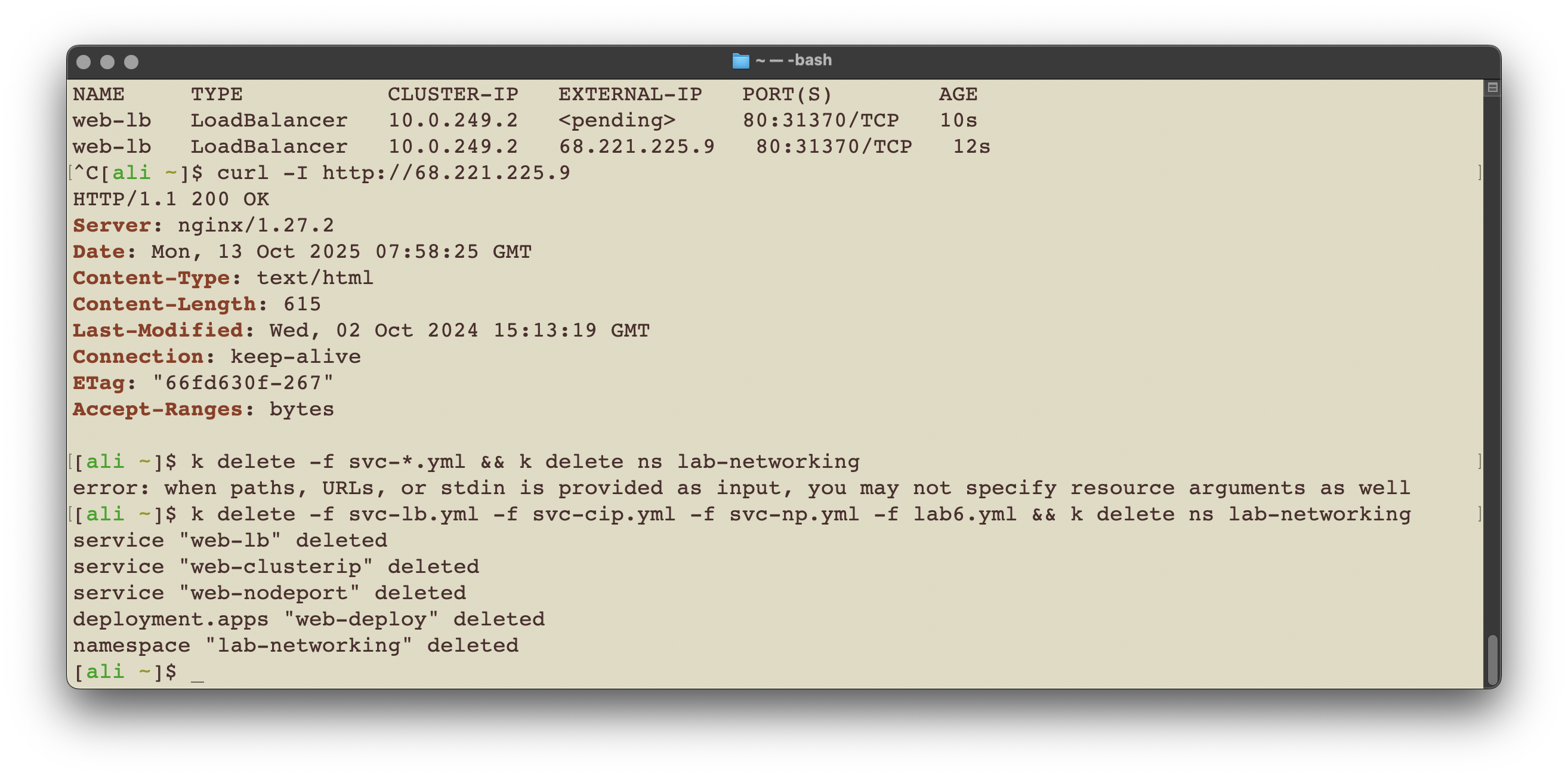
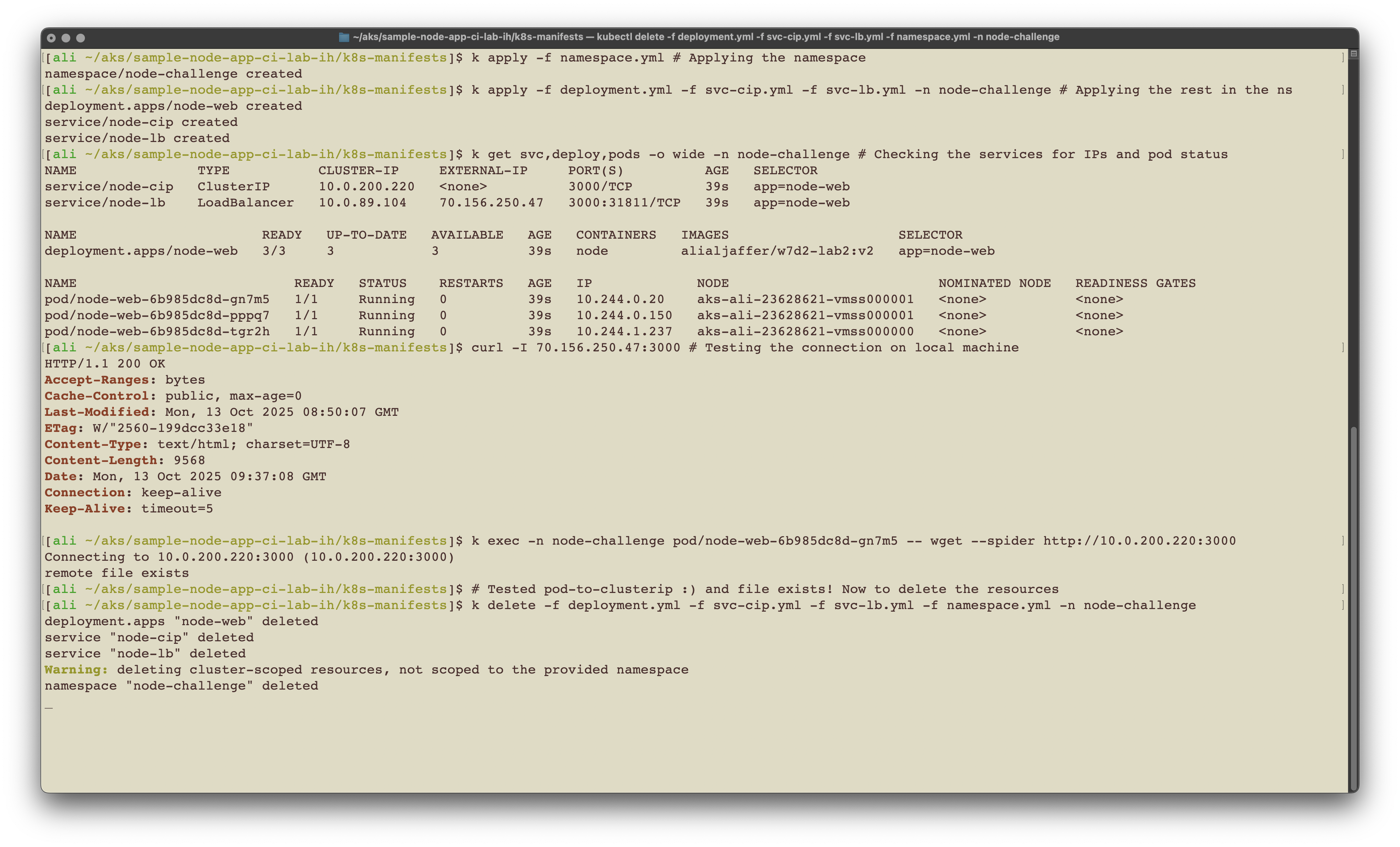
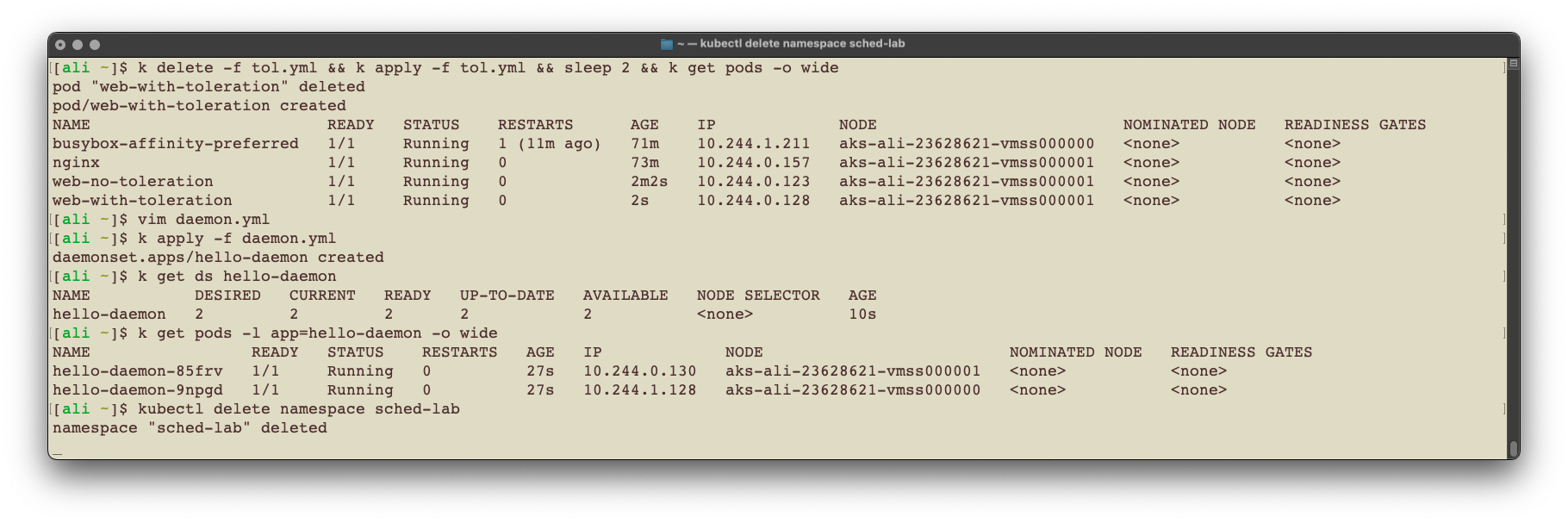
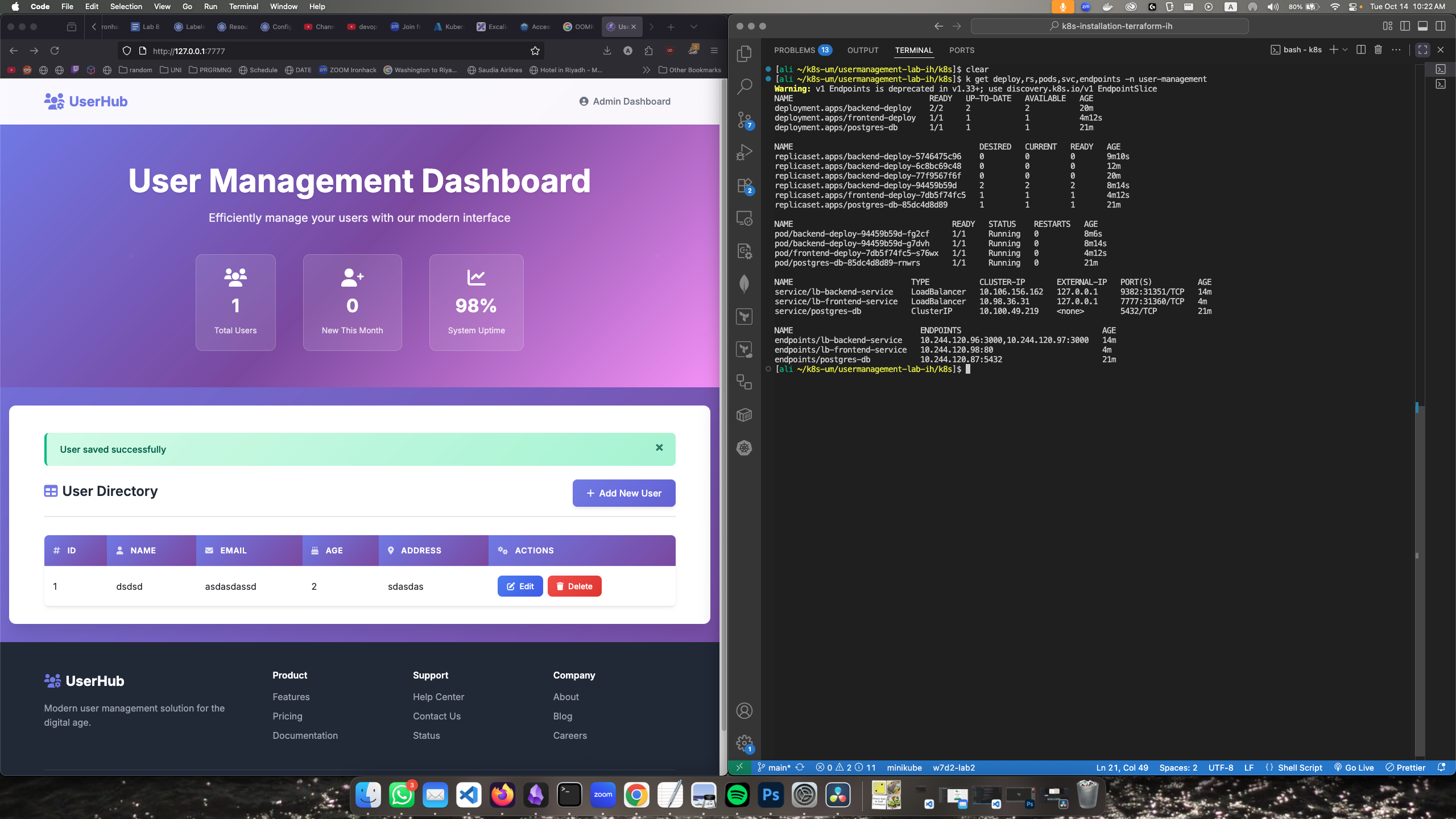
نصيحة لكوبرنيتيس نستخدم alias لأمر kubectl لانه بينكتب كثييييير
alias k='kubectl'وألحين نقدر نستخدم الأوامر بـk
kubectl get pods -A # Normal command
alias k='kubectl'   # Make it an alias
k get pods -A       # Using the 'k' alias