






😺 MewUI is a cross-platform and lightweight, code-first .NET GUI framework aimed at NativeAOT.
Important
This project is a proof-of-concept prototype for validating ideas and exploring design directions.
As it evolves toward v1.0, APIs, internal architecture, and runtime behavior may change significantly.
Backward compatibility is not guaranteed at this stage.
Note
This project was developed using an AI prompt–driven workflow.
Design and implementation were performed through iterative prompting without direct manual code edits,
with each step reviewed and refined by the developer.
You can run it immediately by entering the following command in the Windows command line or a Linux terminal. (.NET 10 SDK required)
Warning
This command downloads and executes code directly from GitHub.
curl -sL https://raw.githubusercontent.com/aprillz/MewUI/refs/heads/main/samples/FBASample/fba_sample.cs -o - | dotnet run -
MewUI.Demo_0.4.1.mp4
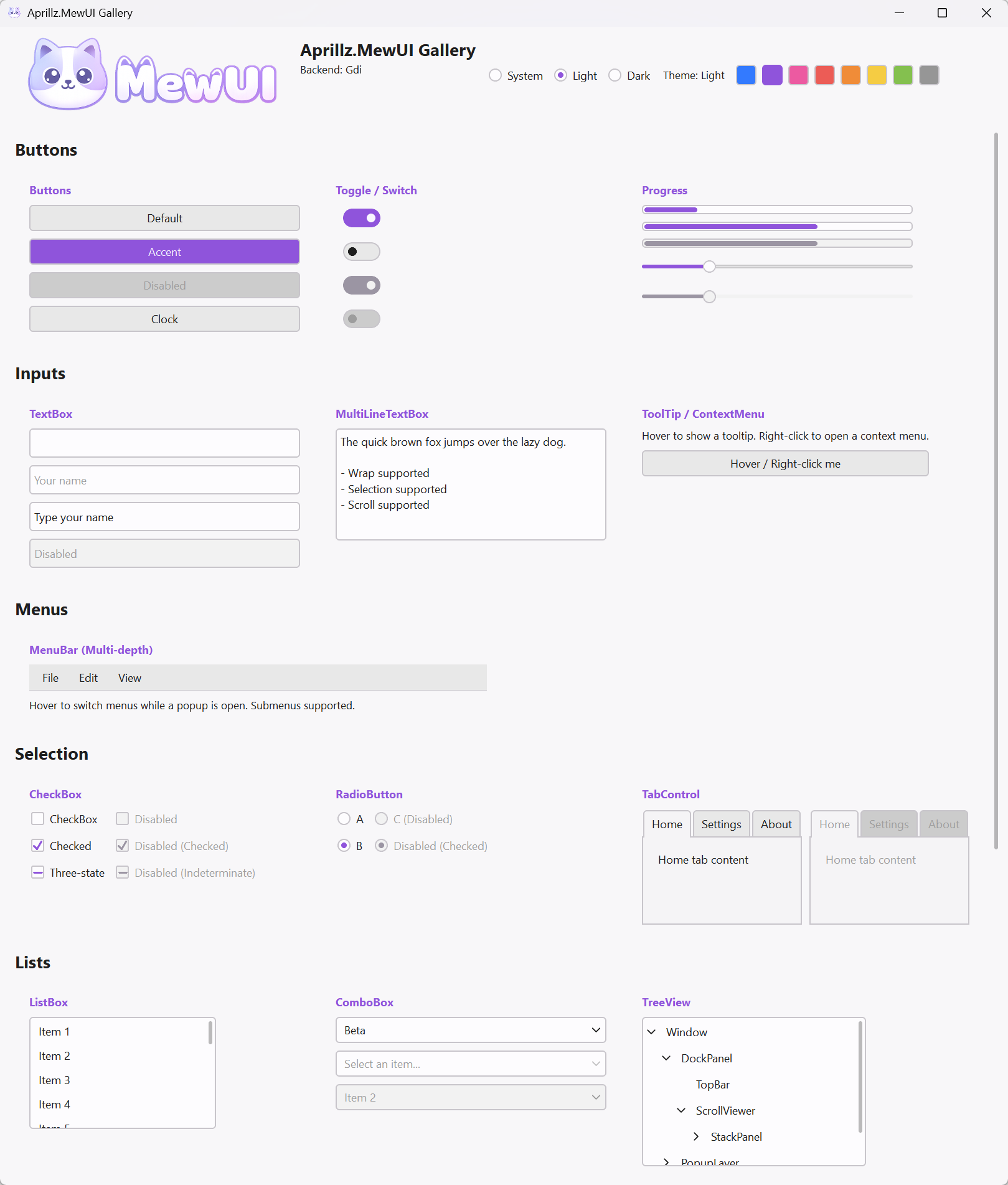
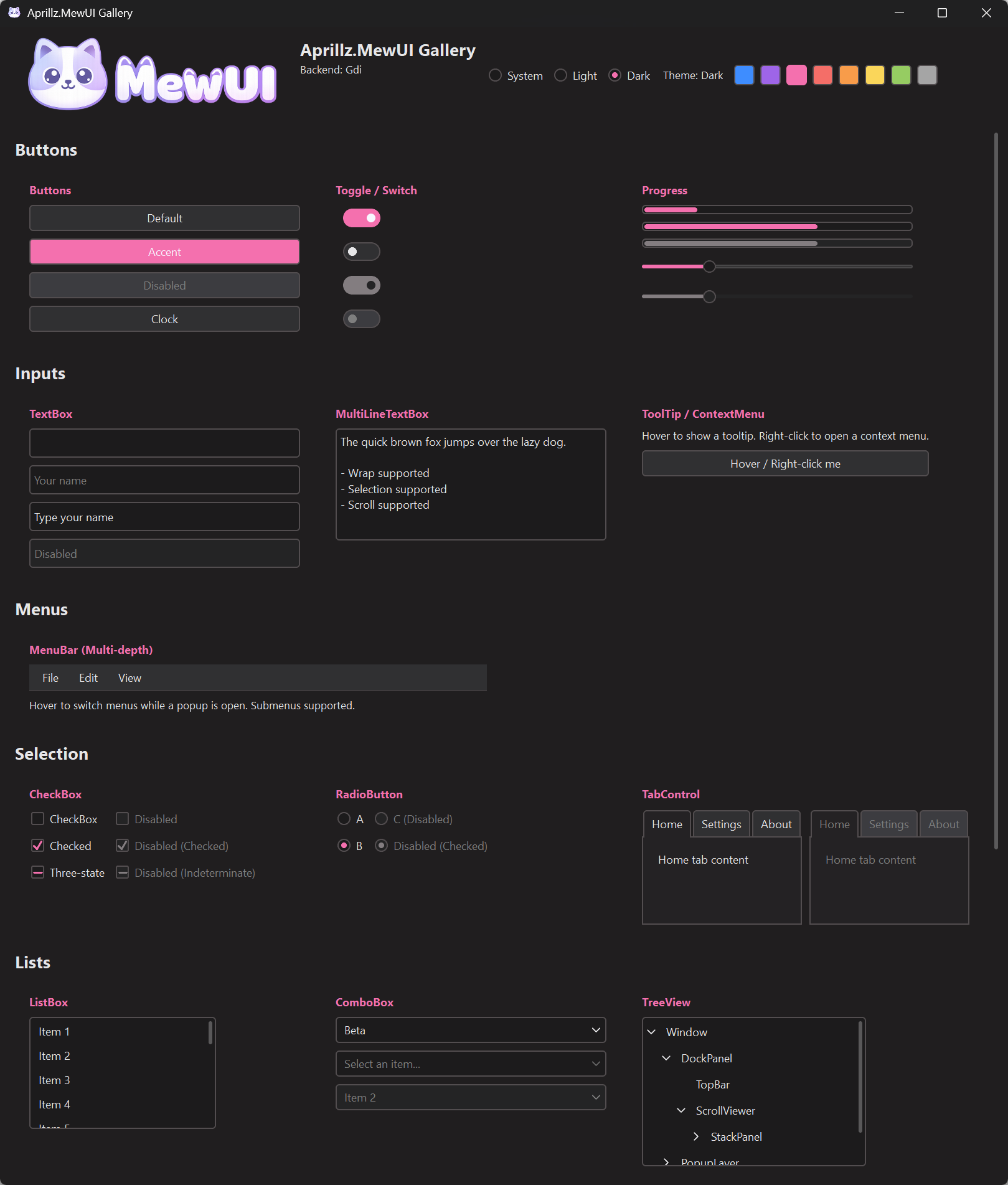
| Light | Dark |
|---|---|
 |
 |
- 📦 NativeAOT + trimming first
- 🪶 Lightweight by design (small EXE, low memory footprint, fast first frame — see benchmark below)
- 🧩 Fluent C# markup (no XAML)
- Executable size: NativeAOT + Trim focused (sample
win-x64-trimmedis ~2.2 MB) - Sample runtime benchmark (NativeAOT + Trimmed, 50 launches):
| Backend | Loaded avg/p95 (ms) | FirstFrame avg/p95 (ms) | WS avg/p95 (MB) | PS avg/p95 (MB) |
|---|---|---|---|---|
| Direct2D | 10 / 11 | 178 / 190 | 40.0 / 40.1 | 54.8 / 55.8 |
| GDI | 15 / 21 | 54 / 67 | 15.2 / 15.3 | 4.6 / 4.8 |
-
NuGet: https://www.nuget.org/packages/Aprillz.MewUI/
- Install:
dotnet add package Aprillz.MewUI
- Install:
-
Single-file app (VS Code friendly)
-
Minimal header (without AOT/Trim options):
#:sdk Microsoft.NET.Sdk
#:property OutputType=Exe
#:property TargetFramework=net10.0

#:package Aprillz.MewUI@0.2.0

// ...
-
Run:
dotnet run your_app.cs
-
Sample source: https://github.com/aprillz/MewUI/blob/main/samples/MewUI.Sample/Program.cs
 var window = new Window()
     .Title("Hello MewUI")
     .Size(520, 360)
     .Padding(12)
     .Content(
         new StackPanel()
             .Spacing(8)
             .Children(
                 new Label()
                     .Text("Hello, Aprillz.MewUI")
                     .FontSize(18)
                     .Bold(),
                 new Button()
                     .Content("Quit")
                     .OnClick(() => Application.Quit())
             )
     );

 Application.Run(window);
- NativeAOT + trimming friendliness
- Small footprint, fast startup, low memory usage
- Fluent C# markup for building UI trees (no XAML)
- AOT-friendly binding
- WPF-style animations, visual effects, or heavy composition pipelines
- A large, “kitchen-sink” control catalog (keep the surface area small and predictable)
- Complex path-based data binding
- Full XAML/WPF compatibility or designer-first workflows
- The library aims to be trimming-safe by default (explicit code paths, no reflection-based binding).
- Windows interop uses source-generated P/Invoke (
LibraryImport) for NativeAOT compatibility. - On Linux, building with NativeAOT requires the AOT workload in addition to the regular .NET SDK (e.g. install
dotnet-sdk-aot-10.0). - If you introduce new interop or dynamic features, verify with the trimmed publish profile above.
To check output size locally:
- Publish:
dotnet publish .\samples\MewUI.Sample\MewUI.Sample.csproj -c Release -p:PublishProfile=win-x64-trimmed - Inspect:
.artifacts\publish\MewUI.Sample\win-x64-trimmed\
Reference (sample, win-x64-trimmed):
Aprillz.MewUI.Sample.exe~2,257 KB
Bindings are explicit and delegate-based (no reflection):
using Aprillz.MewUI.Binding;
using Aprillz.MewUI.Controls;

var percent = new ObservableValue<double>(
    initialValue: 0.25,
    coerce: v => Math.Clamp(v, 0, 1));

var slider = new Slider().BindValue(percent);
var label = new Label().BindText(percent, v => $"Percent ({v:P0})");Controls (implemented):
ButtonLabel,ImageTextBox,MultiLineTextBoxCheckBox,RadioButtonComboBox,ListBoxSlider,ProgressBarTabControl,GroupBoxMenuBar,ContextMenu,ToolTip(in-window popups)WindowDispatcherTimer
Panels:
Grid(rows/columns withAuto,*, pixel)StackPanel(horizontal/vertical + spacing)DockPanel(dock edges + last-child fill)UniformGrid(equal cells)WrapPanel(wrap + item size + spacing)
Theme is split into two parts:
Palette- colors (including derived colors based on background + accent)Theme- non-color parameters (corner radius, default font, plus aPalette)
Accent switching:
Theme.Current = Theme.Current.WithAccent(Color.FromRgb(214, 176, 82));Rendering is abstracted through:
IGraphicsFactory/IGraphicsContext
Backends:
Direct2D(Windows)GDI(Windows)OpenGL(Windows / Linux)
The sample defaults to Direct2D on Windows, and OpenGL on Linux.
Direct2D: slower startup and larger resident memory, but better suited for complex layouts/effectsGDI: lightweight and fast startup, but CPU-heavy and not ideal for high-DPI, large windows, or complex UIsOpenGL: cross-platform and works with the Linux/X11 host, but currently more limited and still experimental
Windowing and the message loop are abstracted behind a platform layer.
Currently implemented:
- Windows (
Win32PlatformHost) - Linux/X11 (experimental)
On Linux, MessageBox and file dialogs are currently implemented via external tools:
zenity(GNOME/GTK)kdialog(KDE)
If neither is available in PATH, MewUI throws:
PlatformNotSupportedException: No supported Linux dialog tool found (zenity/kdialog).
Controls
-
ToggleSwitch -
GridView
Features
- Simple template support (Delegate-based)
Platforms
- Linux/Wayland
- macOS
Tooling
- Hot Reload
- Design-time preview