Warning
This GitHub repo (https://github.com/elementdavv/internet_archive_downloader) is the only official source of the project. Do not download releases from random websites, even if their name contains internet archive downloader.

In Internet Archive, Some books can be borrowed to read online for a limited period. The extension will try to download these books.
In HathiTrust Digital Library. books with full view permission is also supported.
The extension works by fetching every leaf of a book, constructing a PDF stream on the fly targeting to disk storage. So it can handle books of thousands of leafs easily with little memory.
- Download a book as a PDF file with text embedded
- Download a book as a collection of image files (JPEG/PNG) one for each leaf, and the text of the book
- Download multiple books in parallel
- multiple options configurable
Install as the following directions supports automatic updates when new versions are available.
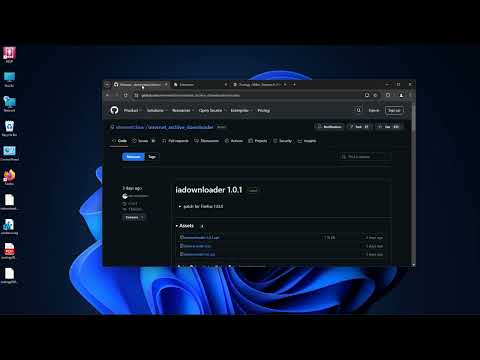
- Navigate to releases page, find and download the latest iadownloader-x.x.x.crx. It is suggested to dowload it correctly by clicking(or right-clicking) and selecting "save as".
- Drag and Drop the CRX file from file manager to Extensions page on browser (developer mode must be enabled).
- If the extension is installed but can not be enabled, take the following steps:
- Windows: Download registry file windows.reg. Double click to run it. The file will allow Internet Archive Downloader extension CRX file to install in Chrome, Edge, Brave and Vivaldi browser.
- MacOS: Download policy file for Chrome / Edge / Brave. Double click to run it. Then from System Preferences (or System Settings) find the item of "Profile" (it may be in current page, or inside "General", "Security and Privacy" item, dependent of MacOS version). In the "Profile" setting page, click "install" button to activate it. The profiles will allow Internet Archive Downloader extension CRX file to install in Chrome, Edge and Brave browser.
- Navigate to releases page, find and download the latest iadownloader-edge-x.x.x.crx.
- Drag and Drop the CRX file from file manager to Extensions page on Edge (developer mode must be enabled).
- Run Firefox, navigate to releases page, find and click the latest iadownloader-x.x.x.xpi to install.
-
For Firefox, permissions of access to related websites must be granted in the "Permissions" tab within the extension detail page.
-
Click the extension button on browser toolbar to open settings page. Configurable options include quality level, getting PDF or ZIP, preseting download range, whether to return book upon download completes etc. Hover mouse on information icon to the right of each item name to see its explanation. All changes will be applied to next download job. Old style Ctrl/Alt + Click combinations still work as ever.


In archive.org, the availability of books lies in three categories:
- Lending Library
- Borrow 14 days
- Always Available
The extension works with category 1 and 2.
After borrowing a book, two new buttons, "Quality" and "Download", appear under the book viewer alongside the "Favorite" button.
On rare occasions where the buttons did not appear upon page loaded, click the extension button on browser toolbar to open settings page and click "Show Buttons".

- To get the current book as a PDF file, press the "Download" button.
- To get each leaf as a JPEG file, press the "Download" button while holding Ctrl key (Command key on Mac).
- To get only a range of leafs, press the "Download" button while holding Alt key (Option key on Mac), then input a range.

No login, no borrows required. In hathitrust.org, for books with full view permission, a new section, "Ayesha", appears above the "Download" section on the left-hand side of the page. The section contains three buttons, "Quality", "Tasks" and "Download".

- To get the current book as a PDF file, press the "Download" button.
- To get each leaf as a JPEG/PNG file, press the "Download" button while holding Ctrl key (Command key on Mac).
- To get only a range of leafs, press the "Download" button while holding Alt key (Option key on Mac), then input a range.

The download job may take a break at each around 100 pages due to server restriction, just wait and continue.
- Chromium family (Chromium, Chrome, Edge, Brave, Vivaldi, Opera, Yandex, Kiwi, etc) version 90+ supported
- Firefox version 115+ supported
Please read carefully the Extension Privacy Policy.
The project is for study purpose only. Users should recognize that downloading borrowed limited period books is prohibited. All books downloaded using this project should be deleted within 48 hours. The project is provided on an "as is" basis. Use of the project is at user's own risk. The owner does not guarantee or assume responsibility for any damages to user's computer system, mobile device, loss of data or legal risks that results from using the project.
- PDFKit for PDF generation
- StreamSaver.js for filesystem stream creation and ZIP generation
- web-streams-polyfill for web stream writing
- CryptoES for PDF ID generation
- png.js for PNG image parsing
- pako for some string utilities
- Email: elementdavv@hotmail.com
- Telegram: @elementdavv
- X(Twitter): @elementdavv
If you love the downloader, consider supporting or hiring the maintainer @elementdavv 