




DJIKMZInjector is a lightweight desktop tool to replace DJI waypoint missions (KMZ) on the DJI RC 2 using MTP. You can use ADB for Android devices.
The tool focuses on reliability, transparency, and predictable behavior across macOS and Windows.

You can find the last compiled release here: DJI-KMZ-Injector Release
- Replace DJI waypoint missions (.kmz) by UUID
- Two connection modes:
- ADB (fast and very reliable)
- MTP (no developer mode required)
- Automatic preview image handling
- Safe DJI-compatible mission replacement
- Works on macOS and Windows
- No modification of mission content
- Clean UI without background services
ADB is the fastest and most reliable way to replace missions.
Requirements:
- Android devices
- USB debugging enabled
ADB is recommended if you replace missions frequently or work with large files.
On first launch, Windows may ask for permission to allow adb.exe
to access the network.
This is normal and required.
ADB opens a local-only TCP port (127.0.0.1) to communicate with the Android Debug Bridge server. No internet connection is used.
Please allow access for private networks. The prompt will only appear once.
MTP allows mission replacement without enabling developer mode.
Advantages:
- No ADB required
- Uses standard USB file transfer
Limitations:
- Slower than ADB
- Requires careful handling on macOS
Reliable MTP mission replacement on macOS required:
- Handling delayed file visibility
- Working around filesystem caching
- Managing system processes that lock USB access
- Implementing retry and timeout logic
- Strict delete → upload → verify sequencing
The macOS MTP integration required several full days of development and testing to reach a stable and user-friendly result.
macOS does not properly release USB MTP access when media-related apps such as Preview, Photos or Image Capture have accessed the device.
This often causes MTP tools (including OpenMTP) to fail until the Mac is rebooted.
DJIKMZInjector automatically detects and terminates known macOS processes that block USB MTP access, allowing a reliable connection without rebooting.
Preview images are treated as a cache.
Behavior:
- On first application start, existing previews are reused
- If a preview is missing, it is pulled from the device
- After mission replacement or manual refresh, previews are reloaded from the device
This ensures the preview always matches the mission stored on the DJI RC 2.
- Connect the DJI RC 2 via USB
- Select ADB or MTP backend
- Refresh the mission list
- Select a mission by UUID
- Select a replacement KMZ file
- Replace the mission
- Preview updates automatically
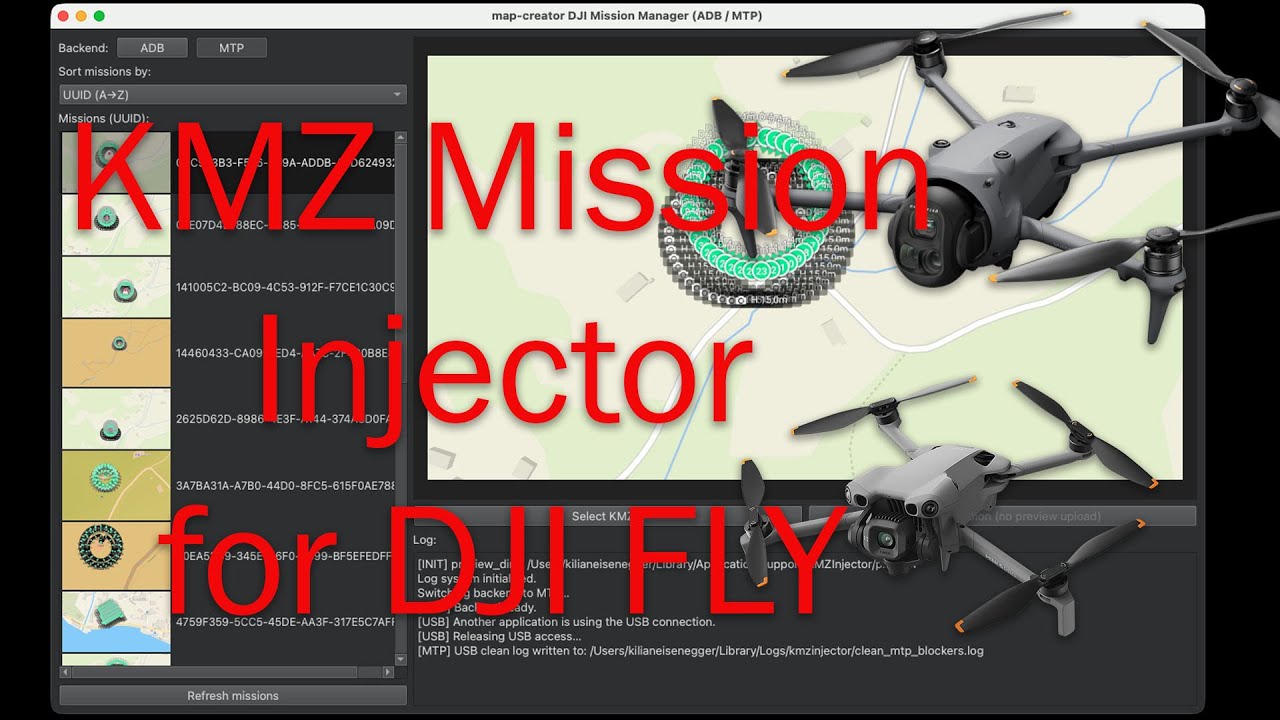
Watch the video:
- ADB and MTP are implemented as separate backends
- The UI never blocks on system dialogs
- Preview files are disposable cache data
- The mission list is the single source of truth
- macOS MTP behavior is treated as eventually consistent
On macOS, the DJI RC 2 is detected as a media device. When this happens, Apple’s Photos app or related background services may automatically connect to the device.
While Photos is connected, it holds exclusive access to the USB MTP interface. This prevents other applications from accessing mission files.
DJIKMZInjector automatically handles this situation:
- If Photos or related media services are using the USB connection, DJIKMZInjector will release USB access automatically.
- No user interaction is required.
- The USB connection itself remains active.
- A device reboot or cable reconnection is not necessary.
This behavior allows seamless switching between ADB and MTP using the same USB connection and avoids unnecessary reconnects or restarts.
This is expected macOS behavior and is handled intentionally to ensure a smooth and reliable workflow.
- Ensure the DJI RC 2 is unlocked
- Close Photos or other media applications
- Reconnect the USB cable
- Press Refresh
- Press Refresh
- The preview cache will be rebuilt automatically
- Verify the KMZ file is valid
- Ensure the UUID exists on the device
- Try ADB mode if available
DJIKMZInjector is fully compatible with missions created using map-creator.
If you are looking for a professional DJI waypoint editor, visit:

Free for personal and professional use.
No warranty is provided. Use at your own risk.