



A custom Home Assistant component for monitoring water-stage, discharge, water temperature and other hydrological data using the Norwegian Water Resources and Energy Directorate (NVE) hydrological API.
- Monitor data from NVE stations across Norway
- Add station by id
- Copy the
custom_components/sildrefolder to your Home Assistantconfig/custom_components/directory - Restart Home Assistant
This component is not yet available in HACS, but manual installation is recommended for now.
| Option | Type | Required | Description |
|---|---|---|---|
api_key |
string | yes | Your NVE Hydrological API key |
station id |
string | yes | Station id to monitor |
- Visit NVE Hydrological API
- Click "Click here to create a API-key"
- Enter your email address
- Copy the generated API key
- Visit Sildre
- Find your station
- You will find the station id on the about page for the station
This component uses the NVE Hydrological API (HydAPI). For more information, visit: https://hydapi.nve.no
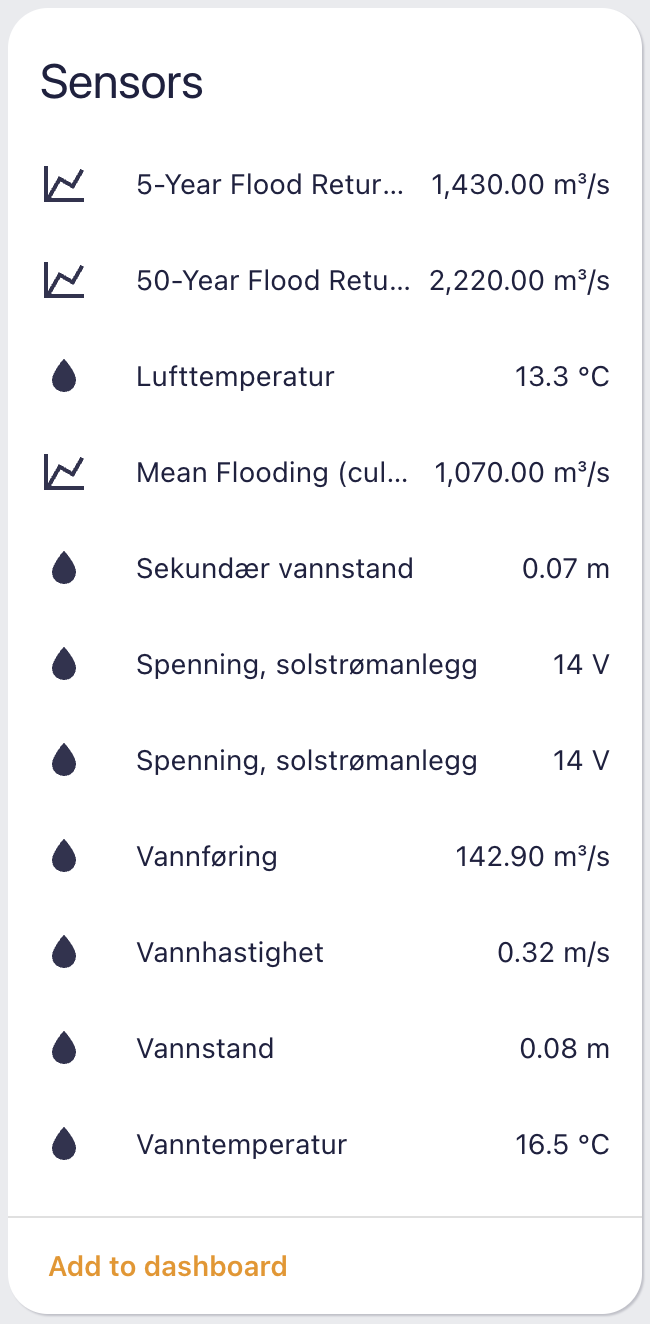
For each configured station, the following entities will be created:
- Sensor:
sensor.{station_name}_mean_flooding_culqm- Mean flooding based on observed values timestep - Sensor:
sensor.{station_name}_5_year_flood_return_period_culq5- 5-year flood return period (20% annual probability) - Sensor:
sensor.{station_name}_50_year_flood_return_period_culq50- 50-year flood return period (2% annual probability)
All culQ sensors provide flood statistics for hydrological analysis and flood risk assessment:
- culQm: Mean flooding based on the timestep for the observed values
- culQ5: Flood with a return period of 5 years (20% probability each year)
- culQ50: Flood with a return period of 50 years (2% probability each year)
These values are fetched from the NVE stations endpoint and provide crucial information for water resource management and flood risk assessment. The culQ sensors are implemented using a single, efficient sensor class that handles all three flood statistics values.
This project uses a devcontainer for development. To get started:
- Open in VS Code with Dev Containers extension
- The container will automatically install dependencies
- Make your changes
- Test locally before deploying
The devcontainer includes several VS Code tasks for Home Assistant development:
- Start Home Assistant: Starts Home Assistant in the background
- Start Home Assistant (Development): Starts HA with UI auto-open and development options
- Stop Home Assistant: Stops any running Home Assistant instances
- Start Home Assistant
- Access the UI at http://localhost:8123
- Add the Sildre integration through the UI
- Test with your API key and stations
This project is licensed under the MIT License - see the LICENSE file for details.
Contributions are welcome! Please feel free to submit a Pull Request.
If you encounter any issues or have questions:
- Check the Home Assistant forums
- Open an issue on this repository
- Check the NVE API documentation for API-related questions